
The easiest way to get UTM Parameters into Pipedrive
Use Attributer to get UTM parameters into Pipedrive, so you can ultimately track which campaigns, ads, keywords, etc. are generating your leads and customers.

Attributer makes it easy to track UTM parameters in Pipedrive. Install the code, add a few hidden fields to your forms, and Attributer automatically captures attribution data for every lead that submits a form on your site (including those from organic channels like Organic Search and Organic Social).
Do you know which marketing channels and campaigns are actually driving your leads and customers?
If not, you're probably spending money in the wrong places without even realizing it.
The good news? There's a fix.
By capturing UTM parameters from your campaigns and passing them into Pipedrive with each new lead, you can run reports that show you exactly which channels and campaigns are generating leads, customers, and revenue.
In this article, we'll show you how to do it using a tool called Attributer.
4 steps for capturing UTM parameters in Pipedrive
Using Attributer to capture UTM parameters in Pipedrive is easy. Here's how to do it in 4 easy steps:
1. Add the Attributer code to your website

When you sign up for a 14-day free trial of Attributer, you'll get a small snippet of code to install on your website.
The exact process varies depending on which website builder you use (WordPress, Webflow, Squarespace, etc.), but it's generally just a matter of dropping it into the settings section of your site.
If you need a hand, there are full step-by-step instructions for all the major website builders in Attributer's documentation.
2. Add hidden fields to your forms
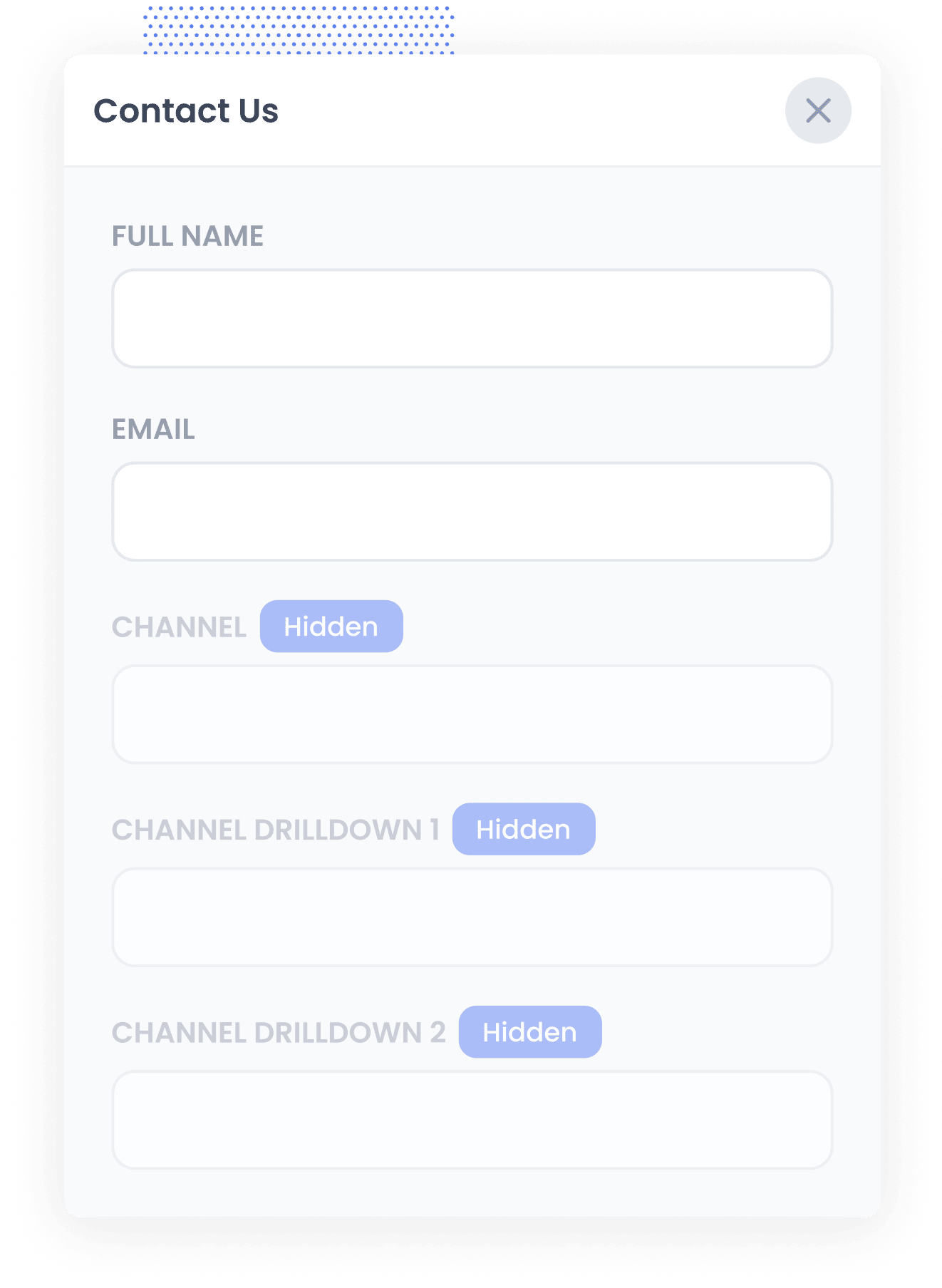
The second step is to add hidden fields to your lead capture forms (I.e. your Contact Us form, Request A Demo form, whitepaper download forms, etc).
The hidden fields you need to add to these forms are:
- Channel
- Channel Drilldown 1
- Channel Drilldown 2
- Channel Drilldown 3
- Landing Page
- Landing Page Group
Most form-building tools (like Contact Form 7, Gravity Forms, Wufoo, etc) make it easy to add hidden fields and instructions can be seen here.
3. Attributer automatically completes the hidden fields with UTM data
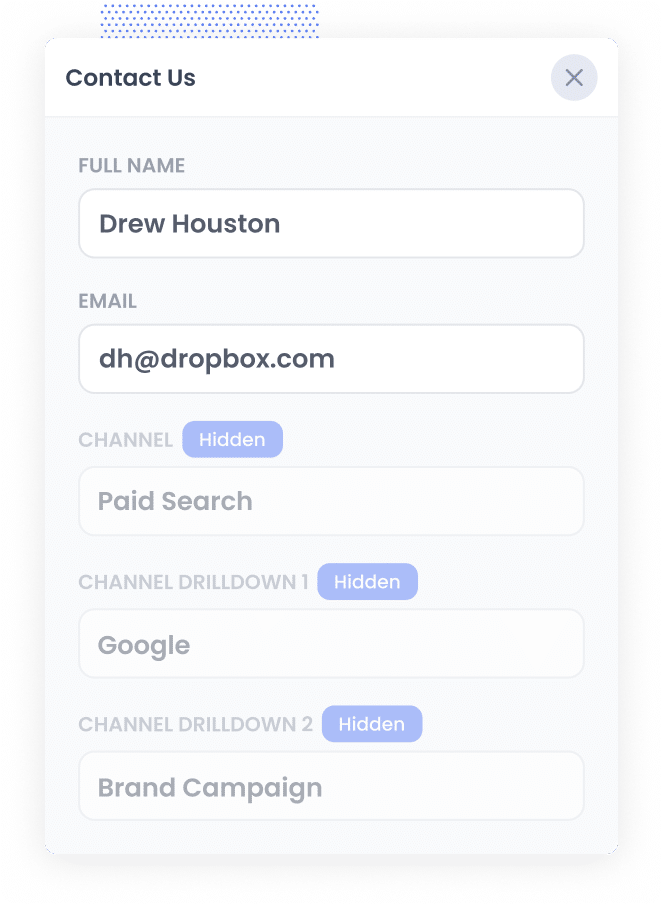
Attributer tracks where each of your visitors is coming from, and when they complete a form on your site, it automatically writes that data into the hidden fields.
For example, let's say you're a marketer at an accounting firm and someone clicks on one of your Google Ads and fills out your contact form. Depending on the UTM parameters behind your ads, Attributer would populate the hidden fields like this:
- Channel = Paid Search
- Channel Drilldown 1 = Google
- Channel Drilldown 2 = Brand Campaign
- Channel Drilldown 3 = Tax Advisory Ad
On top of that, it also captures the visitor's first landing page (e.g. yourfirm.com/services/tax-advisory) and the landing page group (e.g. /services).
4. UTM parameters are passed into Pipedrive
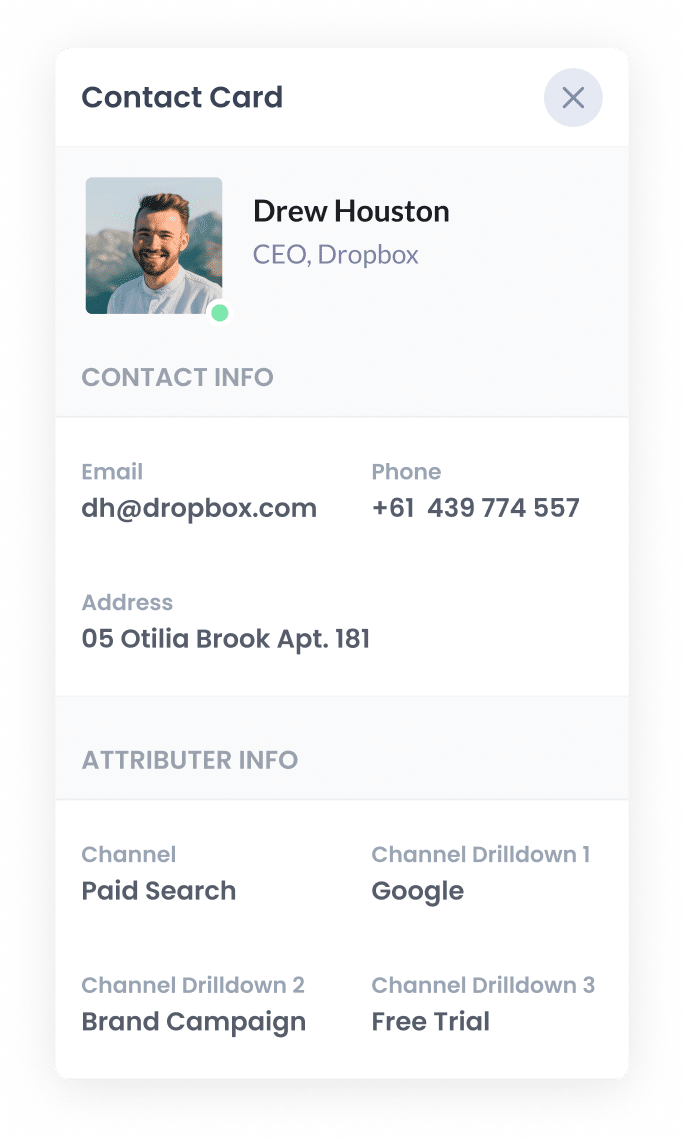
Finally, when a visitor submits the form on your website, all of the Channel data (derived from the UTM parameters) and the Landing Page data is passed into your CRM along with the name, email, phone, etc of the lead.
Once inside your CRM, you can then report on it using your existing reporting tools (I.e. Pipedrive reports, or your existing BI tool).
You should be able to see what channels are bringing the most leads, what the conversion rate to Opportunity is, how many Closed Won deals have come from each channel, etc.
What is Attributer?
The steps above give you a pretty good picture of how Attributer works, but here's a bit more detail if you're curious.
Attributer is a small piece of code you install on your website. When a visitor lands on your site, it looks at technical details like UTM parameters and HTTP referrer data to figure out where they came from. It then categorizes that visit into a channel (like Paid Search, Organic Search, or Paid Social) and stores it in the visitor's browser.
When that visitor fills out a form, Attributer writes the channel data into the hidden fields, and it is captured by your form tool (alongside their name, email, and other contact details) and can be sent to Pipedrive.
Attributer was originally built by a marketing consultant who was tired of not being able to tell his clients which channels were actually driving leads and customers. After using it internally for a few years, he realized other marketers could benefit from it too. Today it's installed on thousands of websites and tracks attribution data for over 15 million visitors every month.
Why using Attributer is better than capturing raw UTM parameters
What makes Attributer different from the other tools on the market that capture UTM parameters?
Here are three good reasons to use Attributer:
1. Captures all traffic
Unlike tools that only capture UTM parameters from paid campaigns, Attributer tracks the source of ALL your leads and passes it into Pipedrive.
That means you'll also get attribution data for leads from organic channels, such as Organic Search, Organic Social, Direct, and Referral.
The end result is that you know where every single lead comes from, not just the ones clicking on your ads.
2. Works across pages & visits
Most UTM capture tools only work if the visitor fills out a form on the very first page they land on. But that's not really how the world works.
Say someone clicks on one of your Google Ads and lands on your homepage. They look around, click through to your Contact page, and fill out the form there. With most tools, those UTM parameters would be lost the moment they navigated away from the initial landing page.
Attributer handles this differently. It stores the UTM data in the visitor's browser, so it doesn't matter which page they submit the form on. The original attribution data is always passed through to Pipedrive.
3. Captures Click ID's
Attributer also captures click IDs like the Google Click ID (GCLID), Microsoft Click ID (MSCLID), and Facebook Click ID (FBCLID) with each form submission on your site.
Once those click IDs are in Pipedrive, you can send them back to the relevant ad platform at a key moment in your sales process, like when a lead converts into a paying customer. This is known as offline conversion tracking.
The big benefit is that, instead of optimizing your campaigns around form submissions or thank-you page visits, you're feeding the ad platform data on actual customers and revenue. That gives the smart bidding algorithms much better signals to work with, which typically means lower cost per acquisition and better campaign performance over time.
4. Captures landing page data as well
Attributer also captures the landing page and landing page group for every lead that submits a form on your site. So if someone reads a blog post and then fills out your contact form, you'll know exactly which post brought them in.
This means you can see which sections of your site are generating the most leads (your blog, your services pages, etc.) and drill down to see how individual pages are performing too.
4 example reports you can run when you capture UTM parameters in Pipedrive
If you are using Attributer to capture UTM parameters and send them into Pipedrive alongside each lead, then you should be able to run reports similar to the following:
1. Leads by Channel
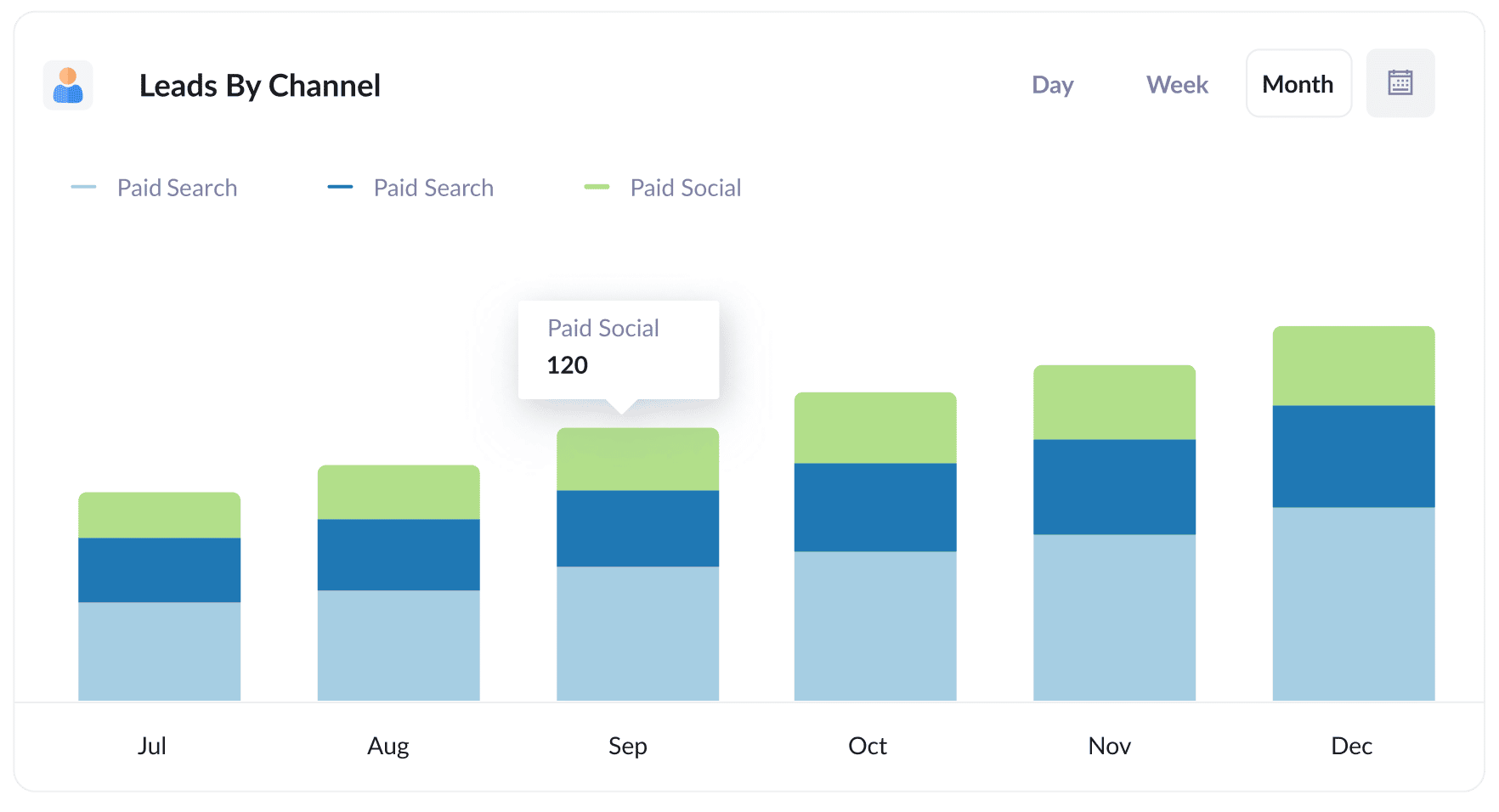
Because Attributer captures attribution data for every lead (not just those from paid campaigns), you can build reports that show exactly how many leads you're getting from each channel each month.
It's a great way to see what's actually working and what isn't. For instance, if Organic Search is quietly driving most of your leads but the bulk of your budget is going towards paid ads, that's a pretty clear signal it might be time to change things up.
2. Leads by Meta Ads Network
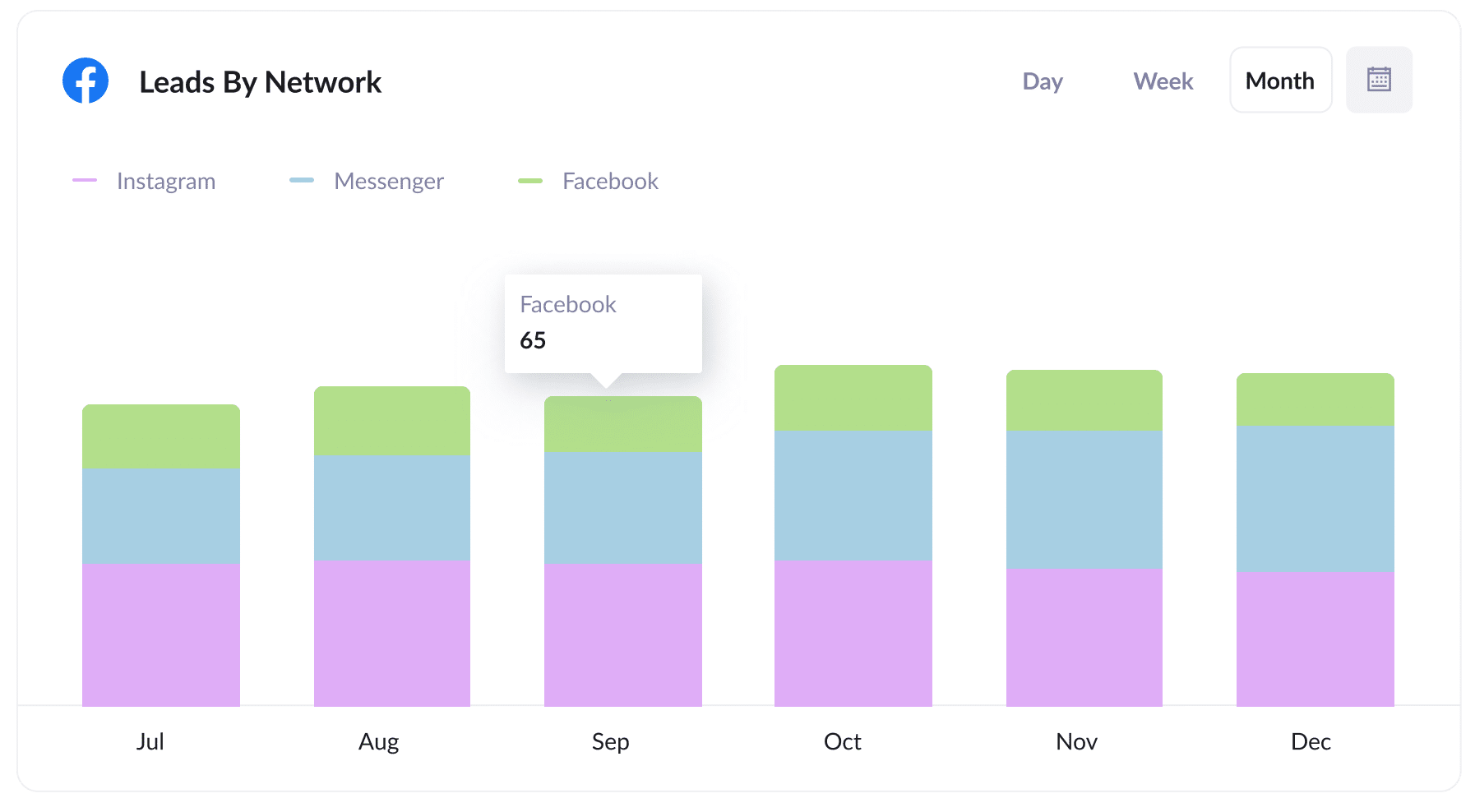
If you're running ads across Meta's networks (Facebook, Instagram, Messenger, etc.), this report breaks down exactly which ones are generating leads for your business.
It's useful information to have. For instance, if Facebook is driving the bulk of your leads, but you're splitting your budget evenly across all 3 networks, then shifting more spend towards Facebook could get you more leads without spending an extra cent.
3. Customers by Google Ads campaign
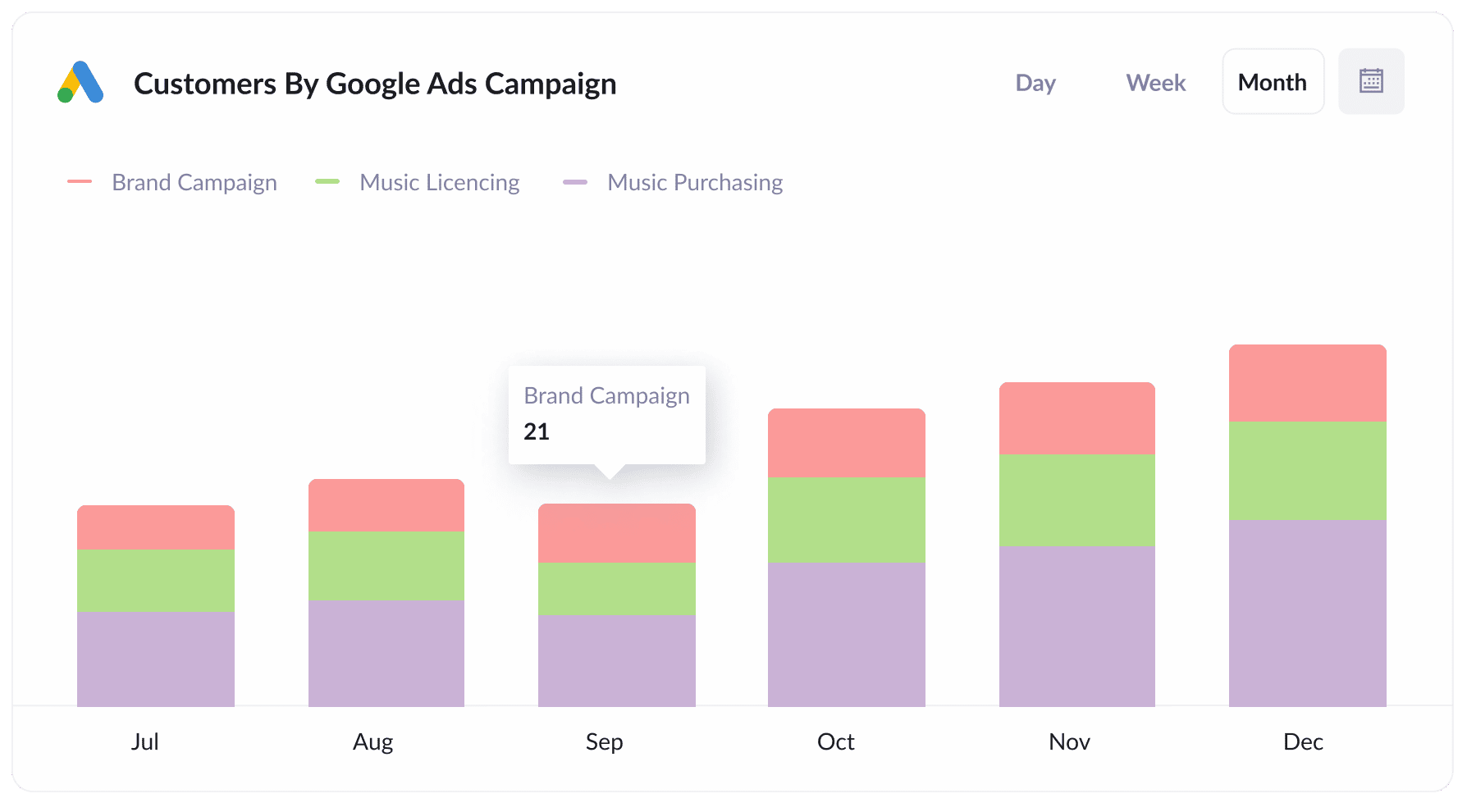
This report shows how many customers you're getting each month from each of your Google Ads campaigns, so you can see which ones are actually converting rather than just driving clicks that go nowhere.
A good example is search campaigns targeting different types of keywords, like brand terms, competitor terms, and product terms.
In my experience, leads from these campaigns convert to customers at very different rates, so knowing which ones are delivering the best results makes it a lot easier to decide where to put your budget.
4. Revenue by Keyword
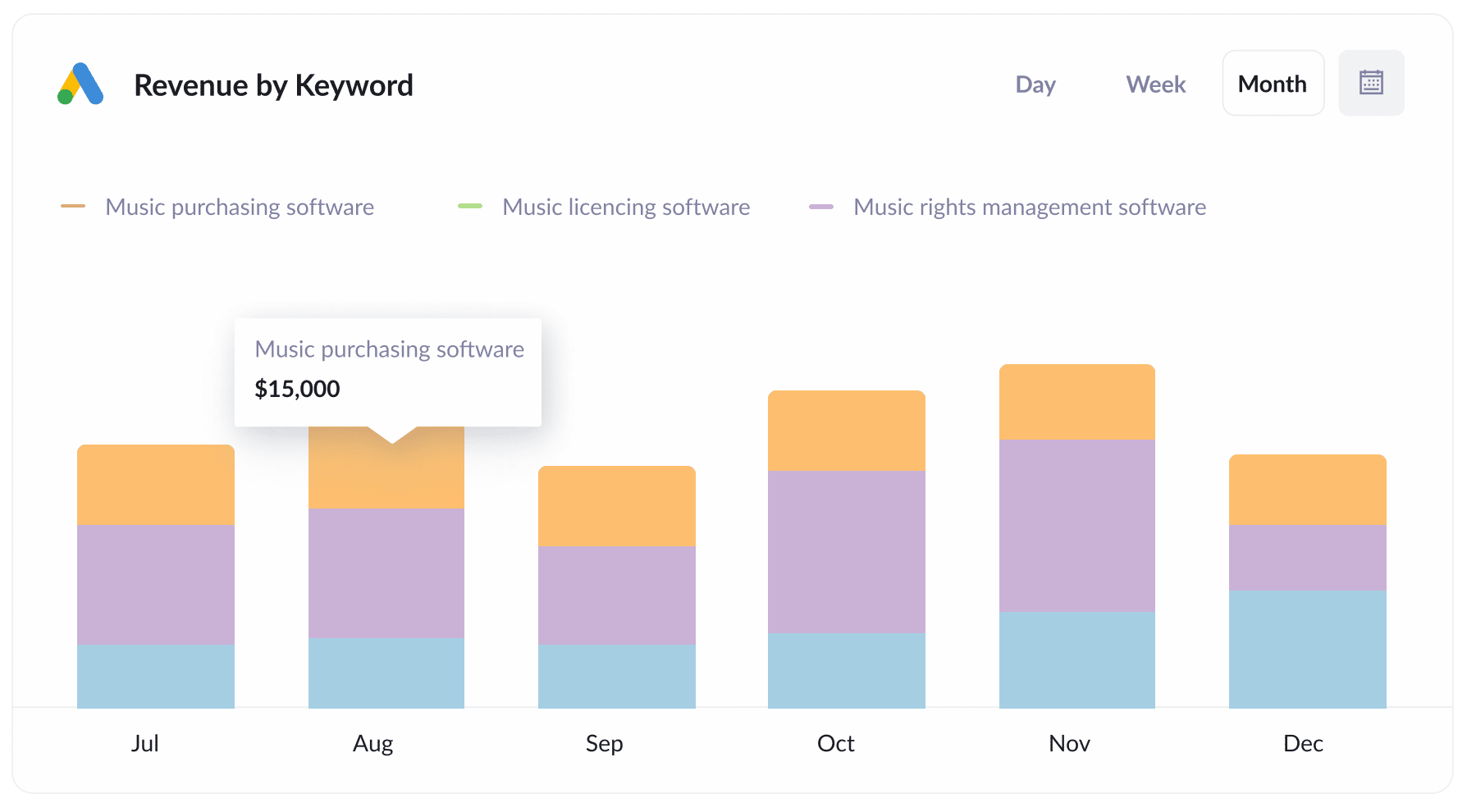
If you put the keyword in the UTM parameters behind your Google Ads (which is easy to do using tracking templates), then you can capture the keyword your leads are using to find your business.
Not only can this help you to understand which keywords to bid higher on in Google Ads, but in the past I have used this information to help understand which terms to target in SEO, which words I should be using in my ad copy, and a whole lot more.
Helping Non Plus Ultra understand the ROI of their digital marketing campaigns
Non Plus Ultra (NPU Events) transforms iconic properties like the Palace of Fine Arts in San Francisco and Sports Castle in Denver into event spaces for hire.
They were running Google Ads, Facebook Ads, and other campaigns to drive event bookings, and while Google Analytics could tell them how many visitors each campaign was sending, they had no way to know which ones were actually generating bookings.
That's when they started using Attributer.
Now, whenever someone fills out their event booking form, Attributer automatically captures where that lead came from and passes it into their CRM alongside the lead's contact details.
With that data, the NPU team could finally connect their marketing campaigns to actual revenue. Instead of just looking at visitor numbers, they could see how many leads from each campaign went on to book an event, how much revenue those bookings generated, and whether each campaign was delivering a positive ROI.
They also uncovered something unexpected. Because Attributer tracks all traffic sources (not just paid campaigns), they discovered that referral traffic from the websites of the venues they manage was driving a significant number of bookings. It's something they never would have found without it.
The result is that the NPU team now knows exactly which ad platforms, campaigns, and ads are driving the most bookings, and can make much smarter decisions about where to put their budget.
“Attributer allows us to go beyond just measuring form completions in Google Analytics and truly understand which of our marketing initiatives are generating event bookings and revenue."

Maria Redin - COO, Non Plus Ultra
Wrap up
Figuring out which marketing channels and campaigns are actually generating leads and customers is something a lot of marketers struggle with.
But Attributer can help.
Along with capturing and sending UTM parameters to Pipedrive, it also gathers data on leads from channels where UTM parameters are absent, including Organic Social, Organic Search, Referral, and others.
So with Attributer, you can see where ALL your leads & customers are coming from and make more informed decisions about how to grow your business.
Best of all, it takes less than 10 minutes to set up and you can get started with a 14-day free trial. So jump in today!
Get Started For Free
Start your 14-day free trial of Attributer today!

About the Author
Aaron Beashel is the founder of Attributer and has over 15 years of experience in marketing & analytics. He is a recognized expert in the subject and has written articles for leading websites such as Hubspot, Zapier, Search Engine Journal, Buffer, Unbounce & more. Learn more about Aaron here.