
How to capture the GCLID in Zoho Bookings
Use Attributer to capture the GCLID with every Zoho Bookings appointment and pass it to your CRM (or other tools) and back to Google Ads.
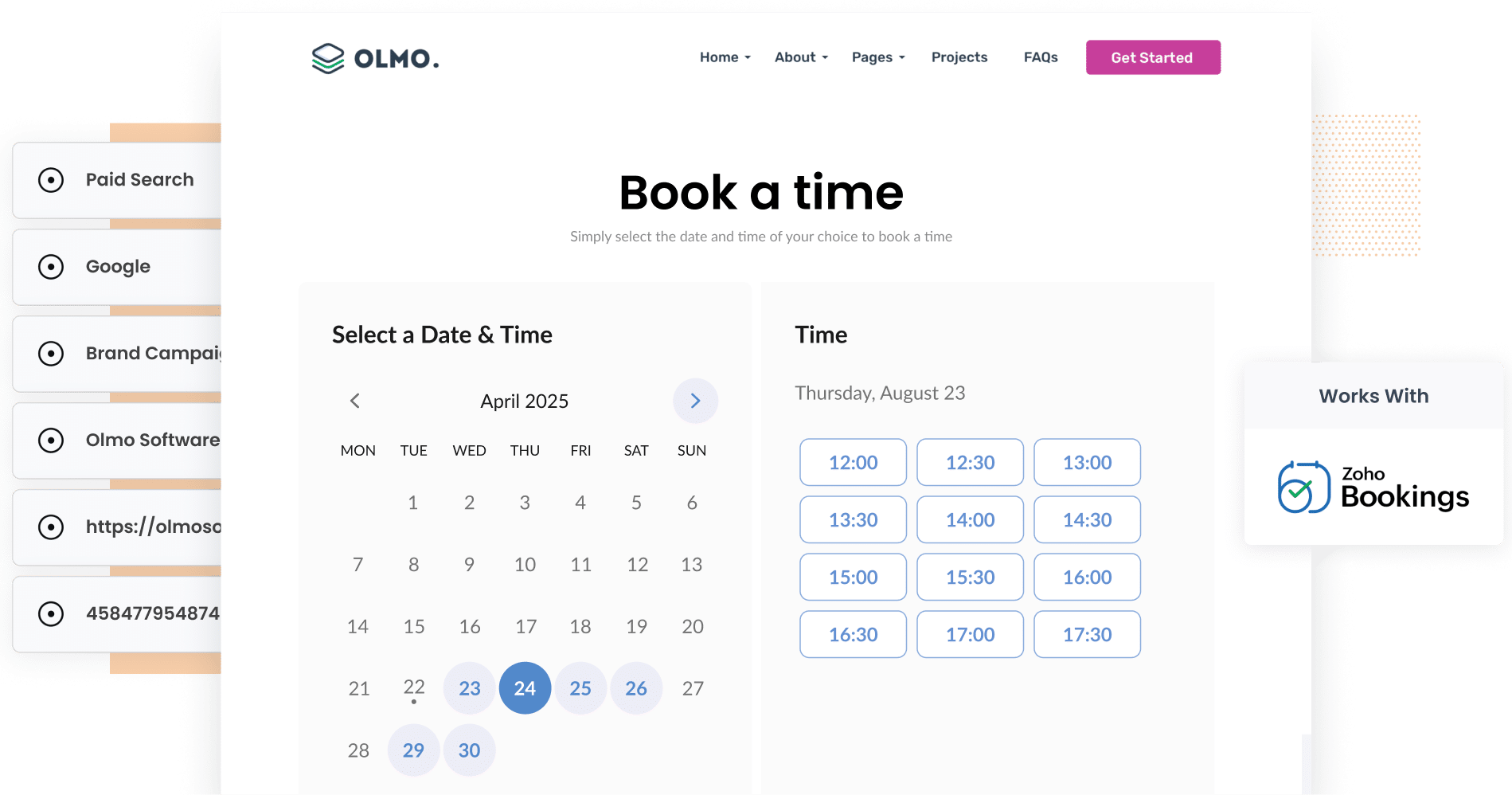
Attributer makes it easy to capture the GCLID in Zoho Bookings. Simply add a few hidden fields to your Zoho Booking form, and Attributer will automatically grab the GCLID and pass it through with every new booking. And as a bonus, it also captures UTM parameters and other attribution data at the same time.
Finding it tough to figure out which Google Ads campaigns are actually turning into leads and paying customers? You're definitely not alone.
Most marketers rely on Google Analytics to see how many visitors their ads are driving, but that data only goes so far. It can't tell you which of those visitors actually went ahead and booked a consultation or eventually became a customer. Without that kind of insight, you're essentially guessing where to put your ad budget.
The good news? There's a straightforward fix.
In this article, we'll walk you through how to use Attributer to capture the GCLID with every Zoho Bookings appointment, and then send that data into your CRM and back to Google Ads as an offline conversion.
3 steps for capturing the GCLID in Zoho Bookings
Capturing the GCLID with every Zoho Bookings appointment is easy with Attributer. Here's how to get it up and running:
1. Install Attributer and add hidden fields to Zoho Bookings
Start by signing up for a 14-day free trial of Attributer. You'll get a small piece of code to place on your website.
Adding it to your site is quick. The steps will vary a little depending on your website platform (WordPress, Webflow, Squarespace, etc.), but in most cases you can do it through the settings area of your website builder.
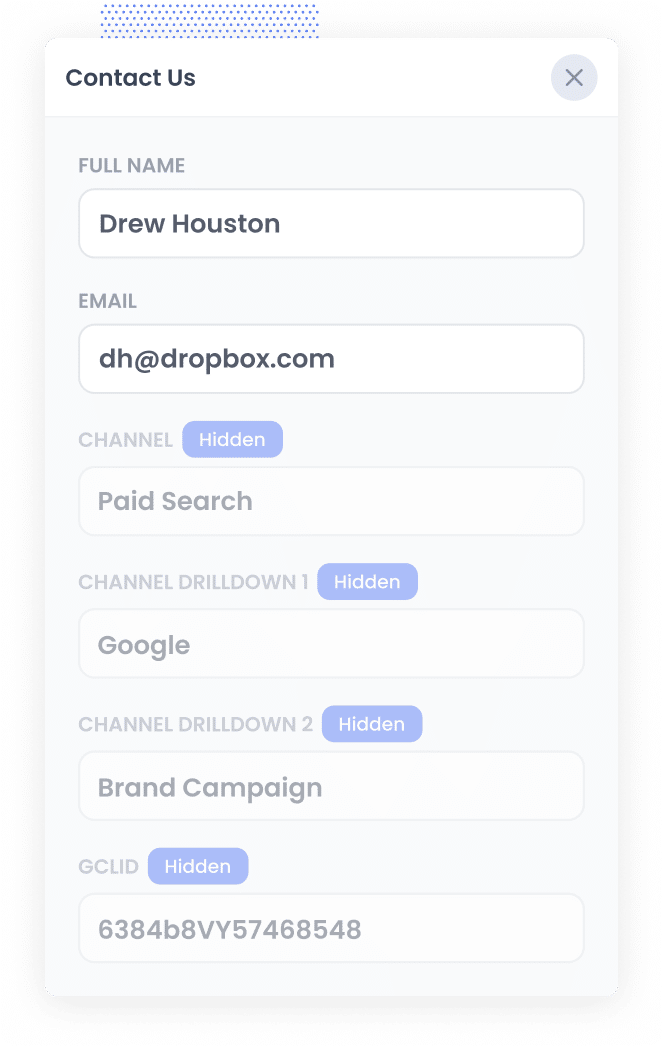
Once the code is installed, you'll need to add a hidden field to your Zoho Bookings booking form. Head to the service you want to track, open the Booking Form settings, and add a new Single Line field. Label it "GCLID", then toggle the field's visibility off so it's hidden from your visitors. This gives Attributer a place to write the GCLID so it gets included with every new appointment.
2. Attributer stores the GCLID and passes it through with each appointment
When a visitor clicks one of your Google Ads and lands on your website, Attributer grabs the GCLID from the URL and saves it in their browser. That means even if they spend time exploring different pages on your site, or leave and come back a few days later, the GCLID is still there.
Then, when they complete a booking through your Zoho Bookings form, Attributer automatically writes the GCLID into the hidden field.
3. GCLID is captured with each appointment
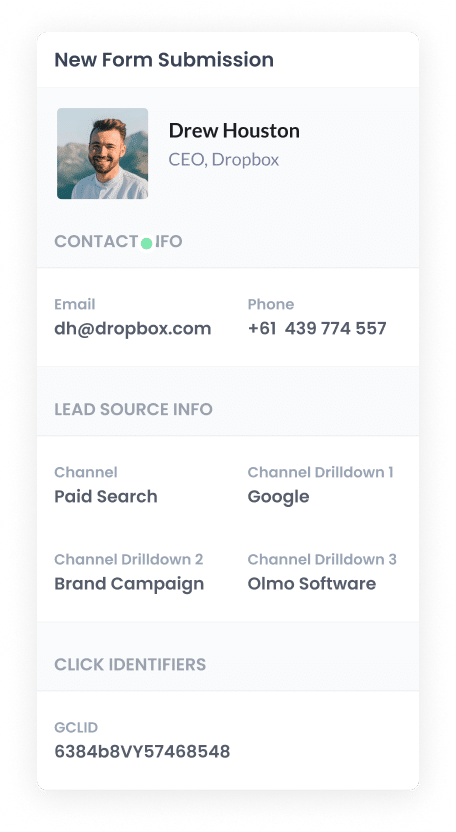
When a visitor finishes scheduling their appointment, Zoho Bookings captures the GCLID along with all the other details they entered, like their name, email, and phone number.
You can then see this data in the My Bookings section of your Zoho Bookings dashboard, and it will appear in any appointment notification emails you have configured.
From there, you can use Zoho Bookings' native integration with Zoho CRM, or connect with third-party tools like Zapier or Zoho Flow, to send the data to your CRM or wherever else you need it.
How to send the GCLID back to Google Ads and mark it as an offline conversion
The first thing you'll need to do is set up a new conversion action inside Google Ads.
To get started, open Google Ads and navigate to Goals in the left sidebar, then click into Conversions. From there, click the button to add a new conversion and choose Offline Conversion as the type.
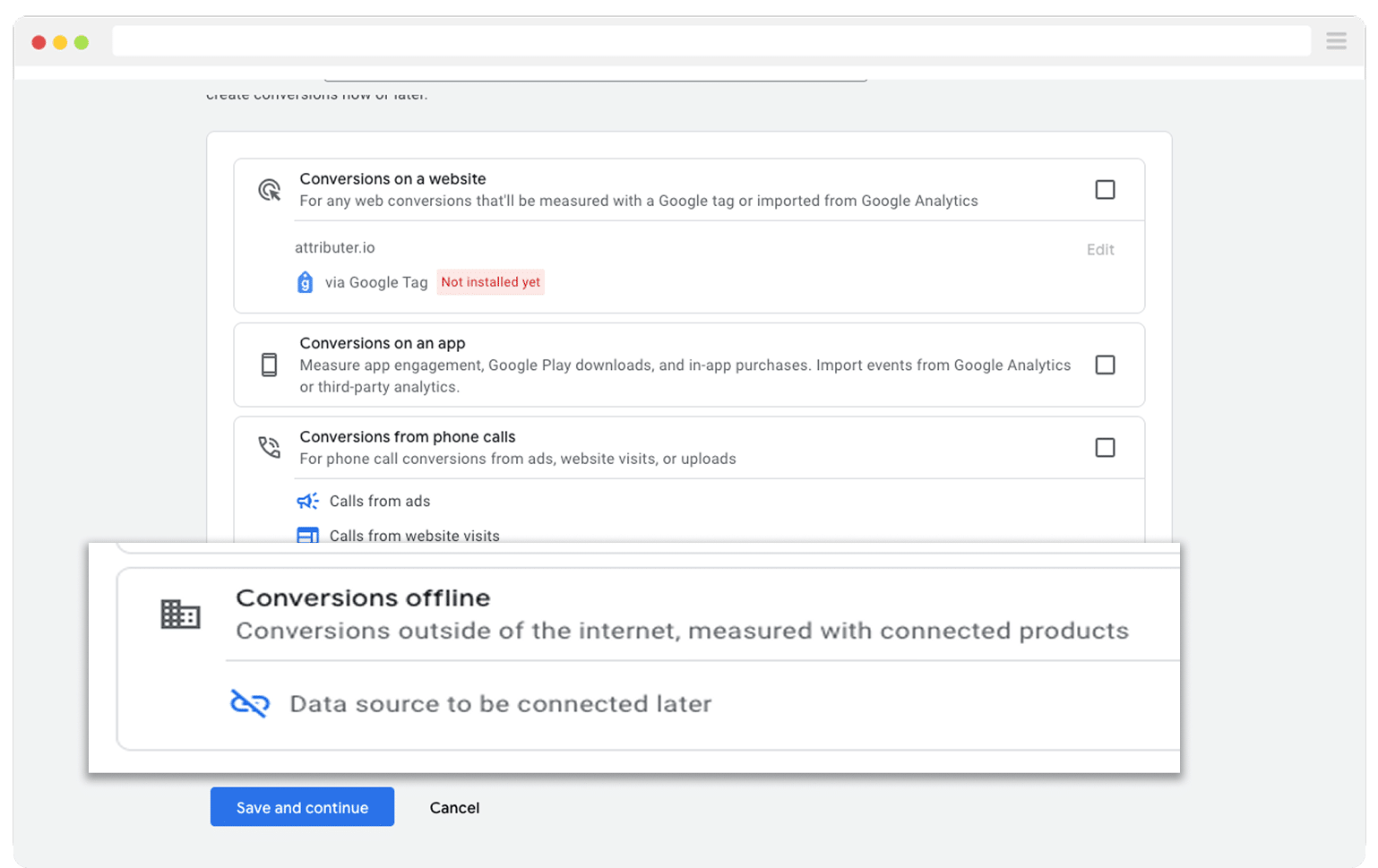
On the last screen, when it prompts you to connect a data source, go ahead and choose the 'Add data source later' option.
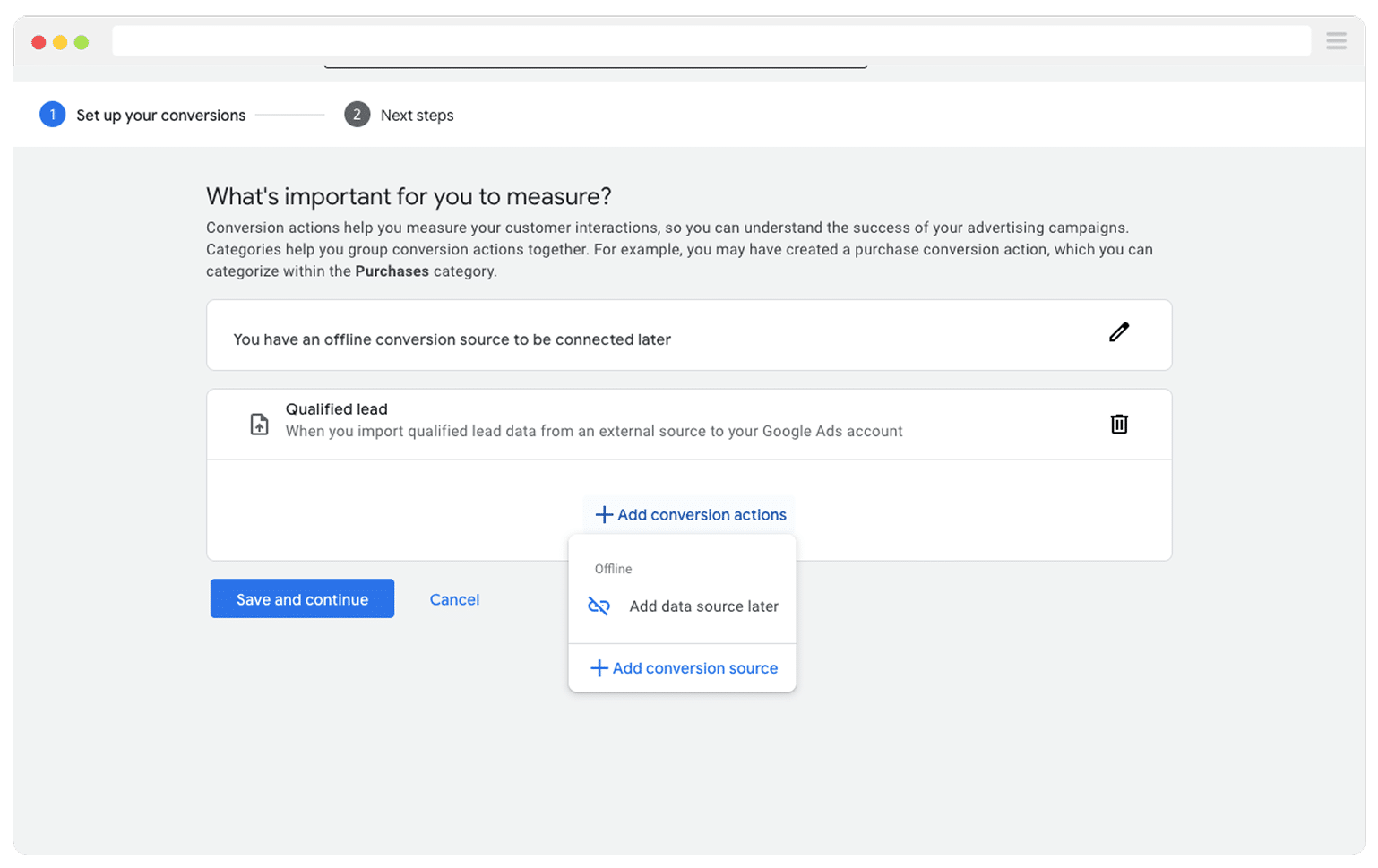
With your conversion action ready to go in Google Ads, the next thing to figure out is which point in your sales process should trigger the GCLID being sent back. This is a more important decision than it might seem at first glance.
The instinct for a lot of businesses is to wait until a deal closes before firing the conversion back to Google. On the surface that makes sense, but it can actually hold you back. Google's automated bidding options (like Maximise Conversions, Maximise Conversion Value, or Target CPA) usually need around 50 conversions per month to really dial in their performance.
If your business isn't closing 50 deals every month, you'll likely see stronger results by sending the conversion at an earlier point in your pipeline. For example, you could trigger it when a new deal gets created in your CRM. You're still sending Google a high quality signal (a lead that your sales team has vetted and qualified) but you're giving the algorithm a much larger pool of data to learn from.
Once you've landed on the right trigger, head over to Zapier and build a new Zap. Set your trigger to match the pipeline stage you picked. So if you want the conversion to fire when a new deal appears in your CRM, configure that as the trigger event.
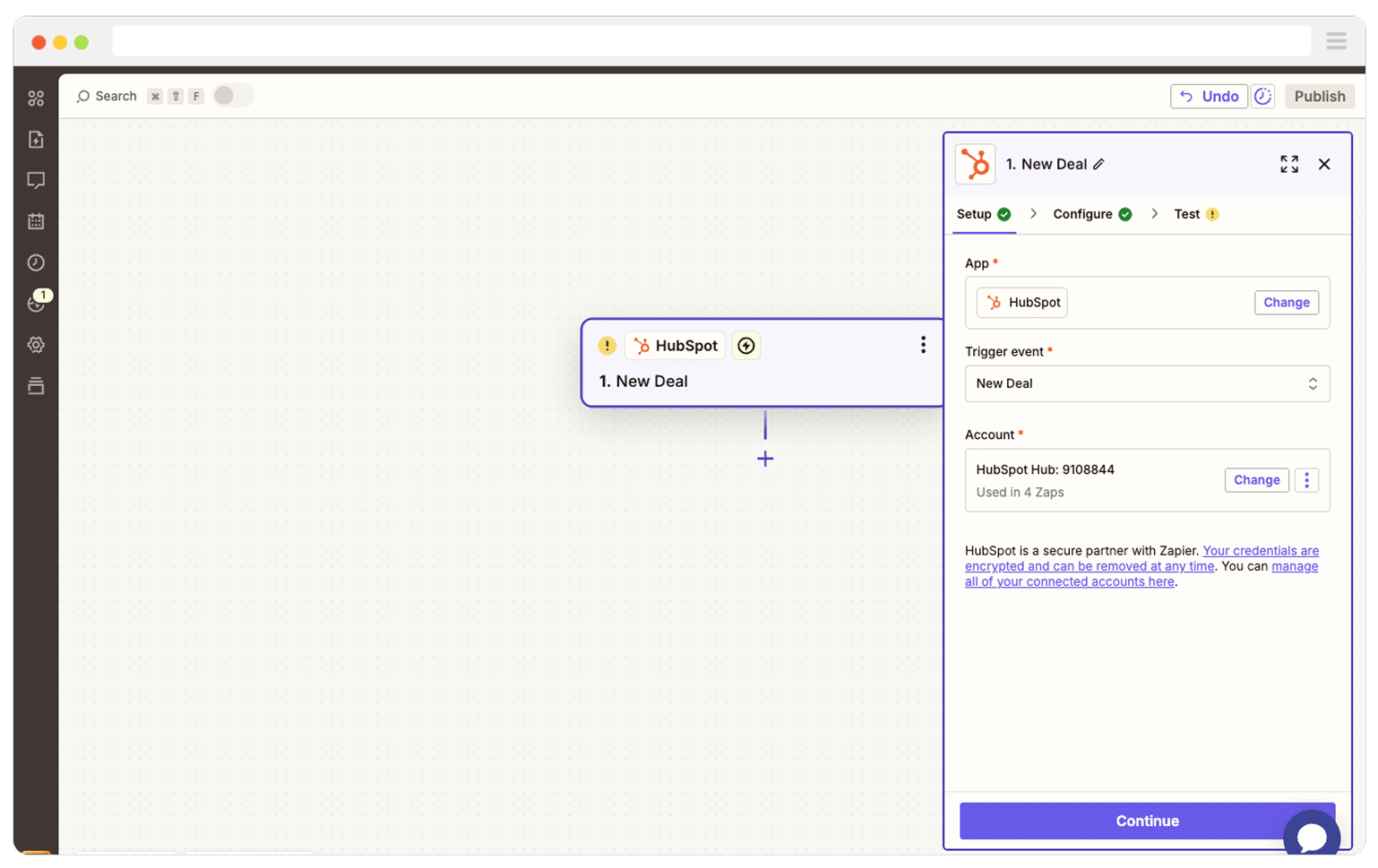
After that, choose Google Ads as your Action step and pick 'Send Offline Conversion' as the specific event.
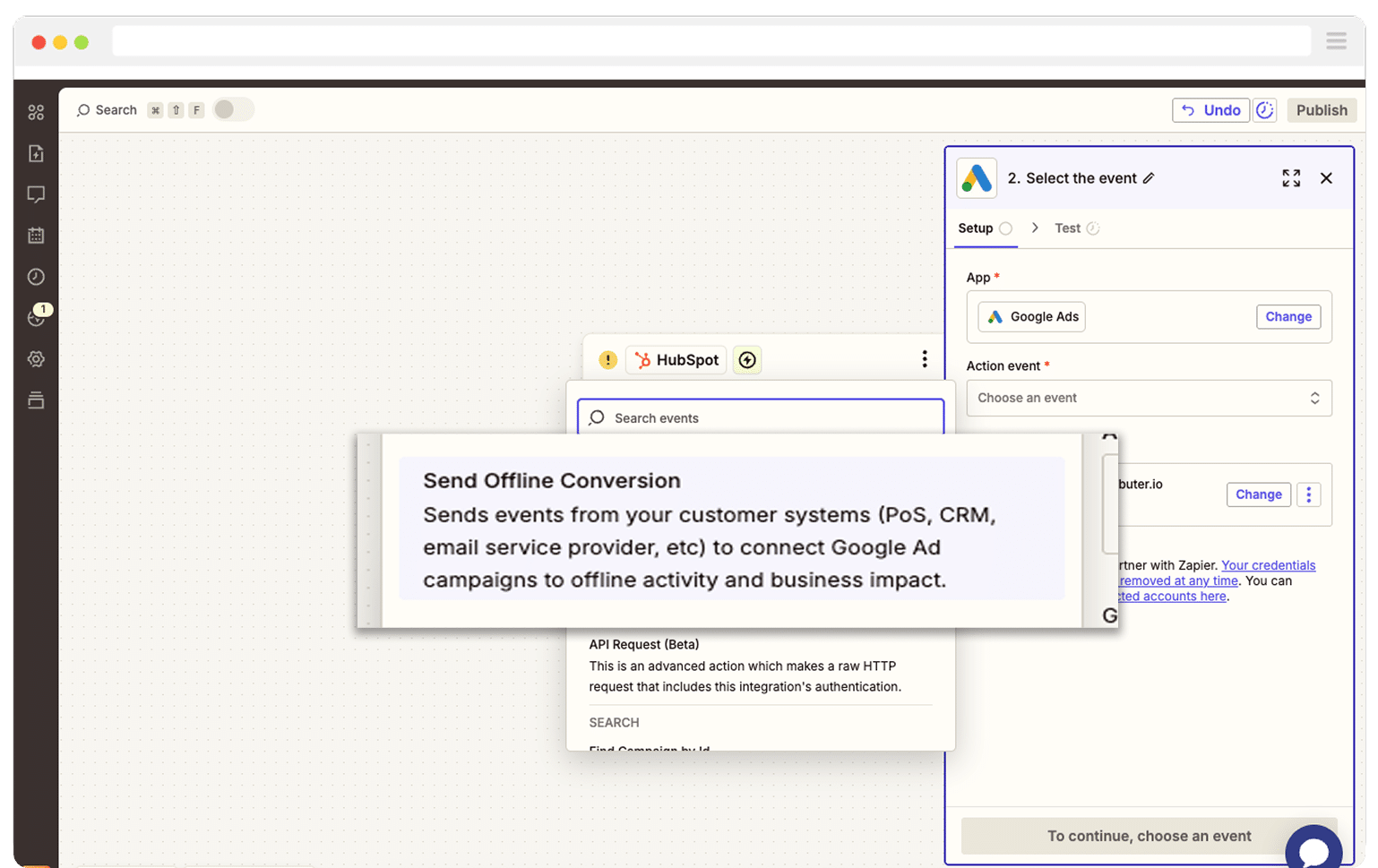
The last step is to map the GCLID field from your CRM (or wherever you've been storing it) to the corresponding field in Zapier.
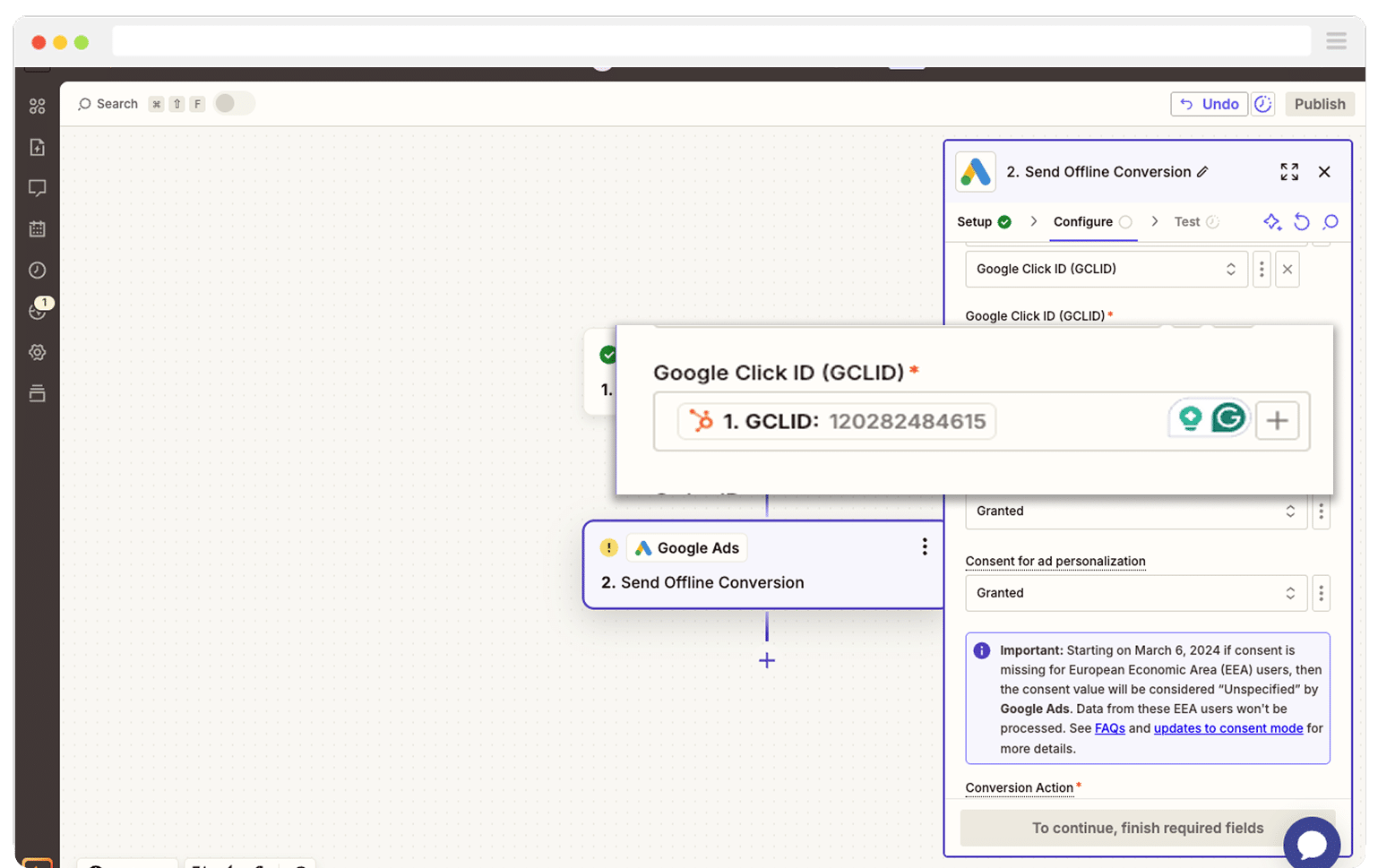
And that's all there is to it! Your offline conversions are now configured in Google Ads. Before you start scaling your ad spend, it's worth running a quick test to make sure everything is firing correctly. You can find a detailed walkthrough on how to test your setup here.
Why Attributer is the best way to capture the GCLID in Zoho Bookings
There are other ways to get the GCLID captured with Zoho Bookings appointments, so what makes Attributer the better choice?
Here are a few reasons it's worth considering:
1. Remembers the GCLID as visitors browse your site
Most other approaches to capturing the GCLID only work if the visitor schedules their appointment on the same page they originally landed on.
This creates a real gap. Picture this: someone clicks your Google Ad and arrives on your homepage, then browses over to your Services page to book a consultation. By that point, the GCLID is no longer in the URL, so it never gets recorded.
Attributer takes a different approach. It saves the GCLID in the visitor's browser as soon as they arrive on your site. So regardless of which page they end up booking on, or even if they leave and return a week later, the GCLID is captured every time.
2. Captures UTM parameters as well
Attributer doesn't stop at the GCLID. It also captures any UTM parameters you've attached to your campaigns.
For instance, imagine you run a financial advisory firm. When someone clicks one of your Google Ads and schedules an appointment through Zoho Bookings, Attributer would write the following into the hidden fields alongside the GCLID:
- Channel = Paid Search
- Channel Drilldown 1 = Google
- Channel Drilldown 2 = Retirement Planning Campaign
- Channel Drilldown 3 = SMSF Advice Melbourne
- Channel Drilldown 4 = Free Consultation Ad
3. Captures information on users from organic channels
Attributer also picks up attribution data for visitors who find your site through organic channels like Organic Search, Organic Social, Referral, or Direct Traffic.
Using the same financial advisory firm example, if a potential client discovers your website through a regular Google search instead of a paid ad, Attributer would pass through something like this:
- Channel = Organic Search
- Channel Drilldown 1 = Google
- Channel Drilldown 2 = www.google.com (or whichever search engine domain they came from)
- Channel Drilldown 3 = financial advisor Melbourne (or whatever keyword they searched, if available)
How Attributer helped Harris Federal Law see which Google Ads campaigns were actually bringing in clients
Harris Federal Law Firm is a Washington D.C. based legal practice that focuses on helping federal employees navigate and secure their benefits.
They had been investing heavily in Google Ads and were tracking website traffic using Google Analytics, but there was a significant blind spot. While they could see how many people their ads were driving to the site, they had no way to connect those visits to the actual leads and clients they were speaking to.
That changed when they started using Attributer.
Once it was up and running, Attributer started capturing detailed attribution data (including campaign, ad group, ad, keyword, and GCLID) with every new lead that submitted a form on their website. All of that data flowed straight into their CRM alongside each lead's contact information.
Suddenly, they had real visibility into which campaigns were turning visitors into paying clients and which ones were just eating through budget without delivering results.
The most surprising discovery? Several of their display campaigns had been racking up impressive visitor numbers but were barely converting any of those visitors into actual clients. Armed with that insight, they reallocated their budget toward the search campaigns that were genuinely producing new business.
The outcome? A higher number of clients at a significantly lower cost per acquisition.
"With Attributer we can see which campaigns are actually generating customers & revenue, rather than just website visitors. We were able to see that some of our campaigns were driving lots of visitors but few of them converted into leads and customers. Now we're able to reinvest that budget into other campaigns that we can see are generating revenue."

Nick Child - Director of Marketing, Harris Federal Law Firm
Wrap Up
Looking to capture the GCLID with every Zoho Bookings appointment and send it to your CRM so you can fire offline conversions back to Google Ads? Attributer is a great way to do it.
It grabs the GCLID the instant a visitor arrives on your site and holds onto it as they navigate around, even if they leave and come back days later. That means the GCLID gets captured with every single appointment, no matter which page they end up booking on.
Best of all, it's free to get started and setup takes less than 10 minutes. Start your 14-day free trial today and begin capturing the GCLID with every Zoho Bookings appointment.
Get Started For Free
Start your 14-day free trial of Attributer today!

About the Author
Aaron Beashel is the founder of Attributer and has over 15 years of experience in marketing & analytics. He is a recognized expert in the subject and has written articles for leading websites such as Hubspot, Zapier, Search Engine Journal, Buffer, Unbounce & more. Learn more about Aaron here.