
The best way to track YouCanBookMe bookings as conversions in Google Ads
Learn how to set up proper conversion tracking in Google Ads when someone books a meeting through YouCanBookMe on your site.
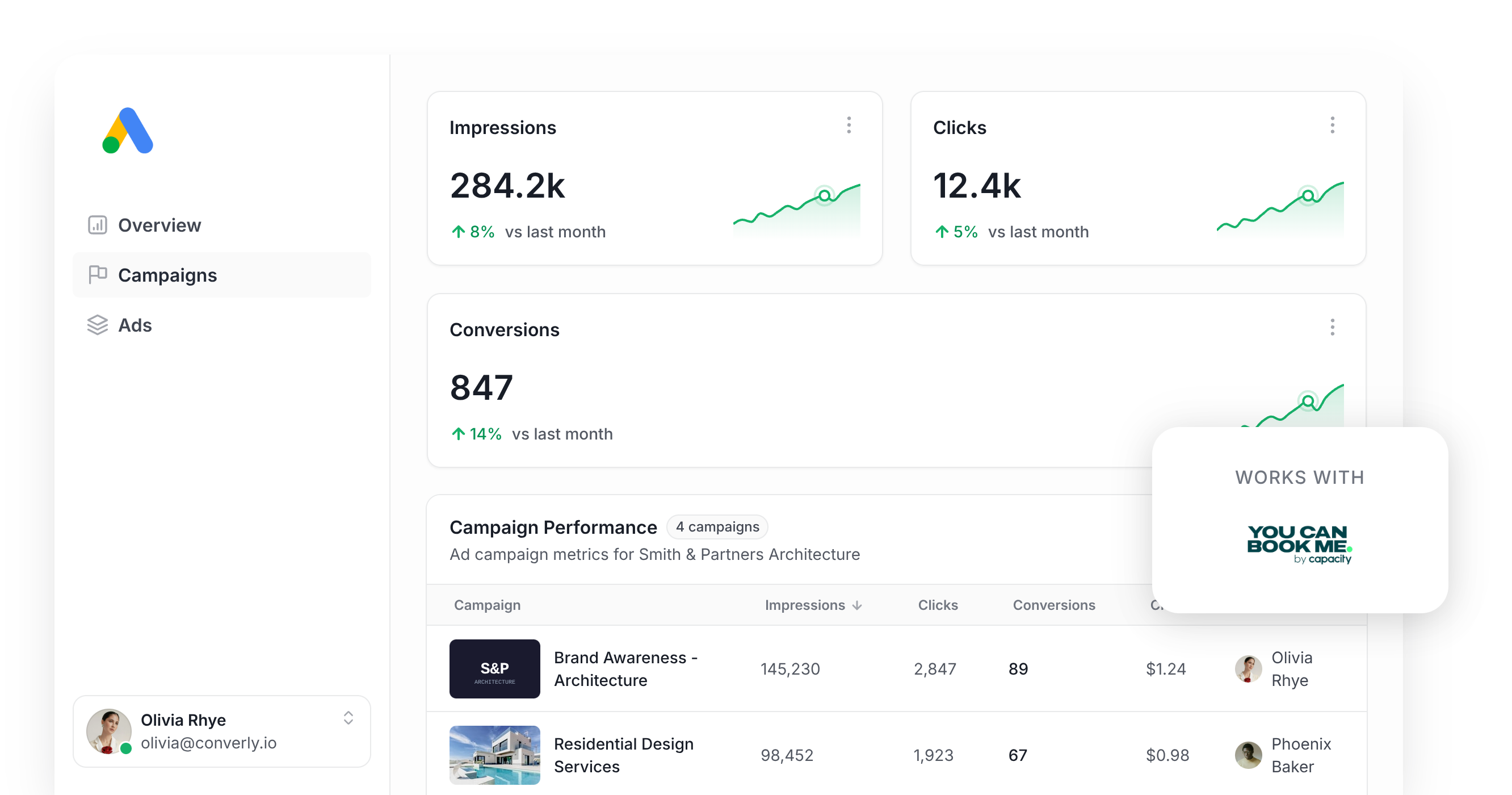
Use Attributer to capture the GCLID when someone books a meeting through YouCanBookMe, then send it back to Google Ads as a conversion (either right away, or once that lead becomes a customer).
Running Google Ads can bring in a steady stream of new leads, but actually proving which of those leads came from your ads is a much harder problem than most businesses expect.
Set it up through Google Tag Manager and you're stuck writing custom code to detect a completed booking, then chaining together triggers and tags just to get one accurate number. It's a lot of work for something that should be straightforward.
The lighter-weight options don't hold up much better. Tracking visits to a confirmation page silently drops as much as 30% of your real bookings, because ad blockers and browser privacy settings get in the way. And a confirmation page view alone doesn't carry the lead's name, email, or phone, which is exactly what Google Ads now expects with every conversion you send.
So what should you actually do instead?
This article walks through a better way to track conversions in Google Ads when someone books a meeting through YouCanBookMe on your website, using server-side tracking.
Why server-side tracking matters for Google Ads
The standard approaches to conversion tracking, whether that's watching for confirmation page loads or catching booking events with Google Tag Manager, all break down for the same handful of reasons. Studies estimate these methods miss up to 30% of real conversions.
Here's what causes it:
- Ad Blockers. They prevent the Google Tag from ever loading on your visitor's browser, so nothing that happens on your booking page gets reported back to Google.
- Browser privacy features. Safari and similar browsers cut ties with the Google Tag after roughly a day, so if someone clicks your ad today and doesn't book until later in the week, Google has no way to connect the two.
- Cross-device booking. A lead might tap your ad from their phone on the train, then actually book the meeting later from their laptop at their desk, and browser tracking simply can't bridge that gap between devices.
Server-side tracking closes all three gaps at once. Instead of relying on something happening inside the visitor's browser and hoping the Google Tag is there to catch it, you send Google a direct message containing the lead's details, which sidesteps ad blockers and privacy restrictions entirely.
The payoff is significant. Google reports that businesses using server-side tracking see a 23% average lift in total recorded conversions and a 10% reduction in cost per conversion, mostly because Google's bidding algorithms finally get accurate signal to learn from.
How to track YouCanBookMe bookings in Google Ads using server-side conversion tracking
You have two main paths here, and the right one depends on when you want that conversion recorded in Google Ads.
Option 1: The moment a meeting gets booked
Use a tool like Converly to fire a server-side conversion to Google Ads the instant someone books a meeting through your YouCanBookMe page.
Rather than hand-coding a Google Tag Manager trigger to catch the booking, extract the lead's contact details, hash them with SHA-256, and push them to Google's API on your own, Converly hands you a visual builder that wires the whole flow together in minutes.
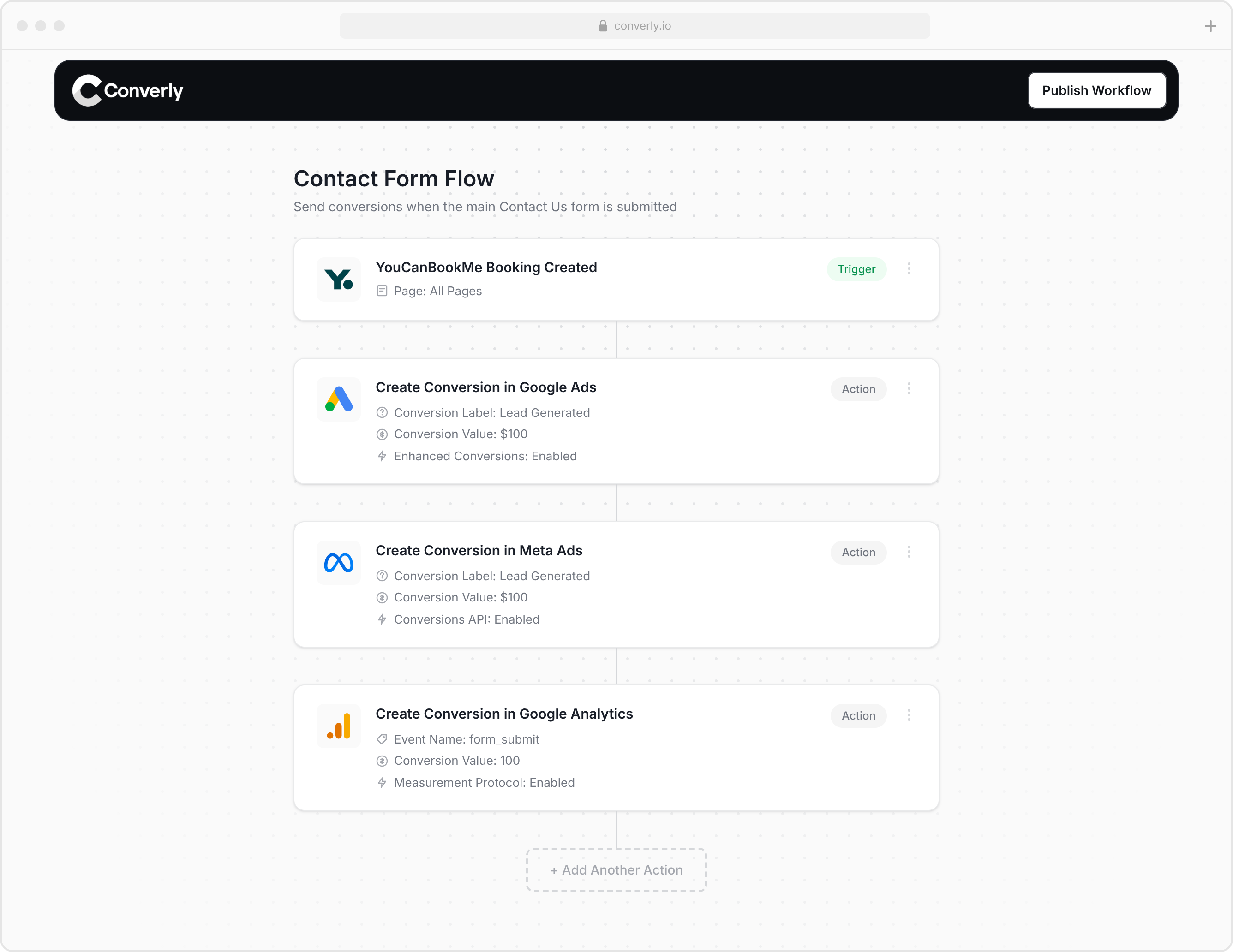
You pick a trigger (a new booking on your YouCanBookMe calendar) and choose what should happen next (like logging a conversion in Google Ads).
Converly then does the heavy lifting. It listens for new bookings, pulls the lead's name, email, and phone number straight from the booking form, hashes each of them with SHA-256 (a Google requirement), and sends it all to Google Ads. It also captures the GCLID and other click signals and forwards those with the conversion, so Google can match the booking back to the specific campaign, ad, and keyword that actually drove it.
That means you get the full upside of server-side tracking (the 23% average lift in conversions and 10% drop in cost per conversion) without touching custom code, learning SHA-256, or wrestling with Google's API.
Option 2: Once a lead turns into a customer
If you'd rather hold the conversion back until later in your sales process (once a booked meeting actually turns into a paying customer, say), you just need to capture some extra data at the point of booking and store it against the contact record in your CRM. Here's the process:
1. Install Attributer and add a hidden question to your YouCanBookMe booking form
Start by signing up for a 14-day free trial of Attributer and dropping its snippet of code onto your website.
Then open your booking page in the YouCanBookMe builder and add a new question to your booking form. Set its type to Hidden Question, give it a clear label, and note the shorthand code YouCanBookMe assigns it, something like gclid. That shorthand code is what Attributer will target when it writes the Google Click ID into the booking form's URL. Full setup instructions are on the Attributer Help site.
2. Attributer writes the GCLID into the hidden question
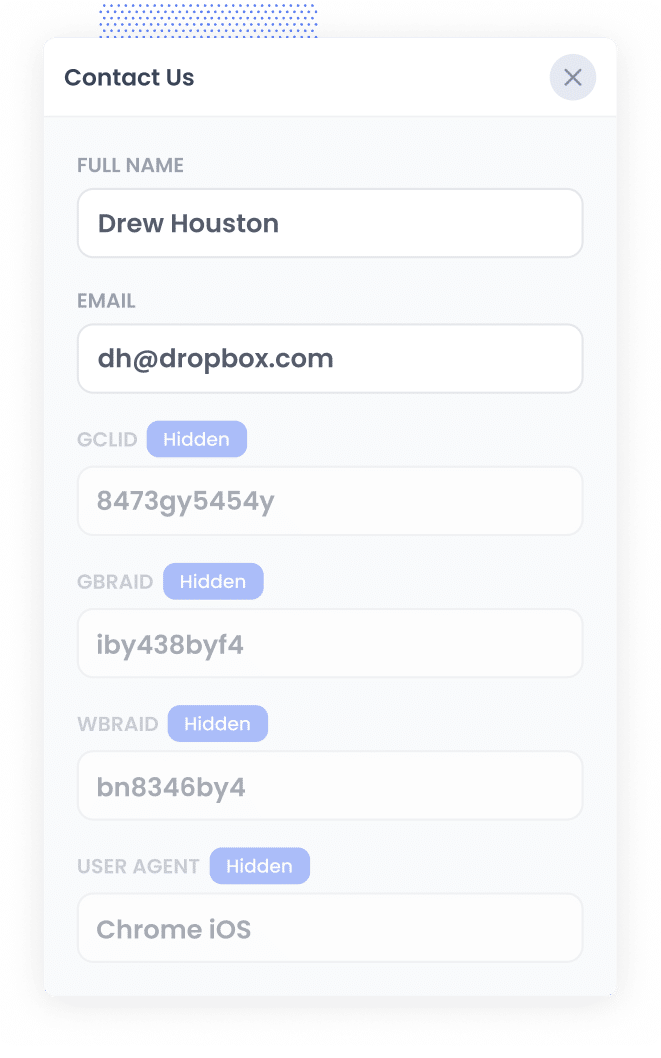
When a visitor clicks one of your Google Ads and lands on your site, Attributer captures the GCLID and holds onto it in their browser, so it's still available even if they poke around your site for a while first, or leave and come back another day.
When they eventually book a meeting through your YouCanBookMe page, Attributer passes that GCLID into the hidden question you set up via the URL.
3. GCLID is captured with each new booking
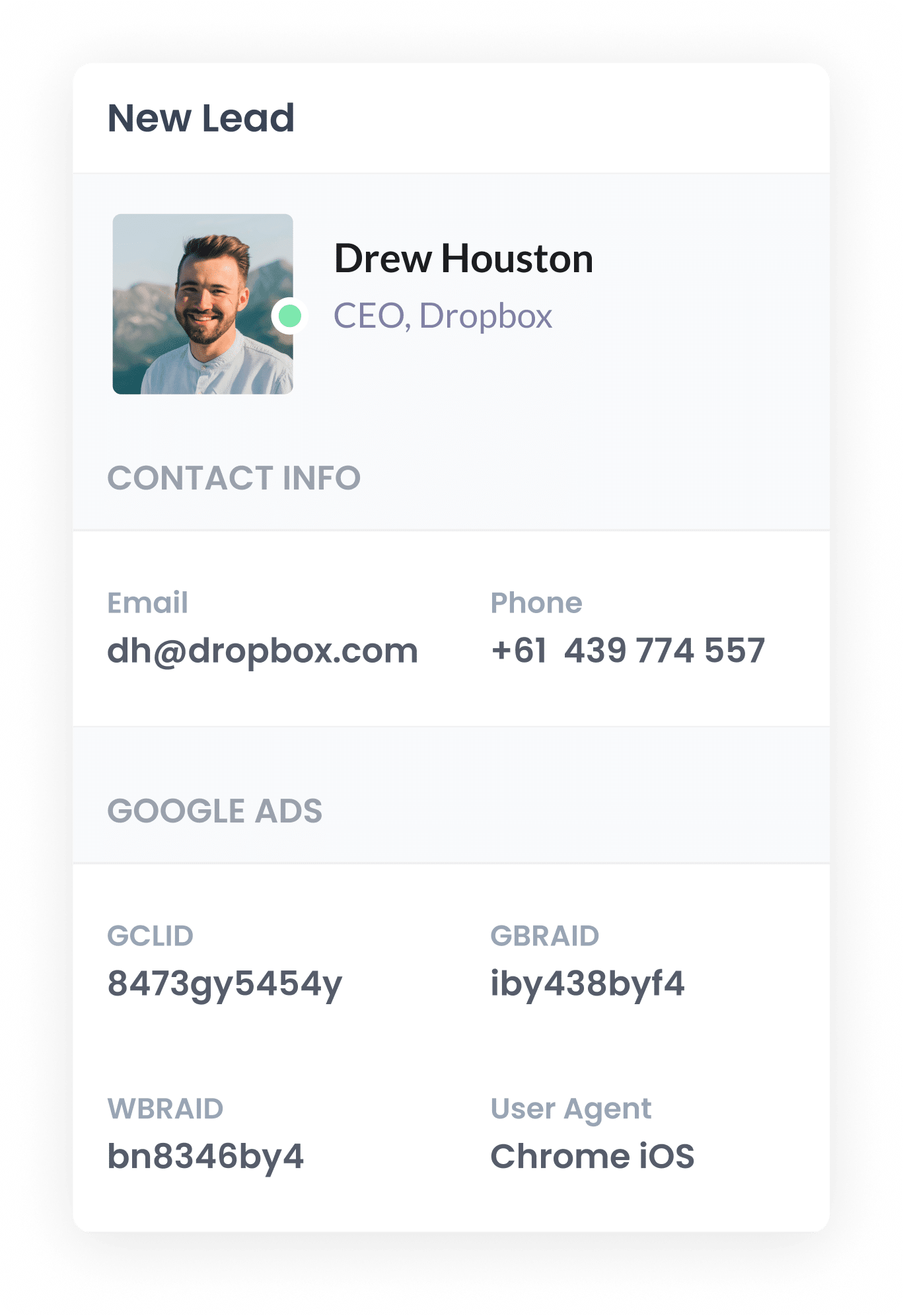
Once the booking is confirmed, the GCLID Attributer wrote into the hidden question is stored alongside the rest of the booker's details, their name, email, phone, and whatever else your booking form asks for.
From there, you can use YouCanBookMe's native Zapier or Make integration to send the booking details (GCLID included) over to your CRM, where it sits on the contact record until you're ready to use it.
4. Send the data to Google Ads
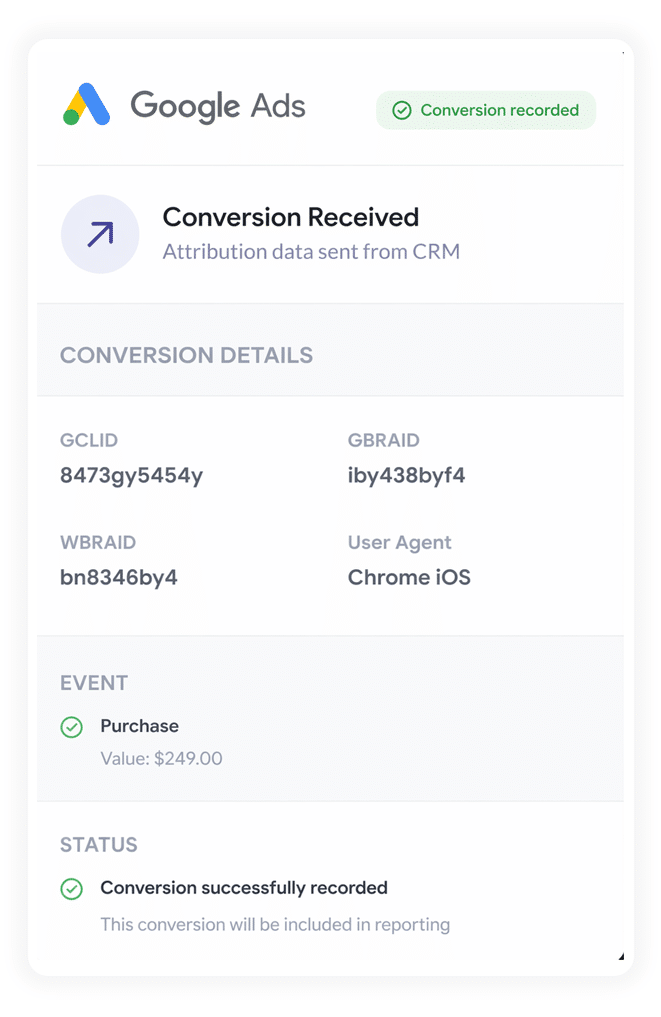
Once that lead hits a meaningful stage in your pipeline (a deal gets opened, or they become a paying customer, for example), you can push the conversion back to Google Ads.
Since most CRMs don't connect to Google Ads out of the box, you'll want to route this through Zapier or Make. They'll sit between your CRM and Google Ads, sending the conversion over at whatever point in the pipeline makes sense for how your business actually sells.
Why sending server-side conversions to Google Ads is the best approach
Whichever option you choose for timing, here's why server-side conversions beat the alternatives:
1. Overcomes Ad Blockers
Older tracking methods, like counting confirmation page visits through Google Tag Manager, rely entirely on a script successfully loading in the visitor's browser. Ad blockers and privacy-focused browsers routinely stop that from happening.
More than 30% of internet users now run some form of ad blocker, according to recent research, so this is far from a rounding error.
Server-side tracking sidesteps the whole problem by sending the conversion directly to Google's servers, meaning ad blockers and privacy settings have nothing to intercept, and every booking gets counted properly.
2. Bypasses Safari & iOS Privacy Limitations
Apple's Intelligent Tracking Prevention wipes out tracking cookies from ad platforms like Google Ads within a day or two of being set, so a click on Monday and a booking on Friday look completely unrelated to Google.
Server-side tracking gets around this entirely by sending the name, email, phone, and Google Click ID over to Google Ads with each booking, giving Google everything it needs to tie the conversion back to the right ad click, no matter the gap in time.
3. Works across devices
Plenty of leads will tap your ad on one device, often their phone while they're out and about, then come back later on their laptop to actually book the meeting.
Browser-based tracking has no way to link those two sessions together because they happened on different devices. Sending the lead's details straight to Google's servers gives Google what it needs to stitch those sessions back together and properly credit the ad that started things off.
4. Eliminates duplicate and messy data
Browser-based tracking also opens the door to messier problems, especially when you're tracking confirmation page views or clicks on a "Book Now" button. A visitor might abandon the booking halfway through, or reschedule and rebook, and a click-based system can end up counting that as two conversions instead of one.
Server-side tracking avoids this because it only logs a conversion when a booking is genuinely confirmed, not when a page loads or a button gets clicked, so your Google Ads numbers stay much closer to the real count of meetings you're actually booking.
3 reports you can run when you properly send conversions to Google Ads from YouCanBookMe
Across 15 years leading marketing teams, I've spent millions of dollars on Google Ads and built more reports than I can count trying to work out what was actually working and what wasn't.
Here are the 3 I kept coming back to:
1. Conversions by Keyword
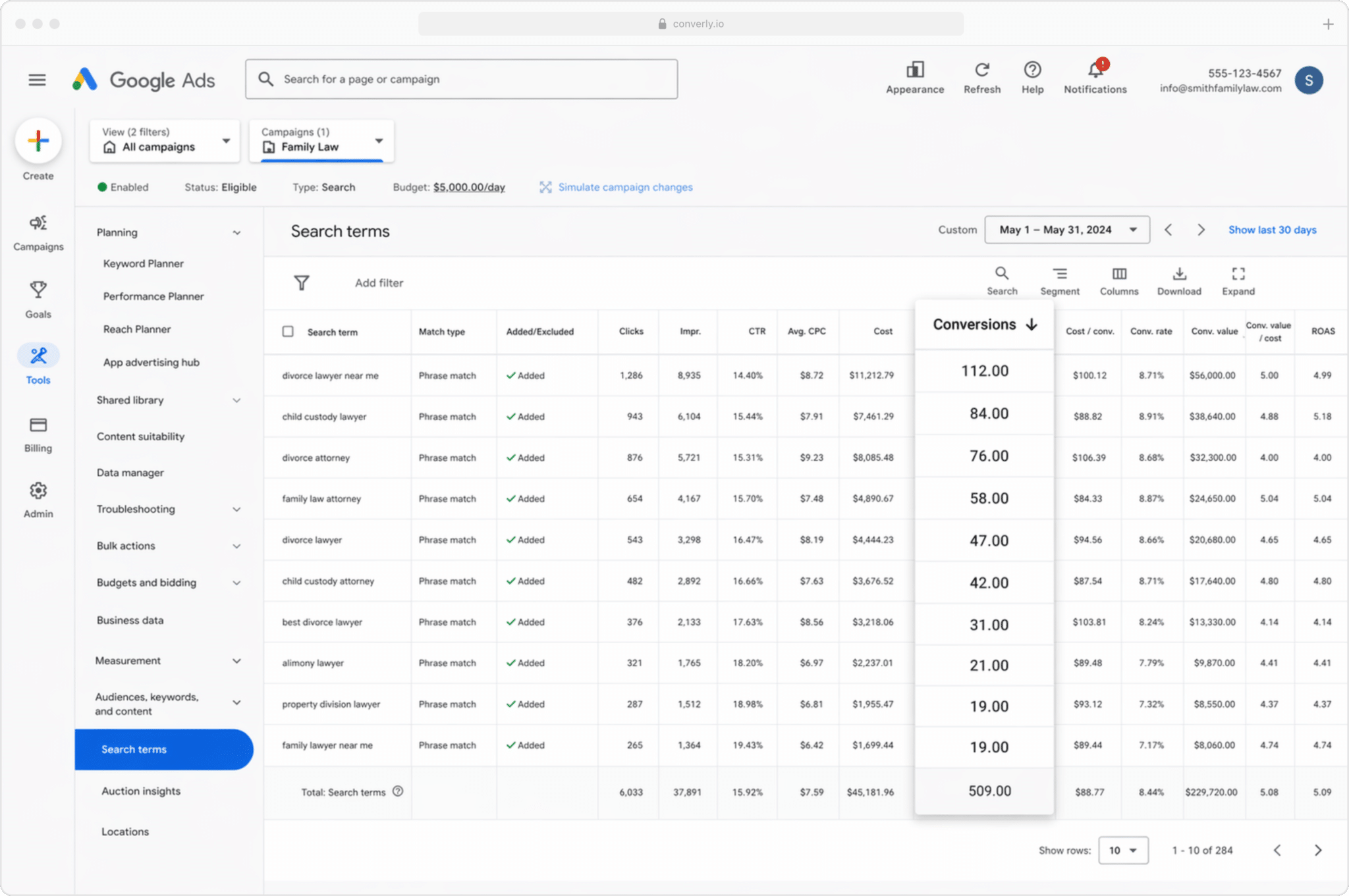
Most businesses run several campaigns at once, often split by service line (an IT services provider might bid on "managed IT support" in one campaign and "cybersecurity consulting" in another).
This report shows exactly which of those keywords are actually converting into booked meetings, rather than leaning on vanity metrics like impressions and clicks that don't tell you much about revenue. It makes clear which keywords deserve more of your budget and which ones are just burning through it.
2. Conversion Value by Campaign
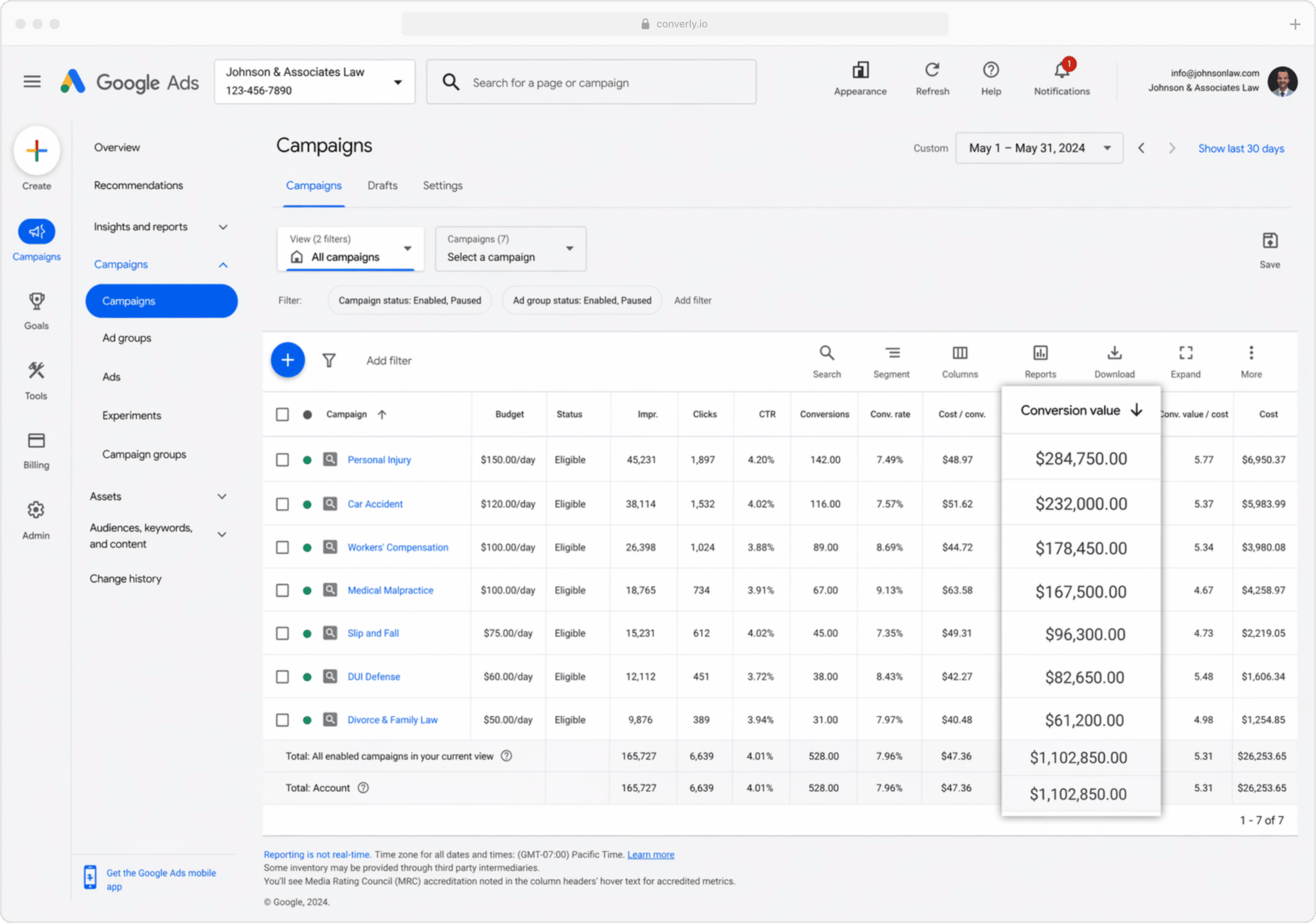
Once you're pushing conversions back to Google Ads from your CRM, you can attach a dollar value to each one, usually pulled directly from the value field on that contact or deal.
That matters because not every booked meeting is worth the same. For an IT services provider, a lead booked through a "cybersecurity consulting" campaign is likely to close for far more than one booked through a general "help desk support" campaign.
So by sending conversion value back to Google Ads from your CRM, you get a clear picture of exactly which campaigns are generating real revenue rather than just meetings on the calendar, which makes budget decisions a lot less guesswork.
3. Conversions by Geography
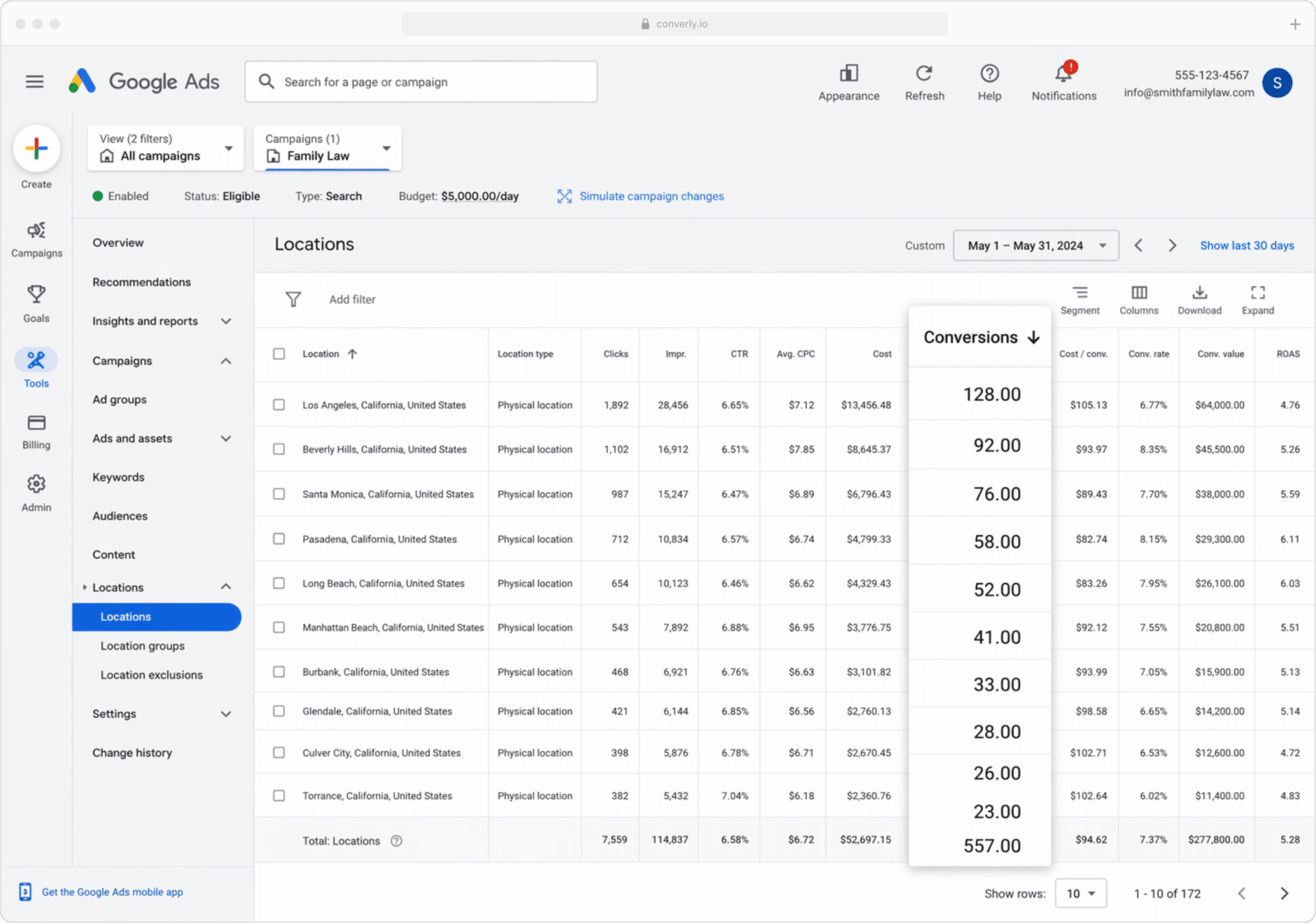
This report is particularly useful for businesses that serve clients within a specific region (IT services providers, law practices, accounting firms, and similar). It breaks your conversions down by geographic area.
You can view the data at a country, state, or city level, or drill all the way down to a specific postcode. Either way, you'll get a clear read on whether your bookings are actually coming from the areas you want to serve, or whether you're spending budget attracting leads from outside your service area.
Once you have that data, Google Ads' Location Bid Adjustments feature lets you act on it directly. Bid up in the postcodes performing well, and pull back (or cut entirely) in the ones that aren't.
Wrap Up
Accurate conversion data is what lets you make real decisions about your ad spend, like which keywords deserve more budget and which locations aren't worth targeting anymore. It also feeds Google's automated bidding with the signal it needs to understand what your ideal lead looks like, so it can put your ads in front of more people just like them.
So take the time to get proper server-side conversion tracking set up in Google Ads. Your ad campaigns will perform noticeably better for it.
Get Started For Free
Start your 14-day free trial of Attributer today!

About the Author
Aaron Beashel is the founder of Attributer and has over 15 years of experience in marketing & analytics. He is a recognized expert in the subject and has written articles for leading websites such as Hubspot, Zapier, Search Engine Journal, Buffer, Unbounce & more. Learn more about Aaron here.