
The best way to track Square Appointments bookings as conversions in Google Ads
Learn how to set up proper conversion tracking in Google Ads for the appointments people book through Square Appointments on your site.
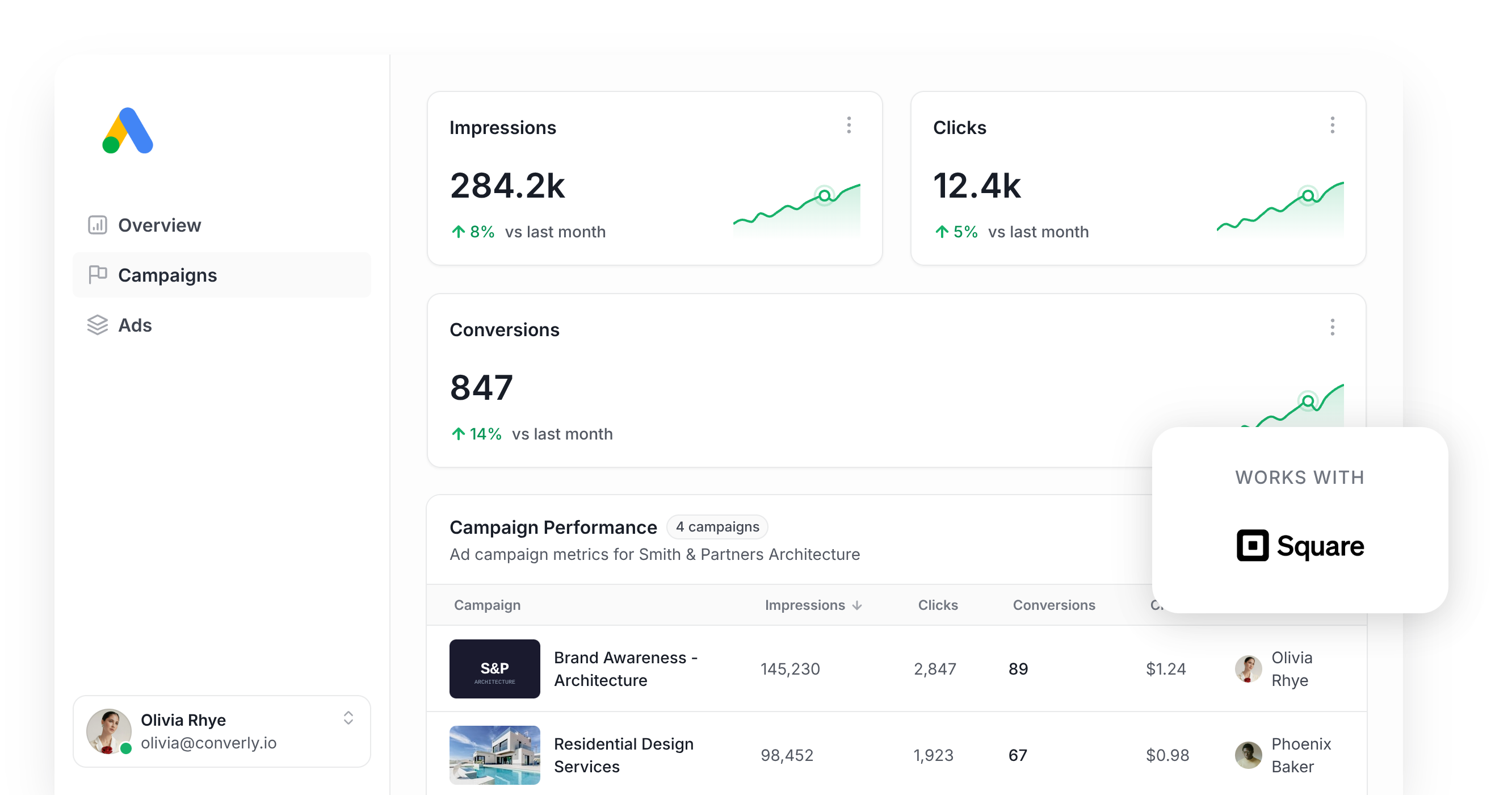
Use Attributer to capture the GCLID when someone books an appointment through Square Appointments, then send it back to Google Ads as a conversion (either right away, or once that lead becomes a paying customer).
Google Ads is capable of bringing in real leads and customers for your business, but wiring up conversion tracking correctly takes far more effort than it should.
Try to build it in Google Tag Manager and you're looking at custom code to catch the booking event, then a maze of triggers, tags, and variables just to land on one trustworthy number. That's a lot of overhead for something that should just work out of the box.
The quicker options aren't much of a fix either. Square Appointments runs its booking flow inside an embedded widget on your site rather than sending clients to a dedicated URL, so counting a page view misses a huge share of real bookings once you factor in ad blockers and privacy tools built into browsers like Safari and Firefox. And even where a confirmation step exists, it never carries the client's name, email, or phone number, which is exactly the data Google Ads now expects with every conversion you send it.
So what actually works?
This article walks through a better way to track conversions in Google Ads when someone books an appointment through Square Appointments on your website, using server-side tracking.
Why server-side tracking matters for Google Ads
The common ways of tracking Google Ads conversions, whether that's counting a confirmation screen or firing events through Google Tag Manager, all trip over the same problems. Research suggests these approaches miss up to 30% of the bookings that genuinely happen.
Here's why:
- Ad Blockers. They stop the Google Tag from ever loading when a visitor lands on your site, so nothing they do while they're there gets recorded (booking an appointment included).
- Browser privacy features. Browsers like Safari sever the Google Tag's connection to a visitor after about a day, so if someone clicks your ad today and books 4 days later, there's no way to tie that booking back to the click.
- Device switching. A client might click your ad on their phone during a lunch break, then come back that evening and finish booking from a laptop. Browser-based tracking can't link those two sessions because they happened on different devices.
Server-side tracking gets around all of this. Rather than sitting around waiting for something to happen in the browser (like a client reaching a confirmation screen) and hoping the Google Tag caught it, you send Google a direct message containing the client's details, so ad blockers and browser privacy settings have nothing to interfere with.
Google's own figures show server-side tracking typically delivers a 23% average increase in total recorded conversions and a 10% cut in cost per conversion, largely because Google's bidding algorithms get more data to work out what your ideal client looks like and can put your ads in front of more people like them.
How to track Square Appointments bookings in Google Ads with server-side conversion tracking
There are two main routes here, and which one suits you depends on when you'd rather the conversion reach Google Ads.
Option 1: When the client books the appointment
A tool like Converly can fire a server-side conversion straight to Google Ads the moment someone books an appointment through Square Appointments on your site.
Instead of wiring up Google Tag Manager to catch the booking, pull the client's details out, hash them with SHA-256, and post them to Google's API by hand, Converly gives you a visual builder to piece the whole flow together.
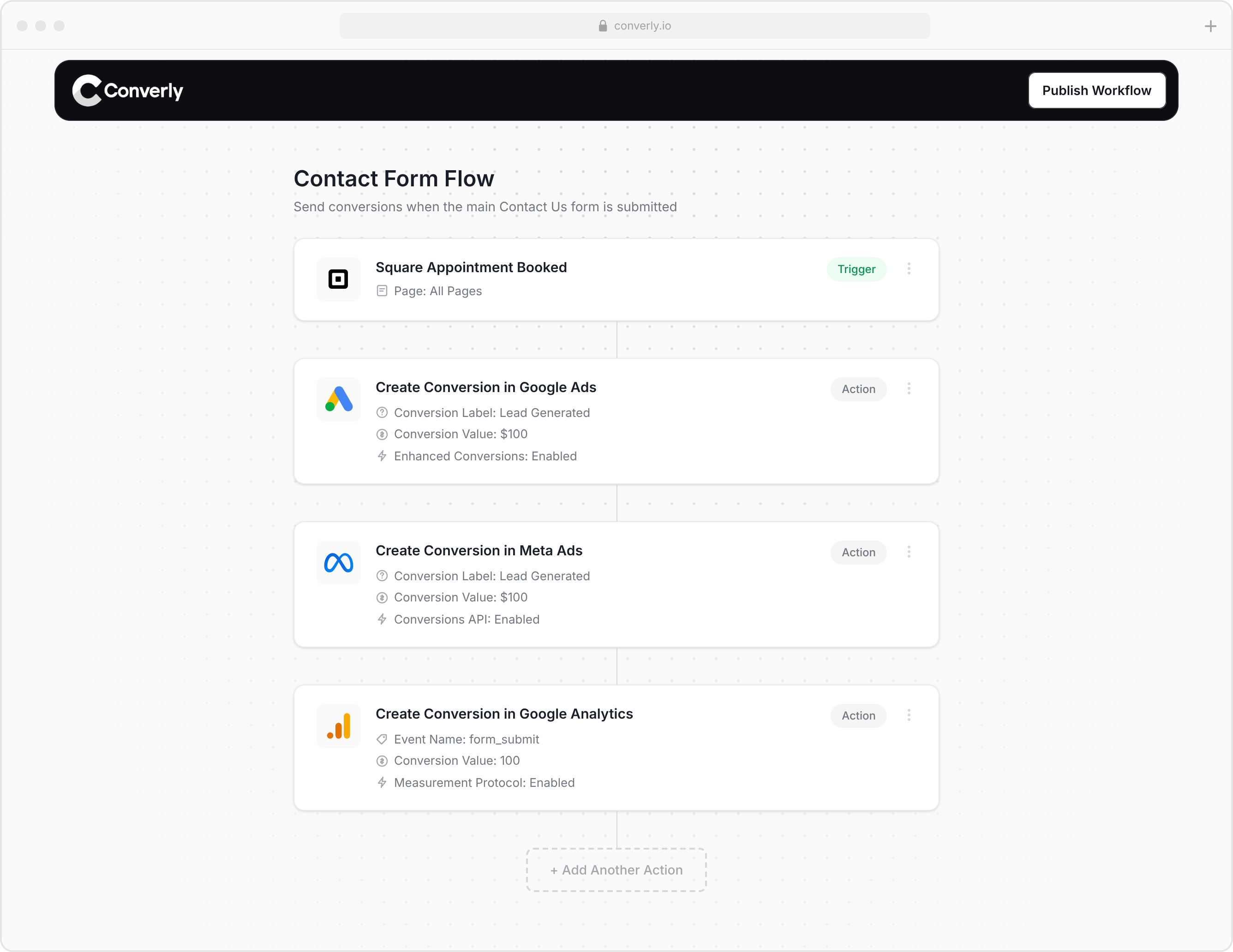
You choose a trigger (an appointment being booked through Square Appointments) and pick the actions that follow it (sending a conversion to Google Ads, for instance).
From there, Converly takes care of the rest. It watches for new bookings, pulls the client's name, email, and phone number through the Square API, hashes each one with SHA-256 (which Google requires), and sends the whole package over to Google Ads. It also captures the GCLID, IP address, user agent, and other signals so Google has a much better shot at matching the booking back to the real person and the exact campaign, ad, and keyword they clicked through on.
The upshot is you get every benefit of server-side tracking (that 23% average lift in recorded conversions, plus the 10% drop in cost per conversion) without writing custom code, learning what SHA-256 does, or touching Google's API yourself.
Option 2: Once the lead becomes a customer
You can also hold off and send the conversion to Google Ads further down the line, say once a lead actually becomes a paying client.
To pull that off, you need to capture a bit of extra data at the point of booking and carry it through to the client's record in your CRM. Here's how:
1. Install Attributer and add a custom question to your Square Appointments booking page
Sign up for a 14-day free trial of Attributer and you'll be given a short snippet of code to drop onto your website.
Once that's live, open your Square Appointments booking page settings and add a custom question to the intake form clients fill out when they book. Set the question up so its value gets passed in automatically rather than typed by hand, and name it something Attributer can find, like gclid. That's the field name Attributer looks for when it writes the actual Google Click ID into the booking. A full step-by-step guide for setting this up is available on the Attributer Help site.
2. Attributer writes the GCLID into the hidden field
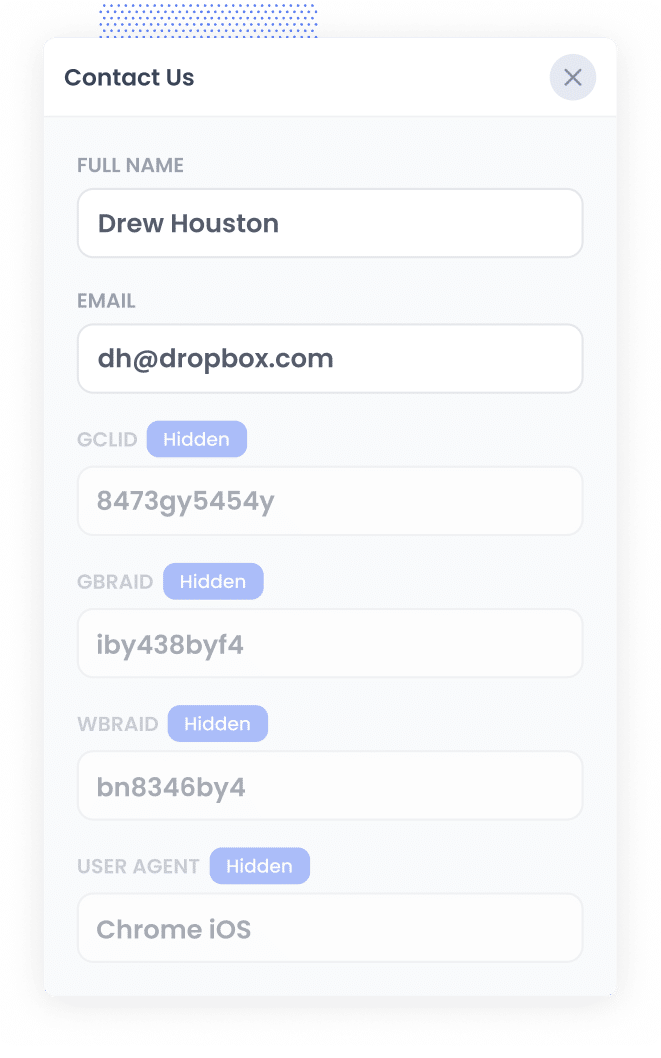
When someone clicks through from one of your Google Ads and lands on your site, Attributer pulls the GCLID out of the URL and stores it in the visitor's browser, so it sticks around even if they browse the site for a while first, or leave and come back on another day.
Once that visitor books an appointment through Square Appointments, Attributer writes the stored GCLID into the custom question you set up.
3. GCLID is captured with each new booking
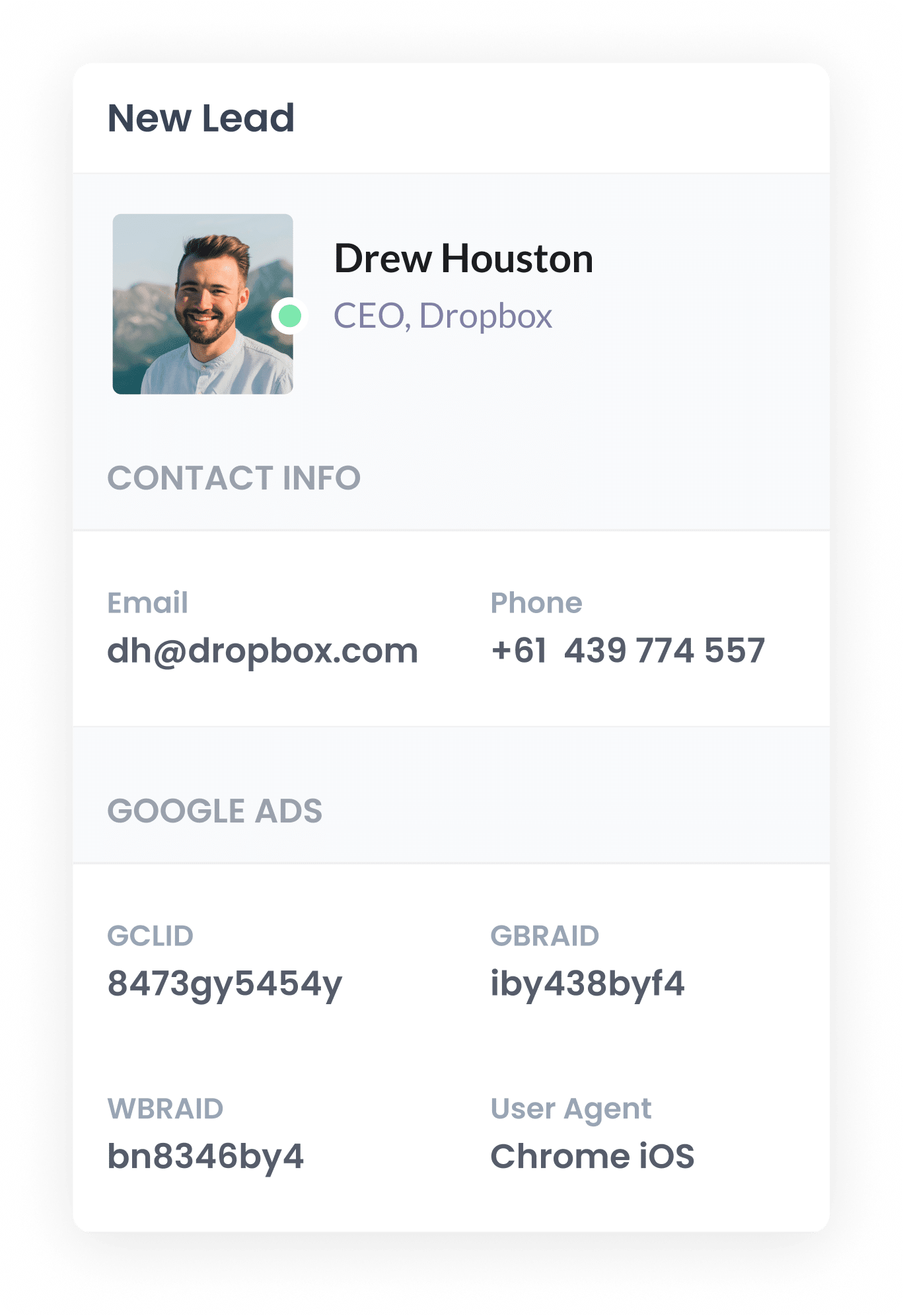
When the booking goes through, the GCLID that Attributer wrote into the custom question gets captured alongside everything else the client provided, like their name, email, and phone number.
Square stores every booking under Appointments in the Square Dashboard, and from there you can connect a tool like Zapier or Make to push the client's details (GCLID included) into your CRM, where it sits on the record until you need it.
4. Send the data to Google Ads
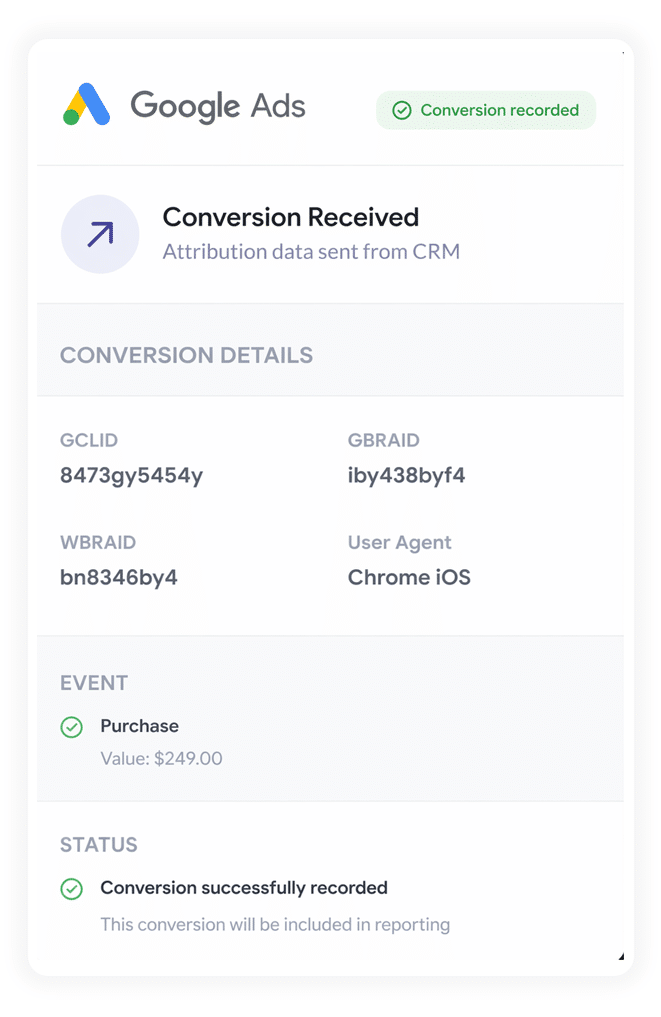
Once the lead reaches a meaningful point in your sales process (a deal gets created, or they become a paying customer), you can push everything back to Google Ads to log the conversion.
Since most CRMs don't talk to Google Ads directly, you'll need Zapier or Make sitting in between. Connect it to your CRM and it can send the conversion over to Google Ads at whatever stage fits your business, whether that's when a lead is qualified, a deal is created, or they've paid for the first time.
3 reports you can run once you're properly sending conversions to Google Ads from Square Appointments
I've run marketing teams for 15 years and put a serious amount of Google Ads spend behind them, and along the way I've built a huge pile of reports trying to answer one question: what's actually paying off.
Three of them earned a permanent spot in my monthly review.
1. Conversions by Keyword
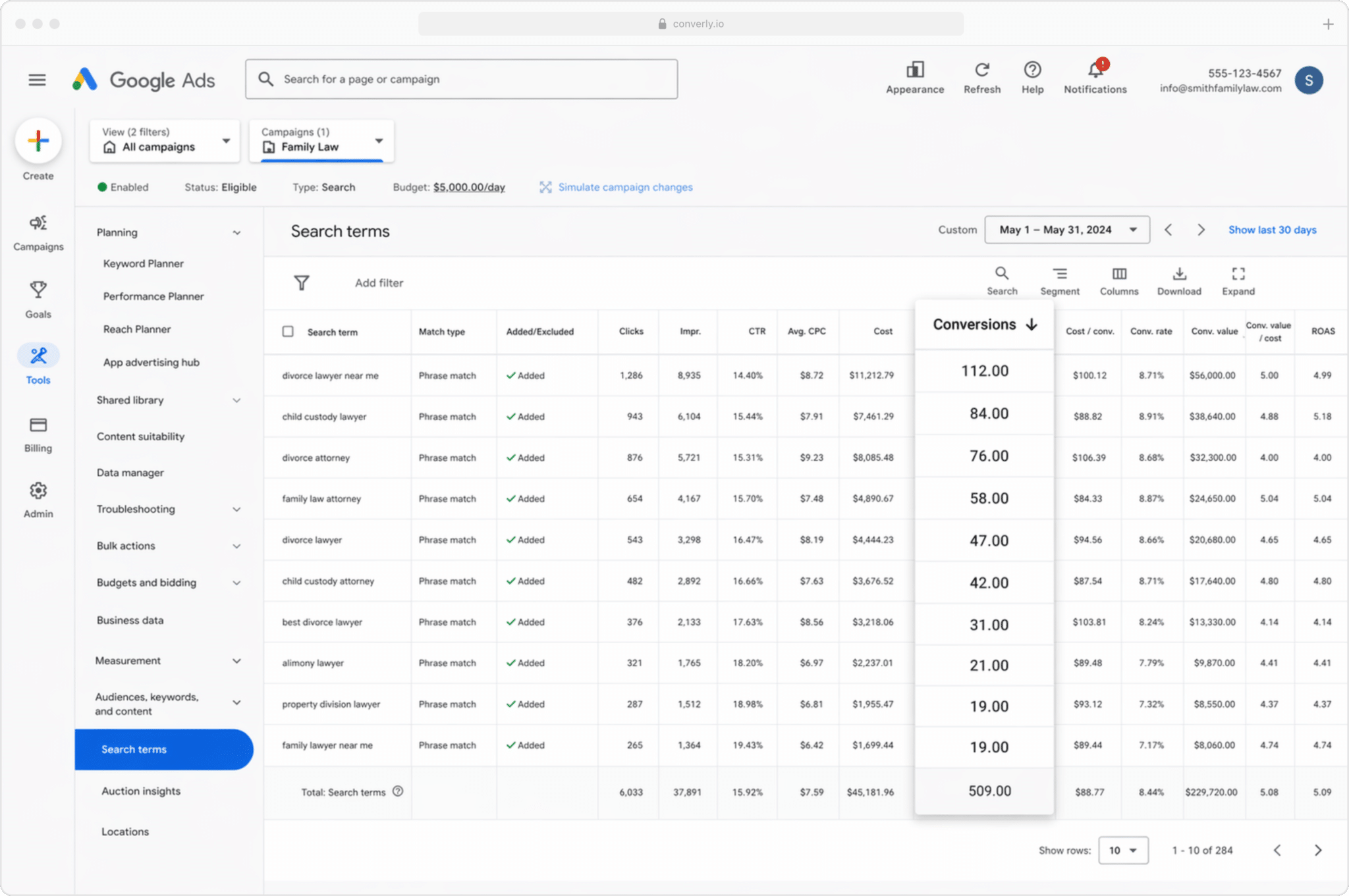
A commercial real estate agency rarely runs one campaign. It's more likely juggling several at once, maybe "office space for lease" in one and "retail space for lease" in another, each pulling in a different kind of prospect.
Impressions and clicks won't tell you which of those keywords is actually filling the calendar with booked viewings. This report will. Line every keyword up against the appointments it produced and it's immediately clear which ones deserve more budget and which are just eating spend.
2. Conversion Value by Campaign
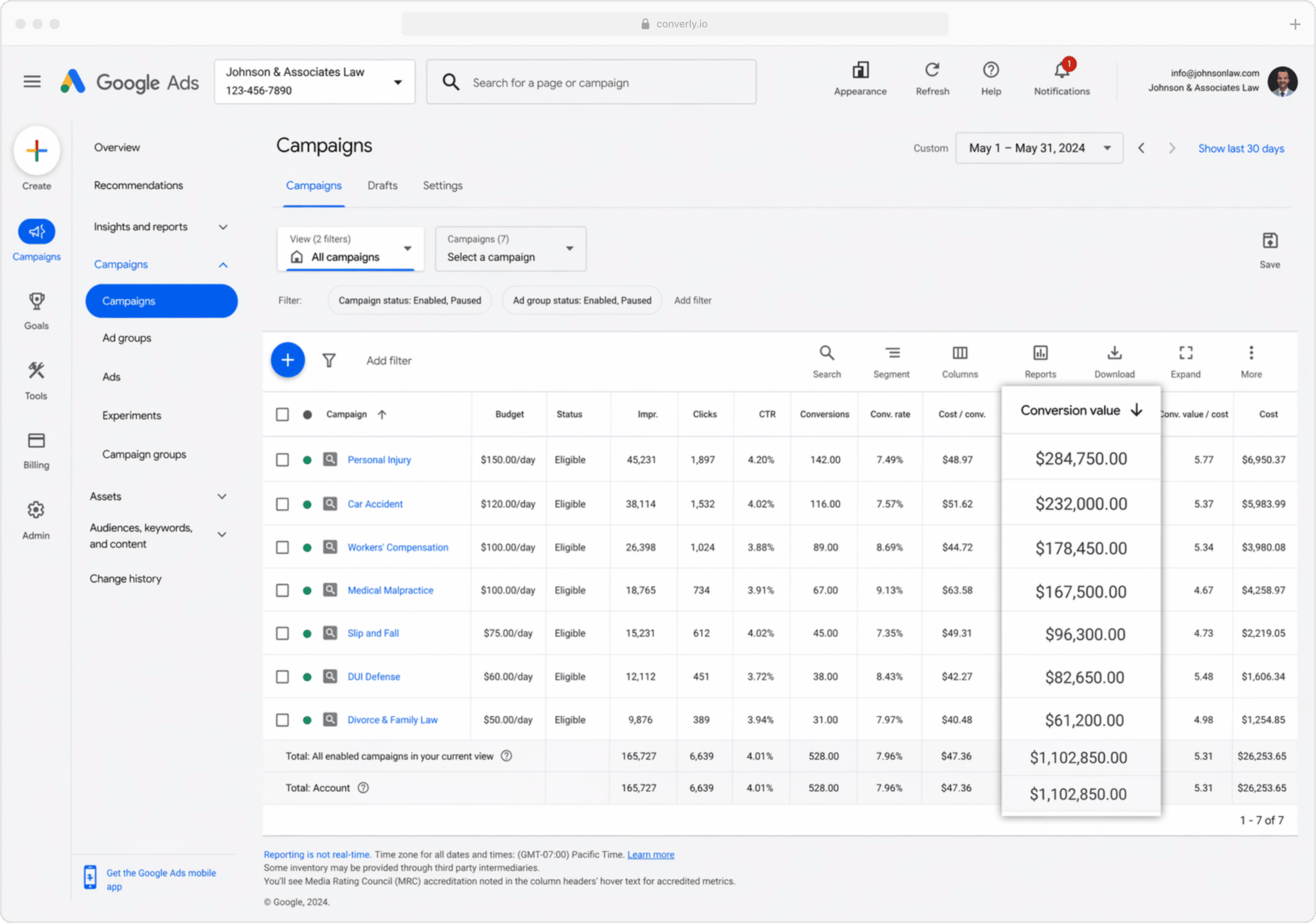
Sending conversions to Google Ads from your CRM opens up something else too: attaching a dollar value to each one, pulled straight from the deal record.
That matters because a booking is not a booking. Take that same commercial real estate agency. A lease closed off an "office space" campaign might land a commission worth several times what a "retail space" lead brings in, so treating the two as equal would badly skew where you'd choose to spend.
With value flowing through, the report might show $5,000 in commission traced back to one campaign against $50,000 from another. Once the gap is visible like that, shifting budget toward what's actually paying off stops being a guess.
3. Conversions by Geography
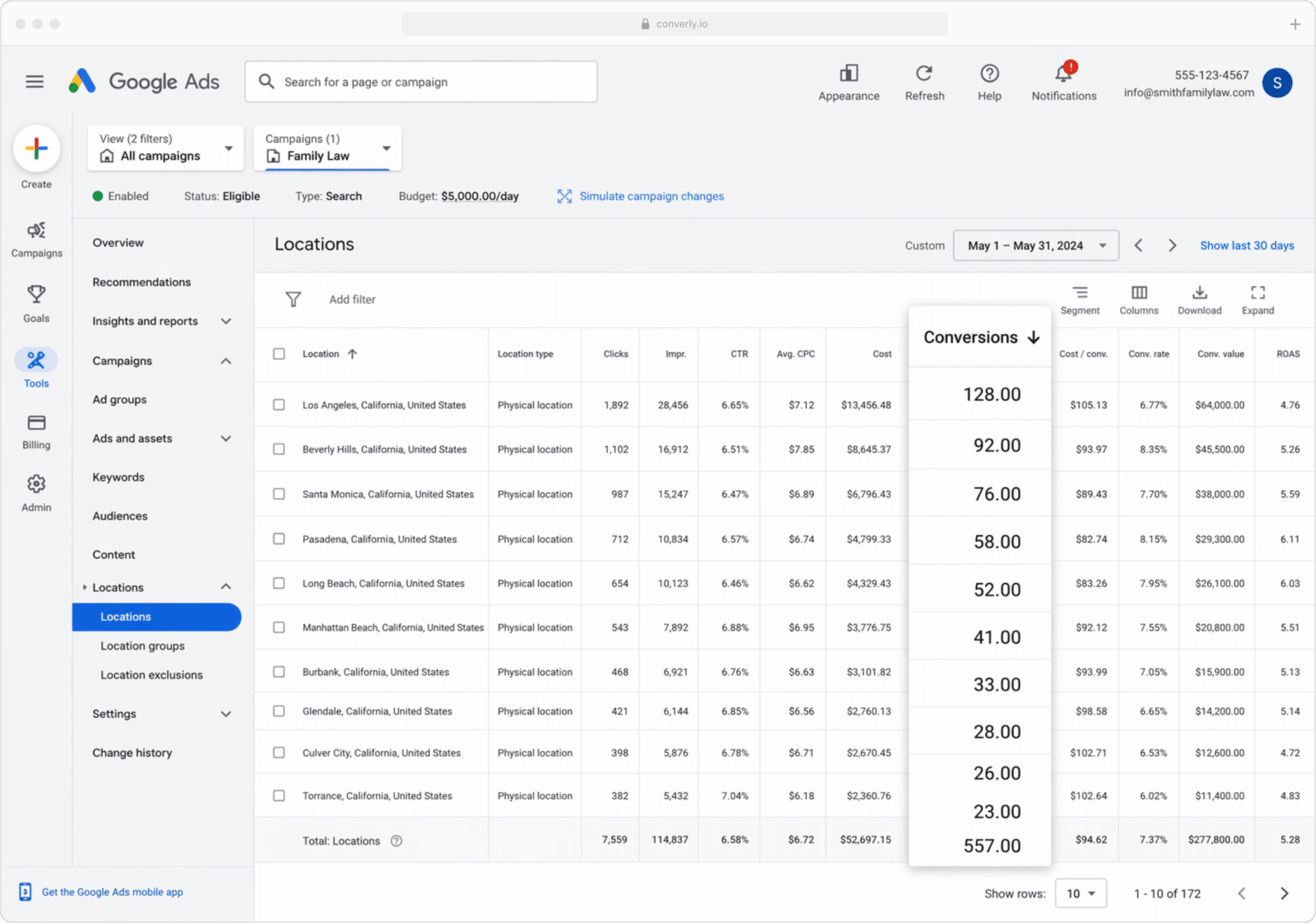
Appointment-based businesses that draw clients from a specific service area (commercial real estate agencies, salons, and clinics among them) get particular value from this one, since it splits conversions out by where they're geographically coming from.
Zoom out to a country or state view, or narrow it right down to a single postcode. Either way, you'll see plainly whether bookings are coming from the areas you actually want to be serving, or whether some of the budget is being spent on clicks from well outside it.
From there, Google Ads' Location Bid Adjustments let you act directly on what you're seeing: push harder into the postcodes that are converting well, and dial back or cut spend entirely in the ones that aren't.
Wrap Up
None of the bidding decisions that matter, like where to put more budget or which locations to drop, are possible without conversion data you can actually trust.
That same data is also what Google's automated bidding relies on. Feed its algorithms a clear picture of your ideal client and they'll work to put your ads in front of more people who look just like them, which tends to mean more bookings at a lower cost each.
There's real upside on the table here, so it's worth getting server-side conversion tracking properly set up in Google Ads. The difference shows up in how your campaigns perform.
Get Started For Free
Start your 14-day free trial of Attributer today!

About the Author
Aaron Beashel is the founder of Attributer and has over 15 years of experience in marketing & analytics. He is a recognized expert in the subject and has written articles for leading websites such as Hubspot, Zapier, Search Engine Journal, Buffer, Unbounce & more. Learn more about Aaron here.