
Track leads & customers from AI in Zoho Forms
Use Attributer to capture AI referral data with each Zoho Forms entry, so you can see how many leads tools like ChatGPT and Gemini are sending your way
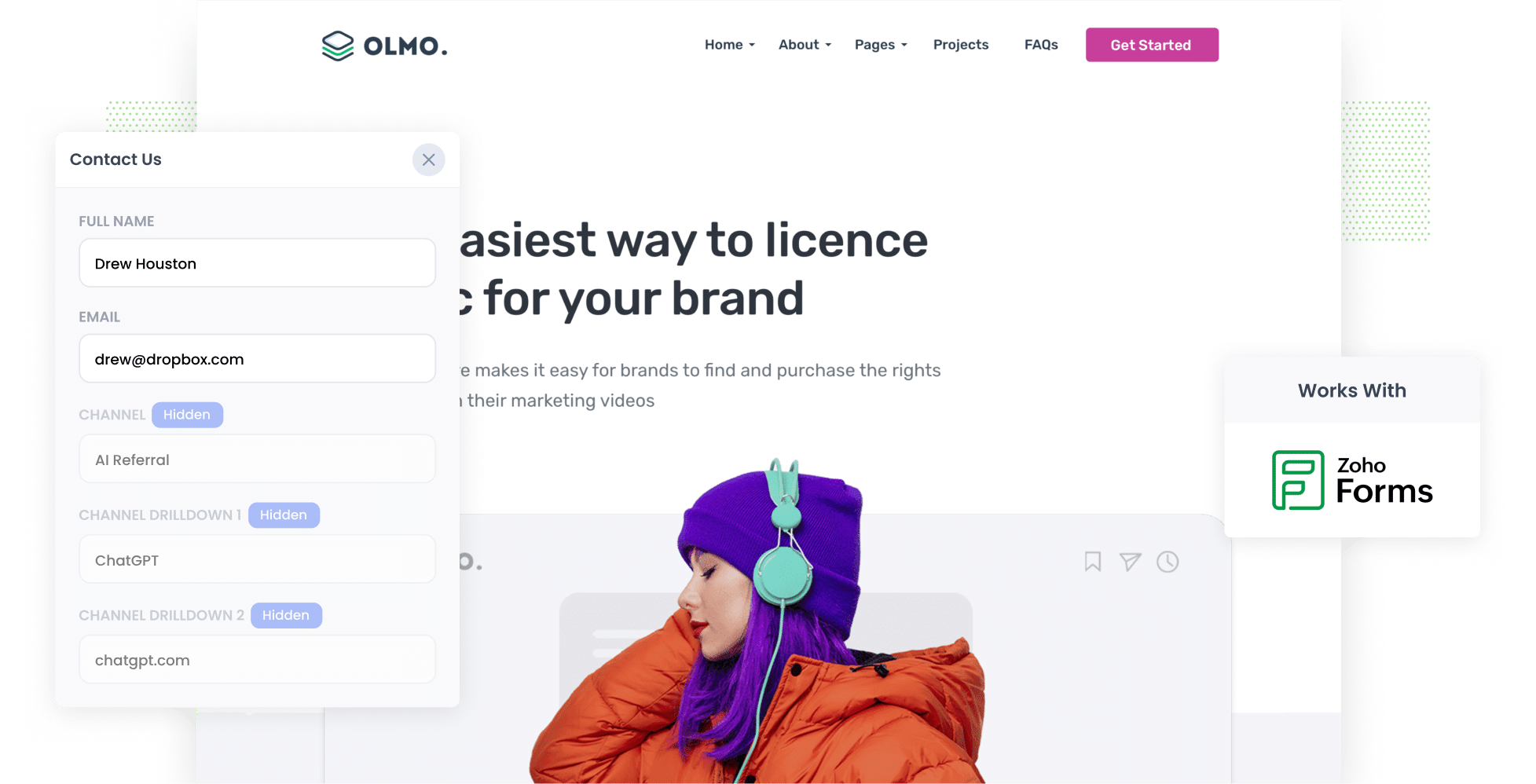
Attributer writes AI referral data (like the fact a lead came from ChatGPT) into hidden fields on your Zoho Forms forms. It then gets captured with each submission and can be sent to Zoho CRM and any other sales & marketing tools you use.
How many of your leads are coming from ChatGPT, Claude or Gemini? And how many of them end up becoming paying customers?
Right now, most of the conversation is about earning 'mentions' and 'citations' in AI answers. But being mentioned isn't the same as winning a customer. If you want to make smart decisions about your AEO/GEO strategy, you need to know how many leads AI is actually sending you, which tools they're coming from, what content is bringing them in, and more.
The good news is that it's simple to find out.
In this post, we'll walk you through how to use a tool called Attributer to capture AI referral data with every Zoho Forms submission on your website. We'll also cover how to get that data into your CRM and other tools, and share a few reports you can run to see exactly how many leads and customers AI is generating for you.
4 steps to track leads & customers from AI in Zoho Forms
Using Attributer with Zoho Forms lets you see how many leads AI tools are generating for your business (and whether those leads turn into customers). Here's how it works:
1. Install Attributer and add hidden fields to your forms
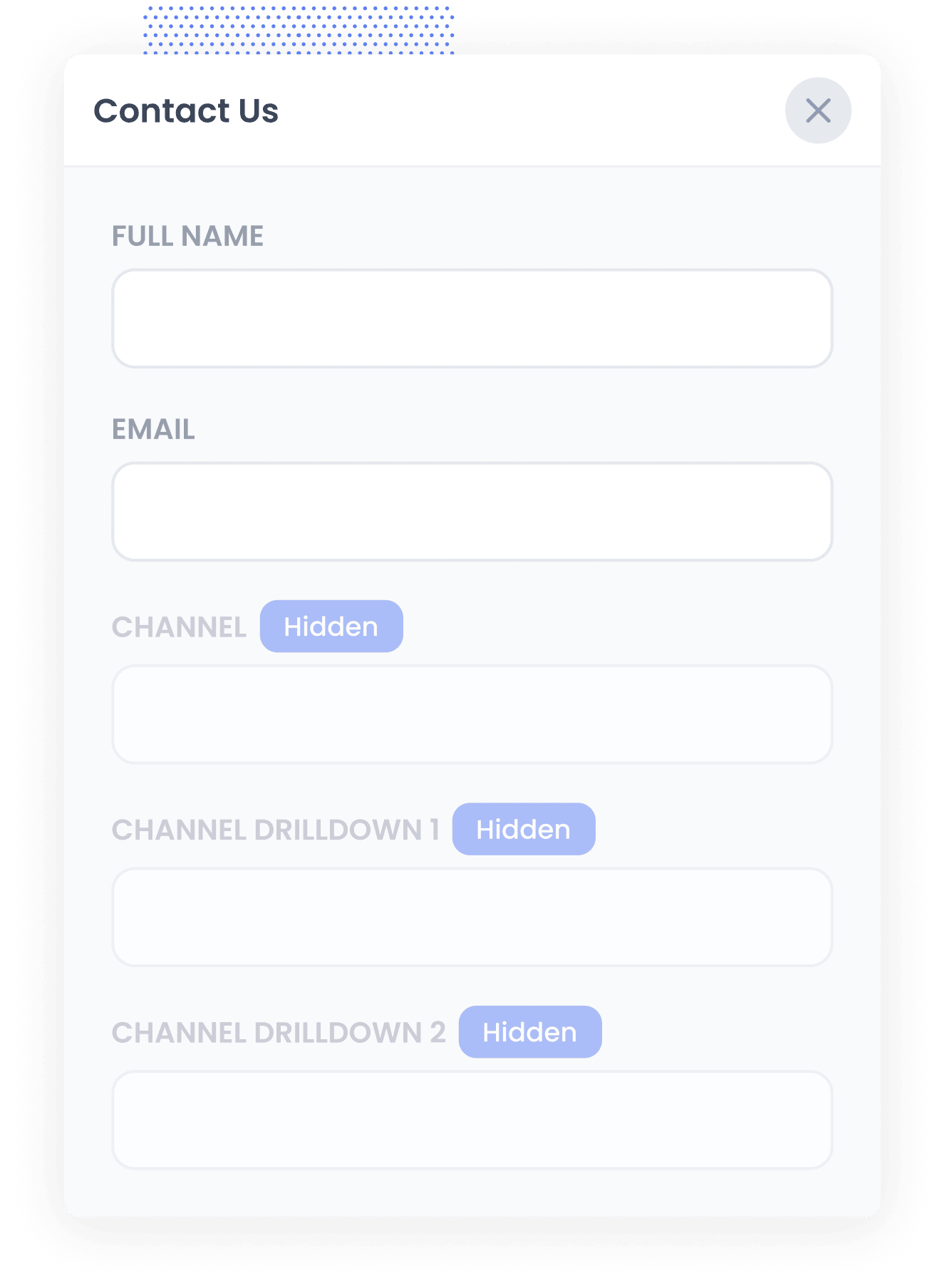
Sign up for a 14-day free trial of Attributer and you'll be given a small snippet of code to add to your website. You can find the instructions for installing it here.
Next, add a set of hidden fields to each Zoho Forms form you want to track. There are 6 of them:
- Channel
- Channel Drilldown 1
- Channel Drilldown 2
- Channel Drilldown 3
- Landing Page
- Landing Page Group
In Zoho Forms, open the form and drag in 6x 'Single Line' fields. For each one, click the 'Properties' icon, scroll down to 'Visibility' and tick 'Hide Field'. Then head to the form's Settings, choose 'Field Aliases', and give each field its alias (like channel or landingpage). The exact field names and aliases to use are all in our step-by-step setup guide.
2. Attributer works out where each visitor came from
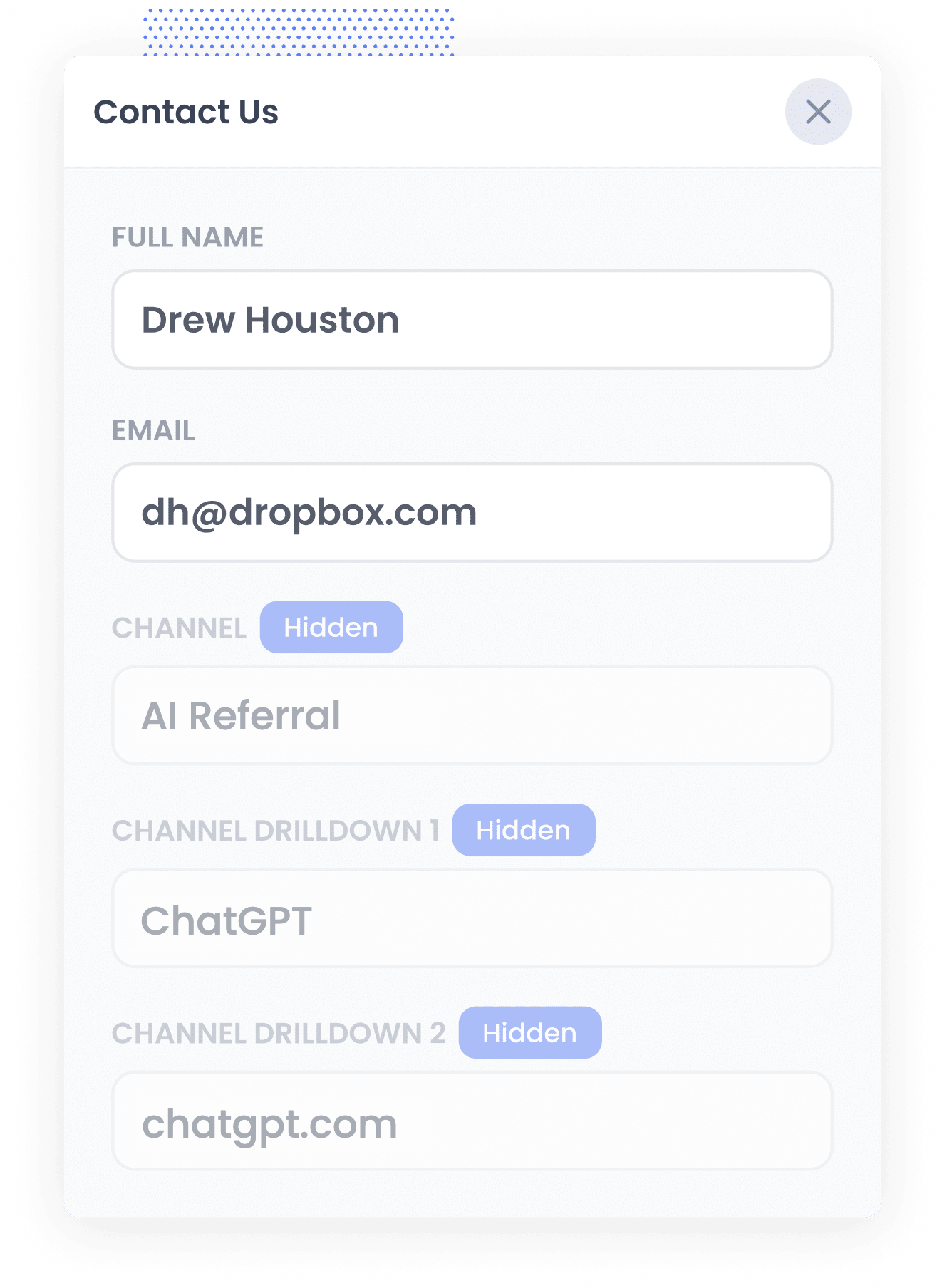
When someone arrives on your website, Attributer looks at a range of signals to figure out how they found you.
It uses those signals to put the visitor into a channel (like AI Referral, Organic Search, Paid Search or Paid Social) and then it stores that information in their browser.
Then, when the visitor fills in one of your Zoho Forms (like a 'Contact Us' or 'Book a Consultation' form), Attributer writes the source data into the hidden fields you set up.
3. AI data is captured with each entry
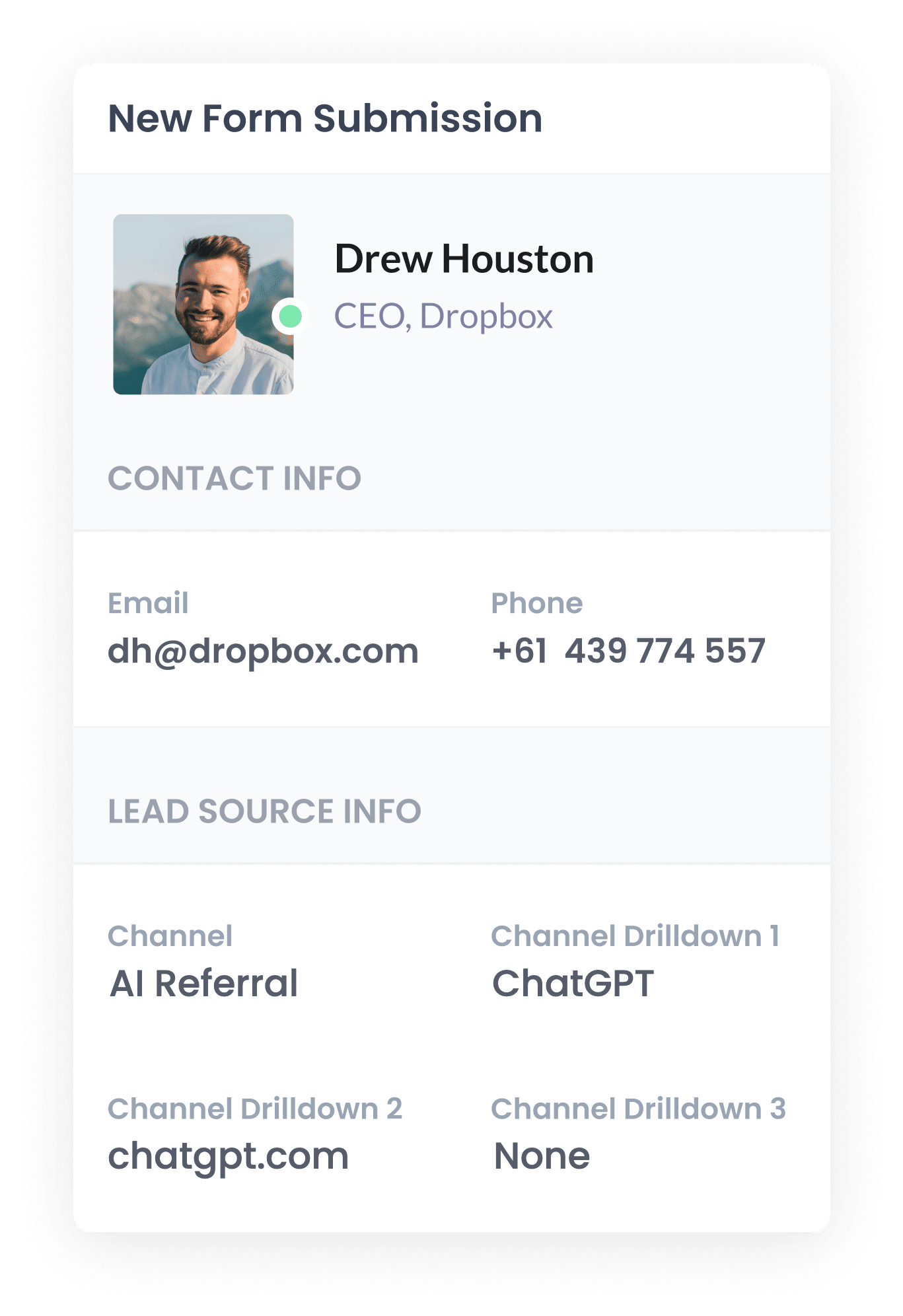
Once the form is submitted, the AI referral data is saved with the entry in Zoho Forms, right alongside the lead's name, email and anything else they filled in.
To see it, open the form in Zoho Forms, go to the Reports tab and click 'All Entries'. Click into any entry and you'll find the AI referral data listed with the rest of the lead's details.
From there, you can pass the data on to your CRM using one of Zoho Forms' built-in integrations (like Zoho CRM), or you can use tools like Zoho Flow, Zapier or Make to send it to any other sales & marketing tools you use.
4. Report on AI leads
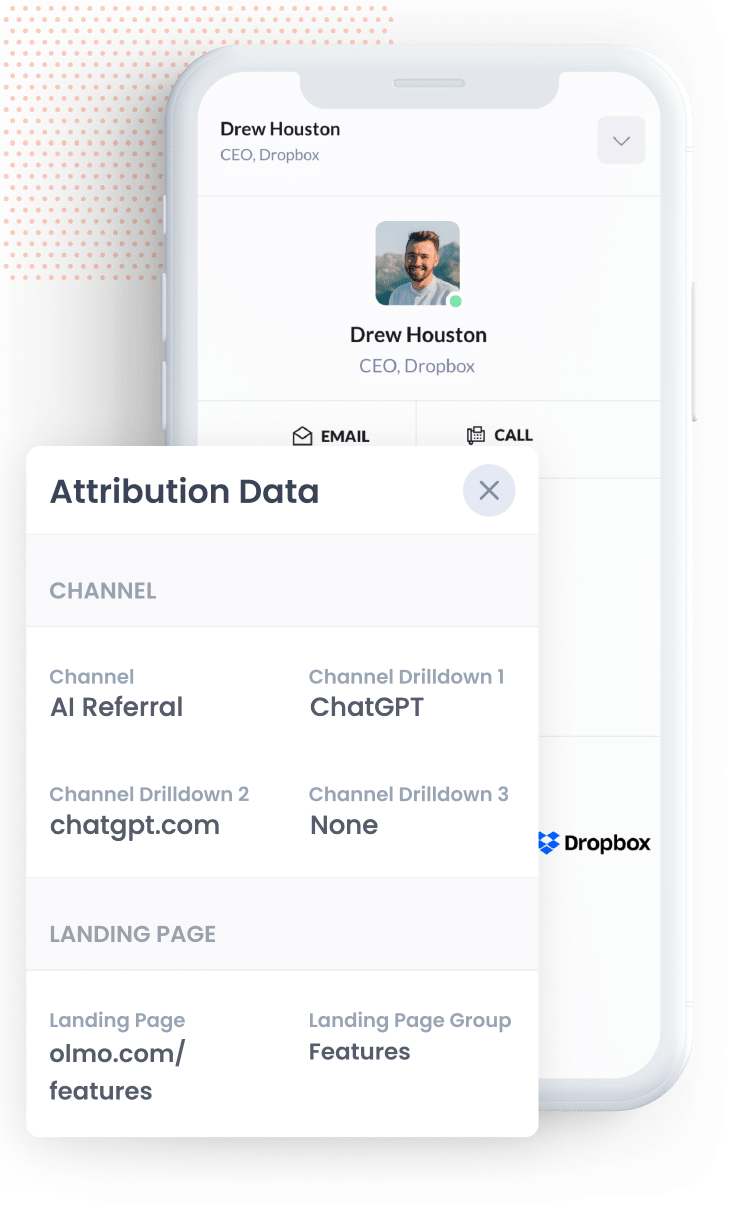
With the data in your CRM (or wherever you manage your leads), you can build reports showing how many leads and customers came from AI, which AI tools referred them, and how much revenue they brought in.
Most CRMs have reporting built in that handles this easily (including Zoho CRM), but if you'd rather use a dedicated reporting tool, you can connect something like Zoho Analytics, Google Data Studio or Microsoft Power BI to your CRM and build your charts and dashboards there.
And if you don't want to build reports at all, simply connect Claude or ChatGPT to your CRM and ask "How many leads did we get from AI referral this month?"
What data gets captured
Attributer captures two kinds of information about every lead. The first is how they found your website (the channel), and the second is what content that brought them there (the landing page).
For example, say you look after marketing for an architecture firm, and someone asks ChatGPT to recommend an architect who can design a new warehouse and office facility. They click through to your website and fill in your 'Book a Consultation' form. Here's what would be captured with the entry:
- Channel = AI Referral
- Channel Drilldown 1 = ChatGPT (or whichever AI tool referred them)
- Channel Drilldown 2 = chatgpt.com (the domain they came from)
- Channel Drilldown 3 = None (there's no deeper level of detail for AI referrals, so this shows as None)
You'd also capture the first page they landed on. Sticking with the same example, that could look like this:
- Landing Page = northgatearchitects.com/sectors/industrial-buildings
- Landing Page Group = /sectors
The landing page data tells you which content on your site the AI tools are reading and recommending, which makes it far easier to decide what to create next.
4 example reports you can run when you capture AI data in Zoho Forms
Over my 15 years in marketing, I've built countless reports trying to figure out which channels were delivering and which weren't. These are the 4 I find myself returning to most, and each one is easy to set up once Attributer is working with Zoho Forms:
1. Leads by Channel
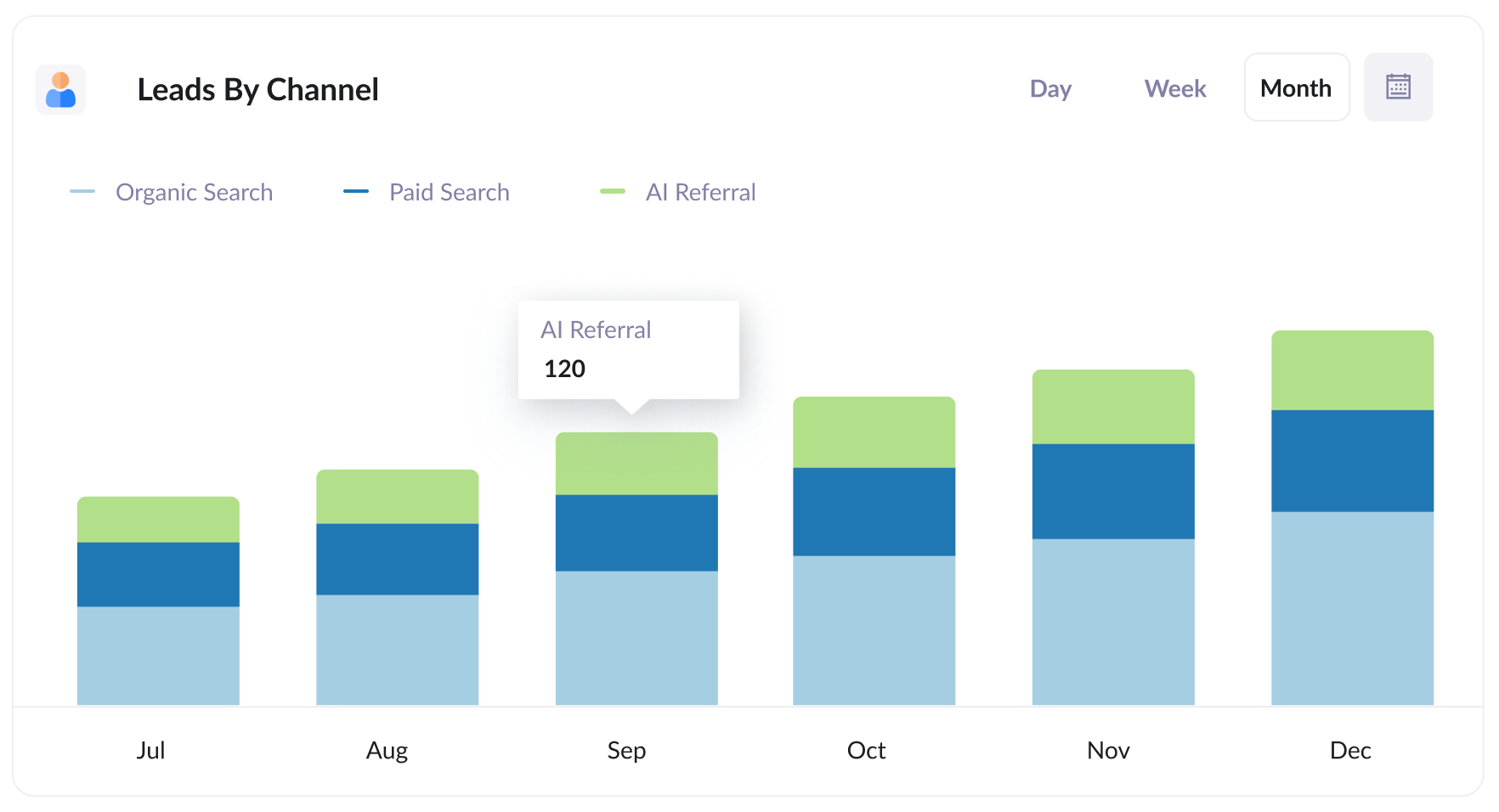
This report shows how many leads you generate each month, split by the channel they came from (like AI Referral, Organic Search, Paid Search, Paid Social and so on).
It shows you how many leads AI is sending your way and lets you compare that with your other channels, so you can see how much AEO/GEO matters for your business.
2. Customers by AI tool
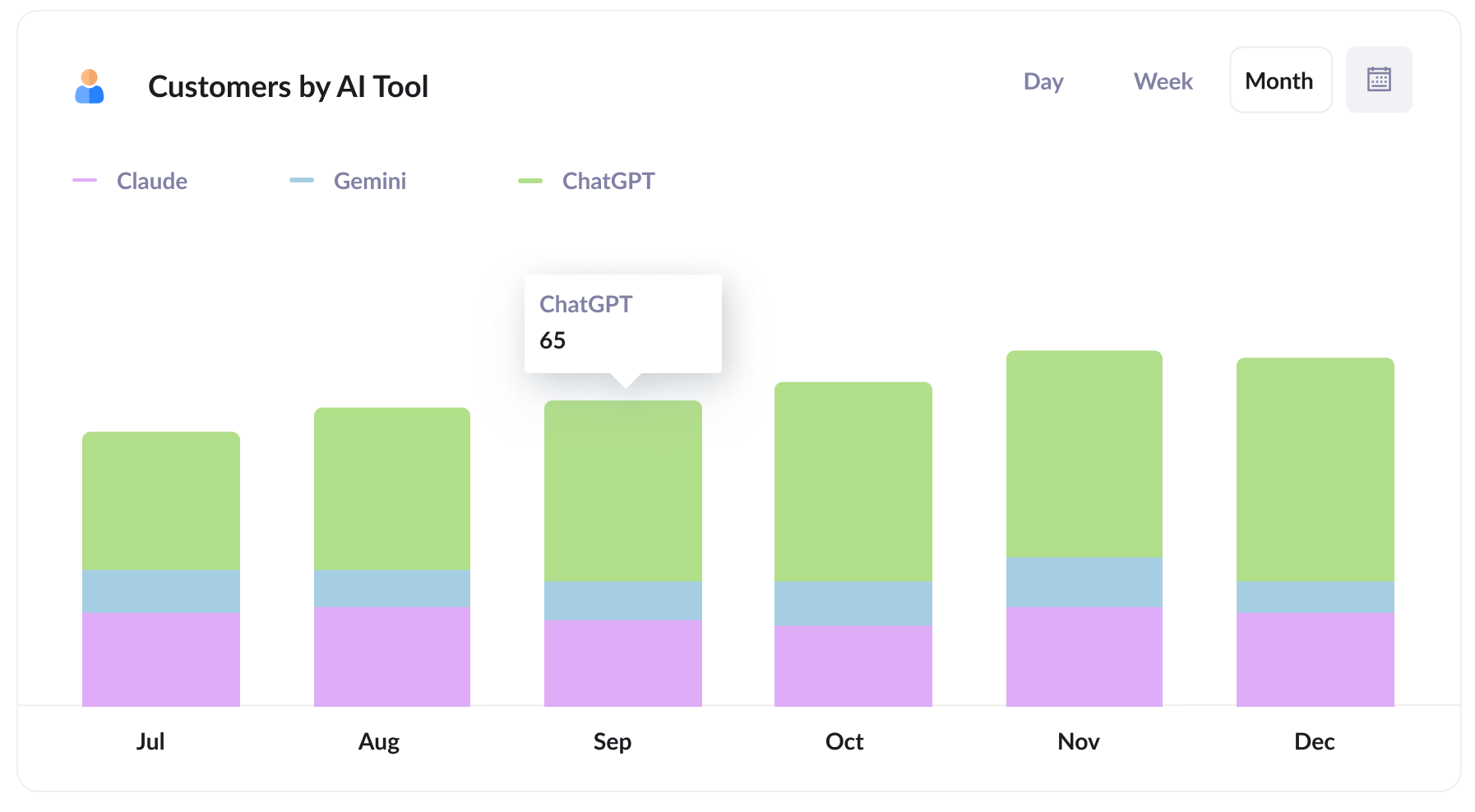
This report shows how many new customers you win from AI referral each month, broken down by the AI tool that sent them.
It puts ChatGPT, Claude, Gemini, etc. side by side so you can see which ones deserve your attention the most. If most of your AI leads come from ChatGPT (for example), that's a good sign it's the tool your target customers use most (and therefore the one you should be paying closest attention to).
3. Close rate by channel
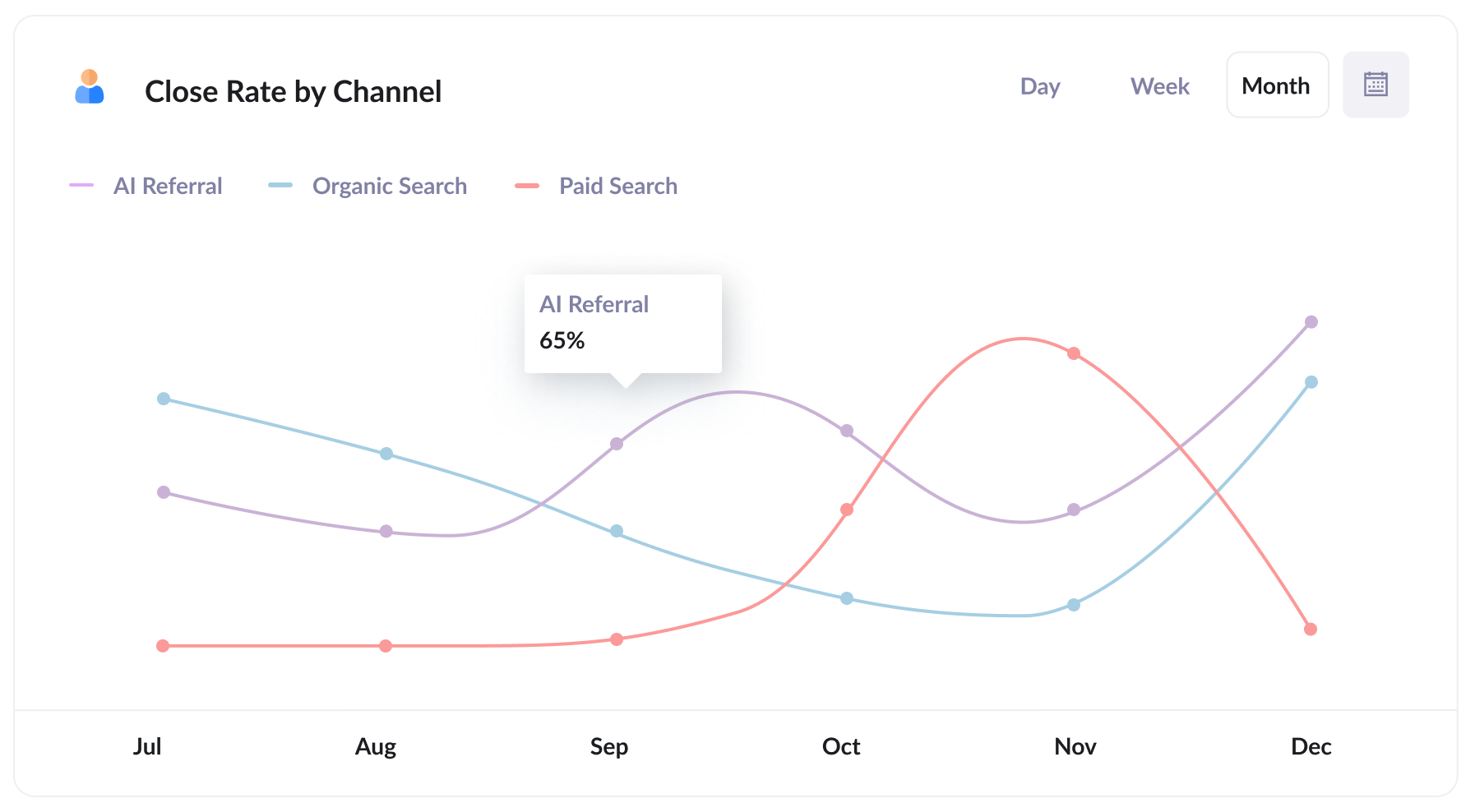
This report shows what percentage of leads end up becoming customers, split by the channel each lead came from.
What you find can be surprising. You might discover that around 30% of your AI Referral leads turn into customers, compared with just 15% of Organic Search leads and 10% of Paid Search leads (people who arrive from AI tools have usually already discussed your products or services with the AI, so they tend to be better qualified and close at a higher rate).
If your numbers look anything like that, a lead from AI could be worth several times more than one from paid search, and that should influence where you put your time and budget.
4. Revenue from AI by landing page
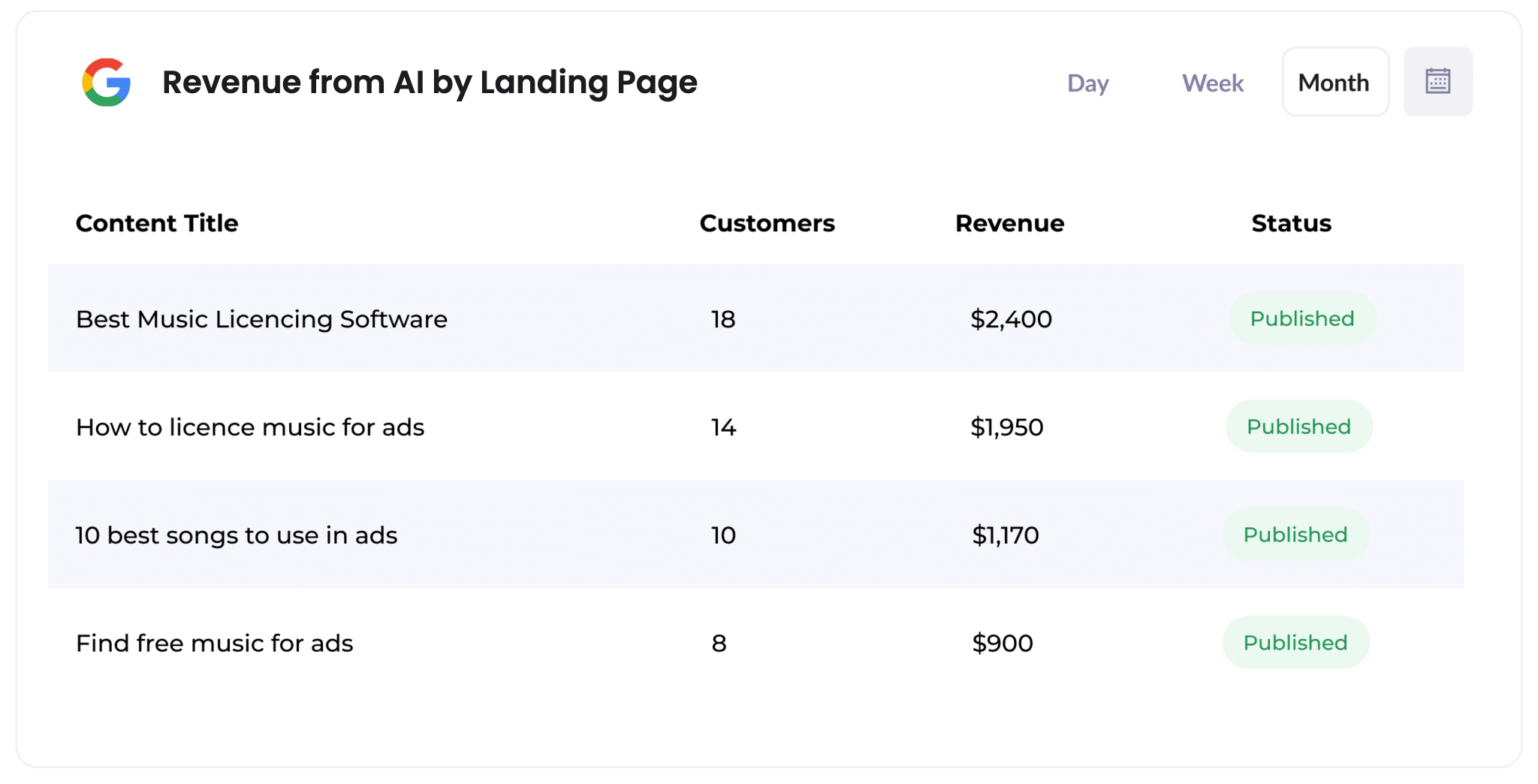
This report shows how many customers, and how much revenue, each page on your website has generated from AI referrals.
It makes it easy to spot which pages (like specific blog posts or service pages) AI tools are citing and sending leads to.
Use it to guide what you create next. If a small number of pages are driving most of your AI revenue, more content along those lines is likely a smart investment.
Wrap Up
If you want to know how many leads and customers AI tools are really sending your way, using Attributer with Zoho Forms is a great way to find out.
Attributer is free to get started with, and setup usually takes less than 10 minutes. So start your 14-day free trial today!
Get Started For Free
Start your 14-day free trial of Attributer today!

About the Author
Aaron Beashel is the founder of Attributer and has over 15 years of experience in marketing & analytics. He is a recognized expert in the subject and has written articles for leading websites such as Hubspot, Zapier, Search Engine Journal, Buffer, Unbounce & more. Learn more about Aaron here.