
Track leads & customers from AI in Typeform
Learn how to track how many leads & customers AI tools like ChatGPT are generating through your Typeform forms.
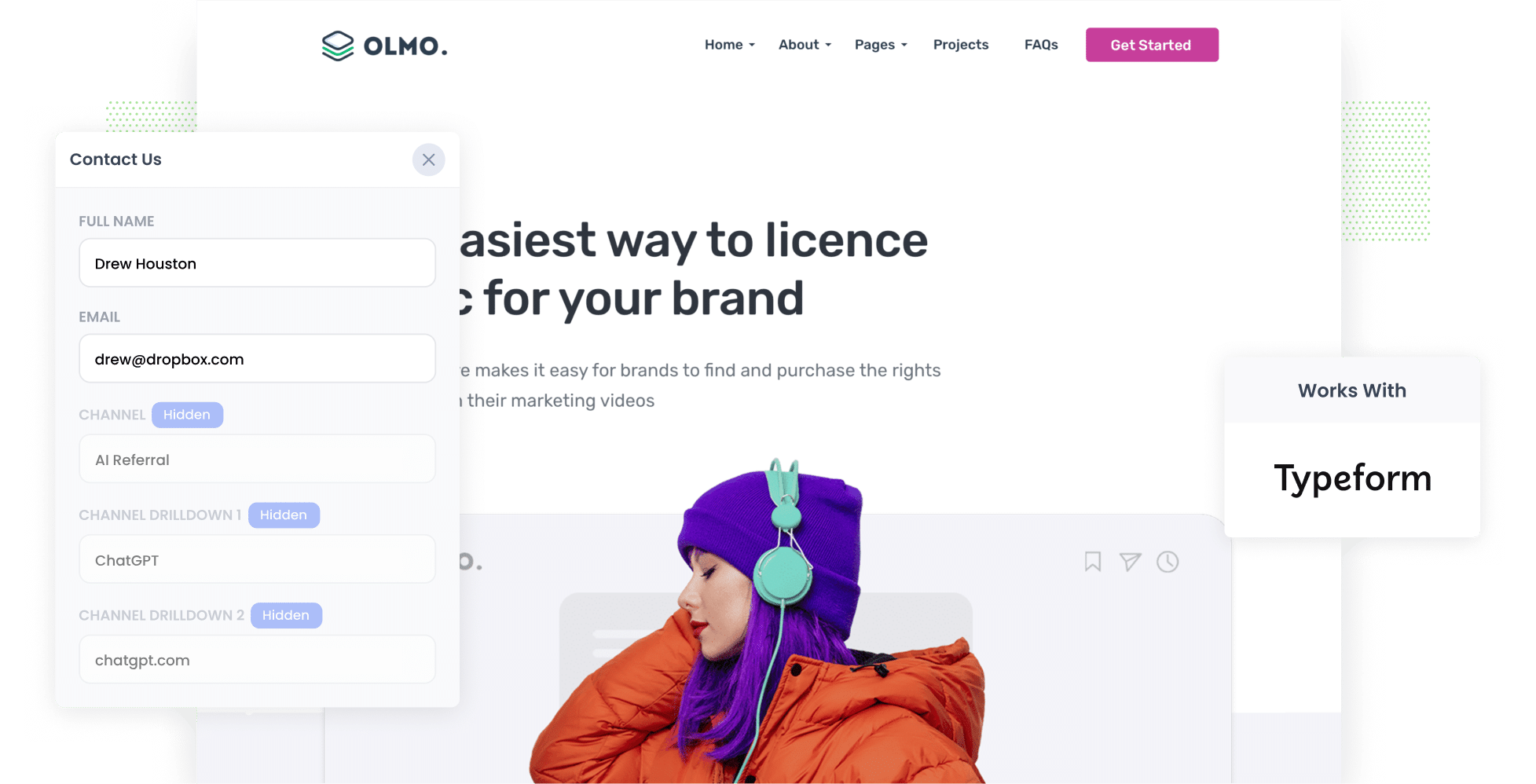
Use Attributer to capture AI referral data (like the fact a lead arrived from ChatGPT) in hidden fields on your Typeform forms. You can then send it to your CRM (and other tools) and run reports showing how many leads and customers AI is actually generating.
Do you know how many of your leads came from people who found you through an AI tool like ChatGPT?
It's a question more and more marketers are asking. AI tracking tools report on mentions and citations, and your analytics can show how many website visitors you get from AI tools, but none of them tell you how many leads you got, how many went on to become customers, and how much revenue they generated.
Luckily, there's an easy way to find out.
In this article, we'll show you how to use a tool called Attributer to capture AI referral data with every Typeform submission. We'll also share a few reports you can run to see exactly what AI is delivering for your business.
4 steps to track leads & customers from AI in Typeform
If you use Attributer with Typeform, seeing how many leads come from AI tools is easy. Here's how it works:
1. Install Attributer and add hidden fields
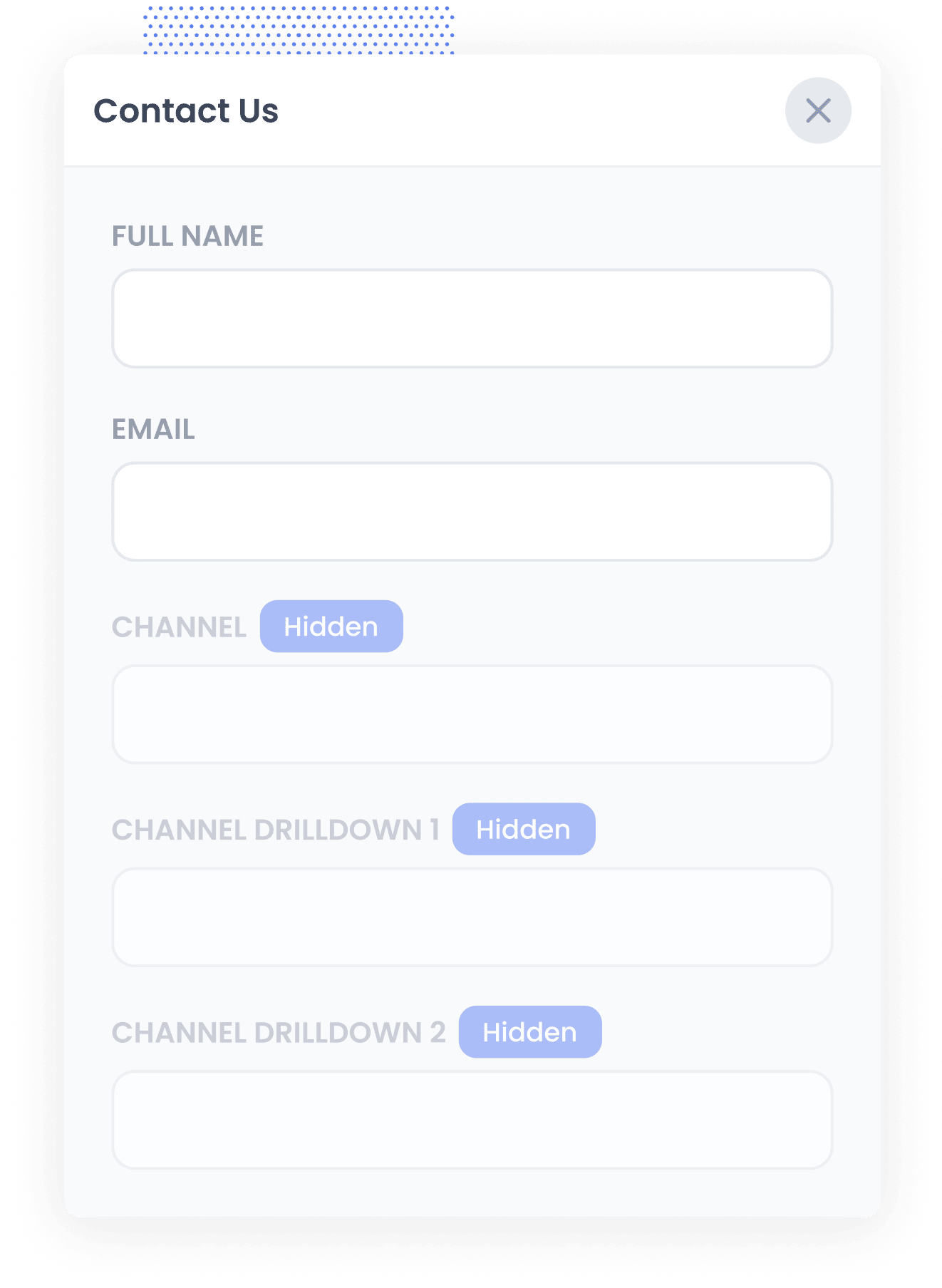
Once you start your 14-day free trial of Attributer, you'll be given a small snippet of code to install on your website. Instructions for adding it can be found here.
Next, you need to add a set of hidden fields to the Typeform forms you use to capture leads. Those fields are:
- Channel
- Channel Drilldown 1
- Channel Drilldown 2
- Channel Drilldown 3
- Landing Page
- Landing Page Group
In Typeform, you'll find hidden fields under the Logic tab, in the 'Personalise with data' option. After adding them, you just need to make a small change to the code you use to embed the Typeform on your site so Attributer can pass its data in (the exact change depends on whether you use the standard, full-page or popup embed). It's super easy, and step-by-step instructions can be seen here.
2. Attributer writes AI data into the hidden fields
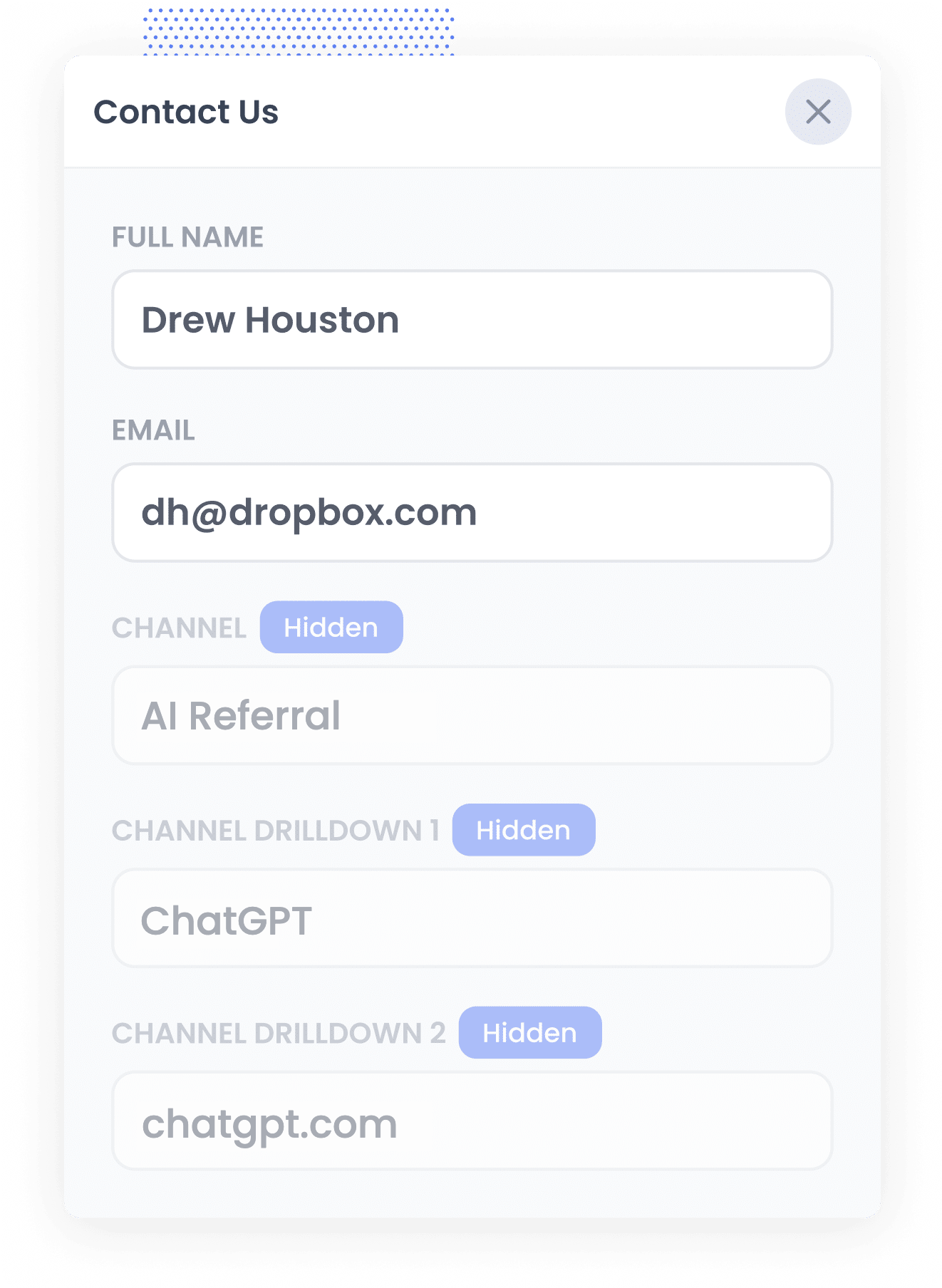
When a visitor lands on your site, Attributer reviews a number of signals to determine where they came from (much like other tools like Google Analytics do).
It then categorises that visitor into a channel (like AI Referral, Organic Search, Paid Search or Paid Social), and saves the information in their browser.
Then when that person eventually completes one of your Typeforms (like a 'Get a Quote' or 'Book a Demo' form), Attributer passes through the details of where they came from with the form submission (like that they arrived from an AI tool, and which tool it was).
3. AI data is captured with each response
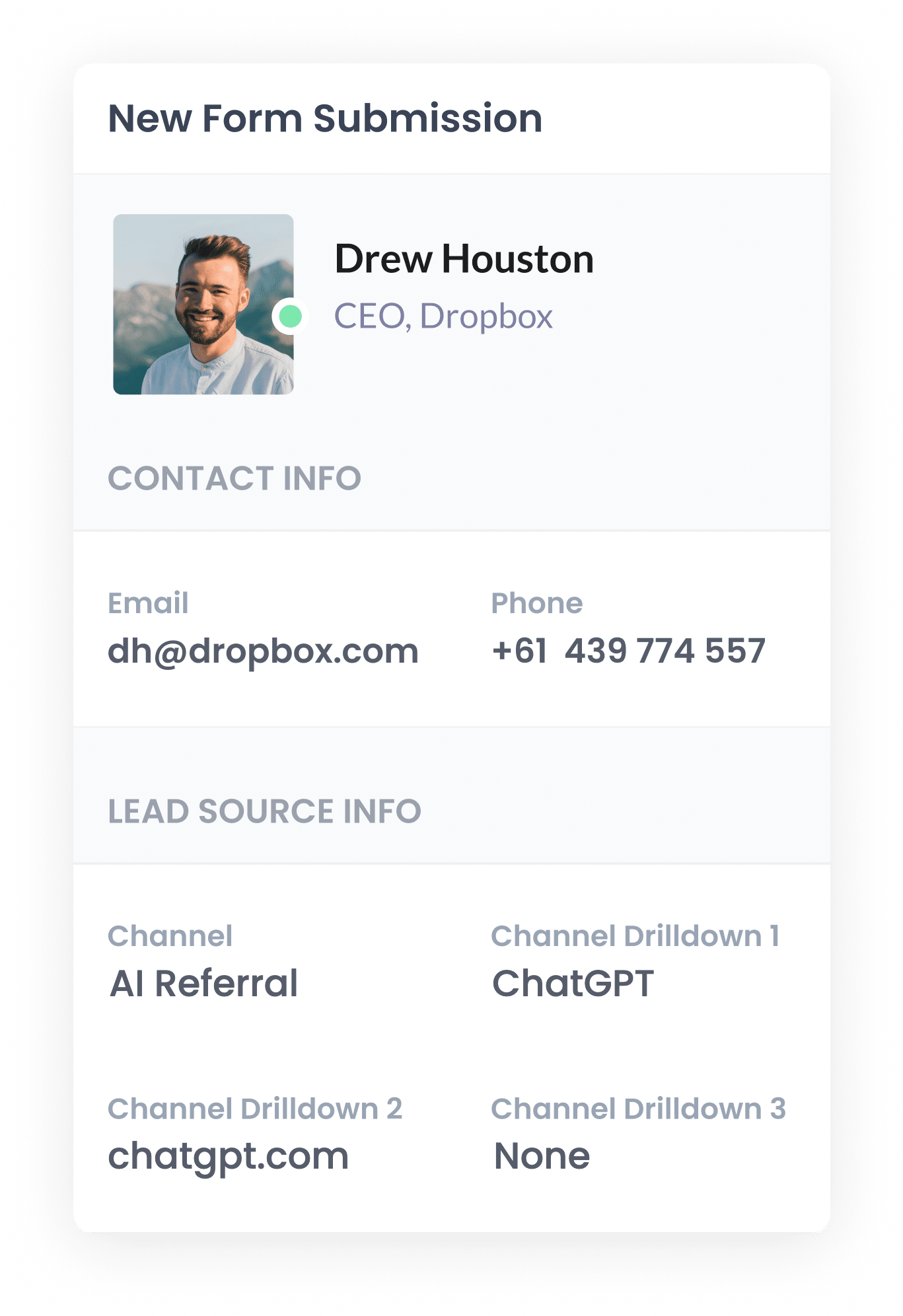
When the form is submitted, Typeform captures the AI referral data that Attributer passed through as part of the response, alongside the lead's name, email and any other information they entered into the form.
You can see it next to each submission in the Responses section of your Typeform account, and you can include it in the lead notification emails Typeform sends. And if your business uses a CRM, you can send it into there with each lead.
4. Run reports to see how many leads come from AI tools
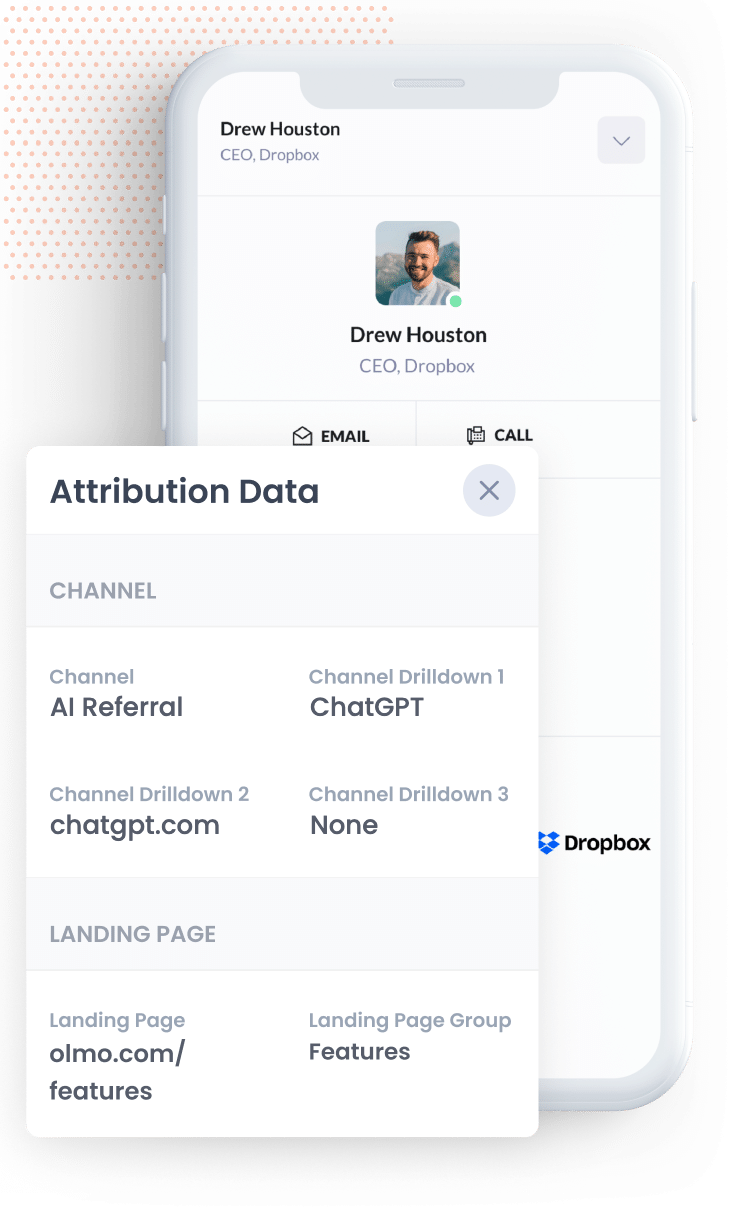
If you send the data to your CRM or a spreadsheet, you can then run reports that show you how many leads you are getting from AI tools (as well as which tools are sending them).
You can run these reports using your CRM's built-in reporting tool or the graphing capabilities in your spreadsheet.
If you have access to more powerful reporting tools like Tableau, Looker Studio or Microsoft Power BI then you can use those to run your reports, or if you actually use AI tools like Claude and ChatGPT yourself then you can connect them to your CRM and simply ask "How many leads did I get from AI Referral this month?"
What data gets captured
Attributer passes through two types of information about every lead. There's how they found your site (the channel) and what content brought them there (the landing page).
Let's say you're on the marketing team at an IT services provider, and someone asks ChatGPT for a managed IT provider that supports small offices. They click through to your site and complete your Typeform to request a quote. Here's what data would come through with the form submission:
- Channel = AI Referral
- Channel Drilldown 1 = ChatGPT (or whichever AI tool sent them)
- Channel Drilldown 2 = chatgpt.com (the domain they arrived from)
- Channel Drilldown 3 = None (an AI referral has no deeper level of detail, so this comes through as None)
You'd also get details of the page they landed on. Using the same example, it might look like this.
- Landing Page = clearpathit.com/services/managed-it-small-business
- Landing Page Group = /services
This landing page data shows which of your content AI tools are picking up and citing, so you know what's worth creating more of.
4 example reports you can run when you capture AI data in Typeform
Across my 15-year marketing career, I've built countless reports trying to understand which channels were working and which weren't. Here are the 4 reports I find most useful (all of which you can run with Attributer + Typeform):
1. Leads by Channel
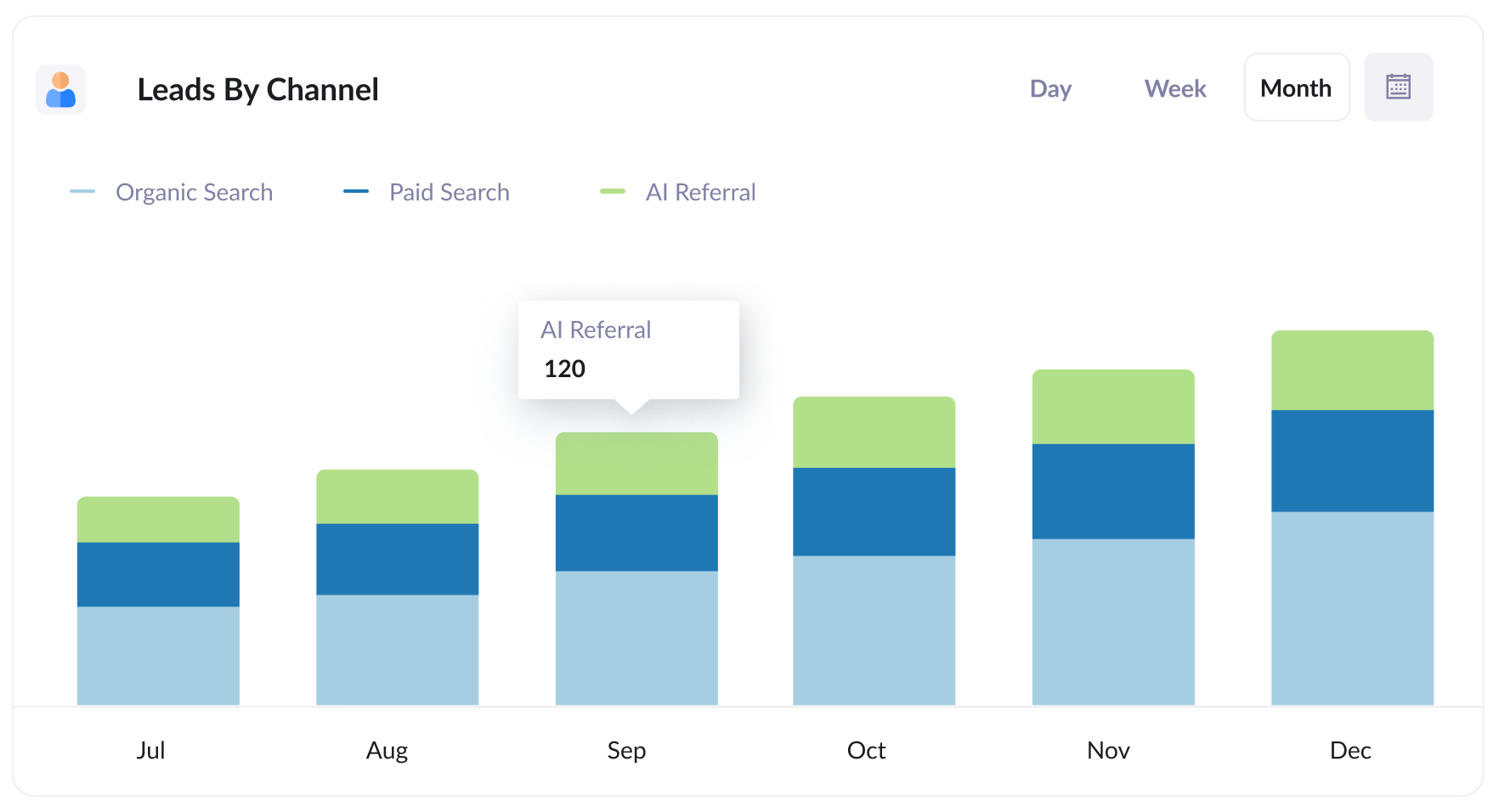
This report shows the number of leads you get each month, grouped by the channel they came from (AI Referral, Organic Search, Paid Search, Paid Social, Direct, etc).
It makes it easy to see how many leads you're getting from AI compared with some of the older channels like Organic Search, Paid Search, Referral and more. It helps you understand how big AI is for your business from a lead generation perspective, and whether you should be focusing on it more.
2. Customers by AI tool
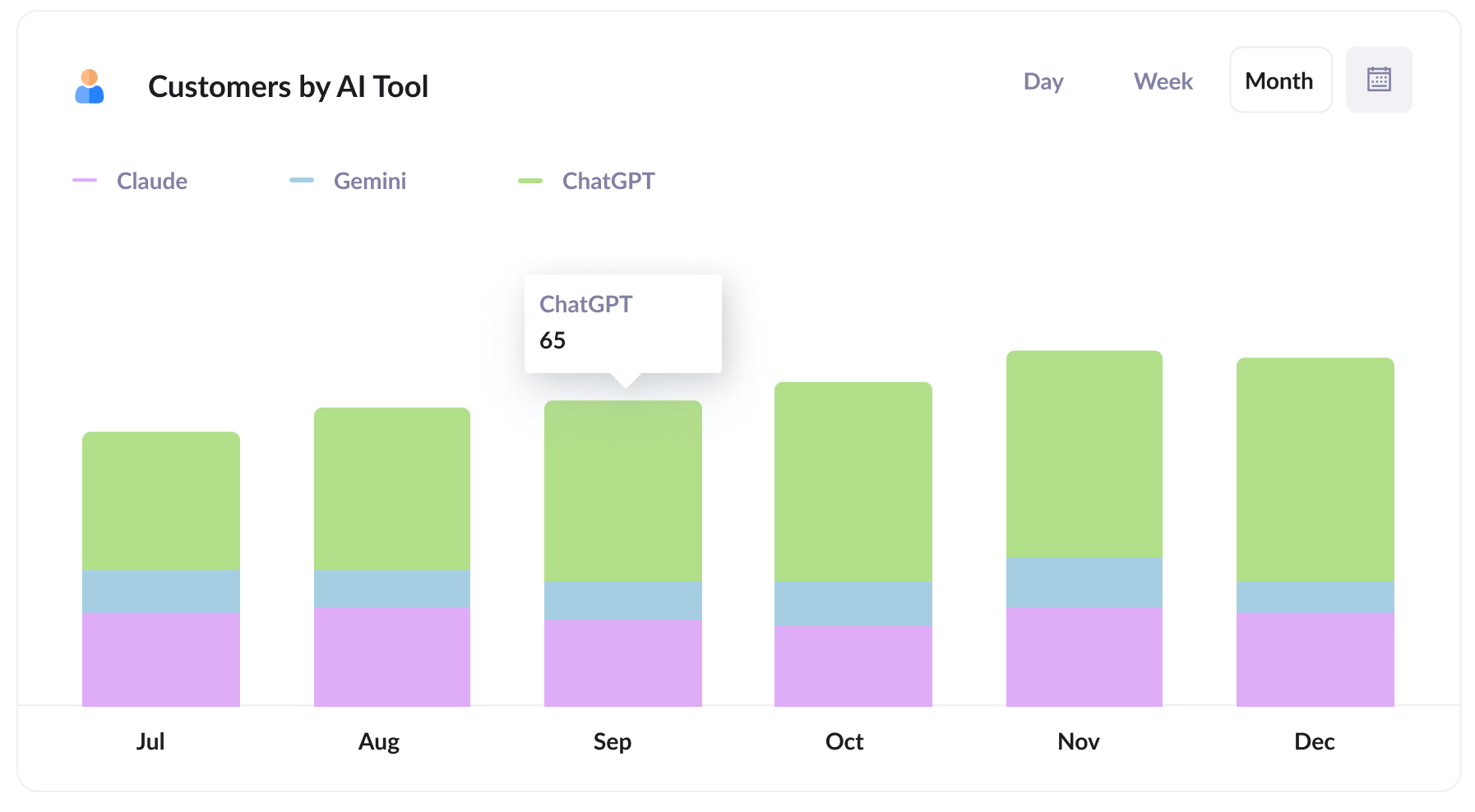
This report shows the number of new customers you've gained each month from AI referrals, grouped by the AI tool that referred them. That way you can see how ChatGPT performs against Claude and Gemini, for example.
Knowing which tools deliver actual customers (not just mentions or website traffic) tells you where to put your energy. If most of your customers come from ChatGPT, then it's usually a sign that that's what your target customers are using, therefore where you should be working hardest to stay visible and well cited.
3. Close rate by channel
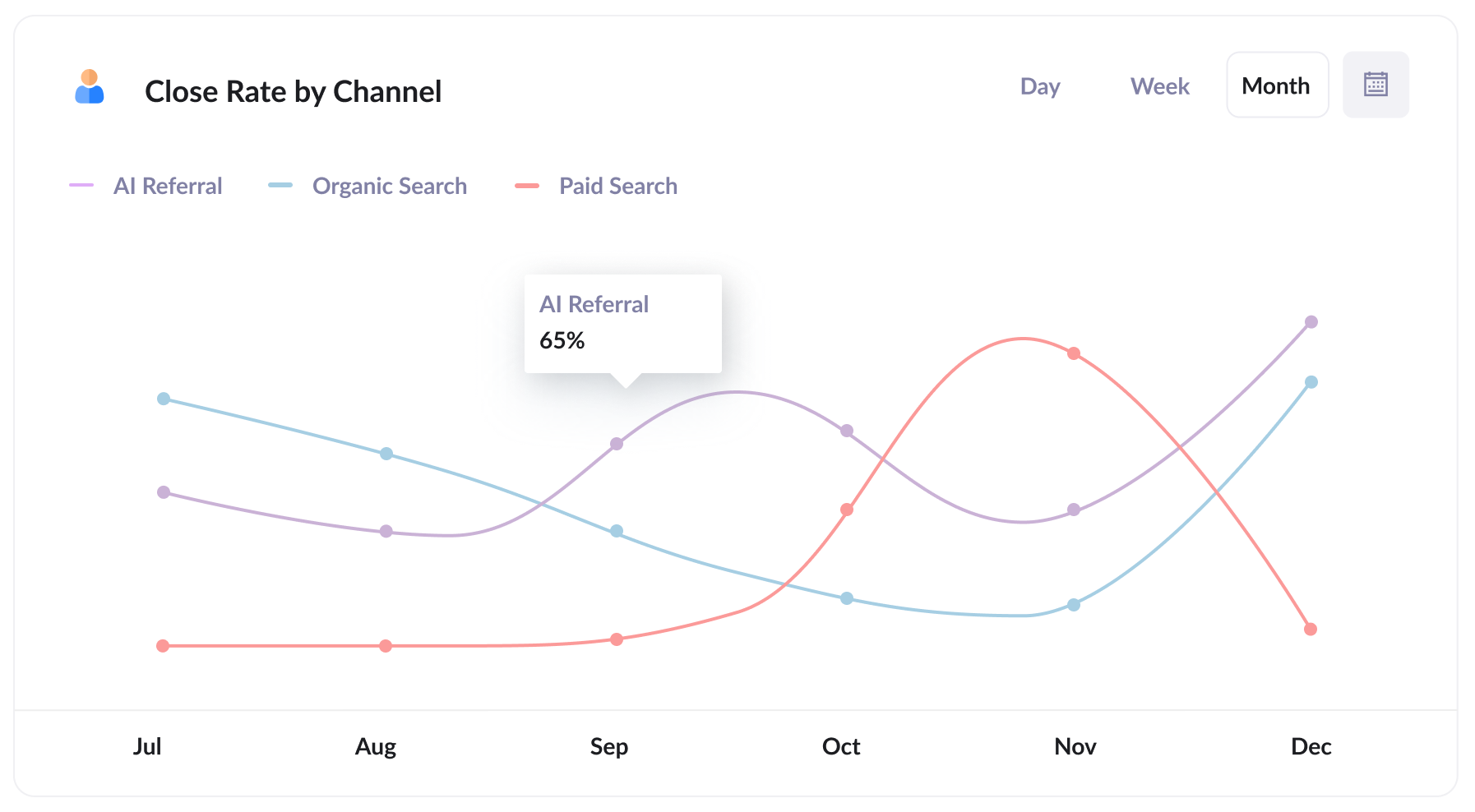
This report shows the percentage of leads that turn into customers, grouped by the channel they came from.
You may well find that your close rate is something like 35% from AI Referral, compared with 10% from Organic Search and 7% from Paid Search (this tends to happen because people who come from an AI tool have already had their questions answered, so they arrive better qualified).
If that's what your data shows, a lead from an AI tool is worth several times a paid search lead, and you should adjust where you're spending your marketing budget accordingly.
4. Revenue from AI by landing page
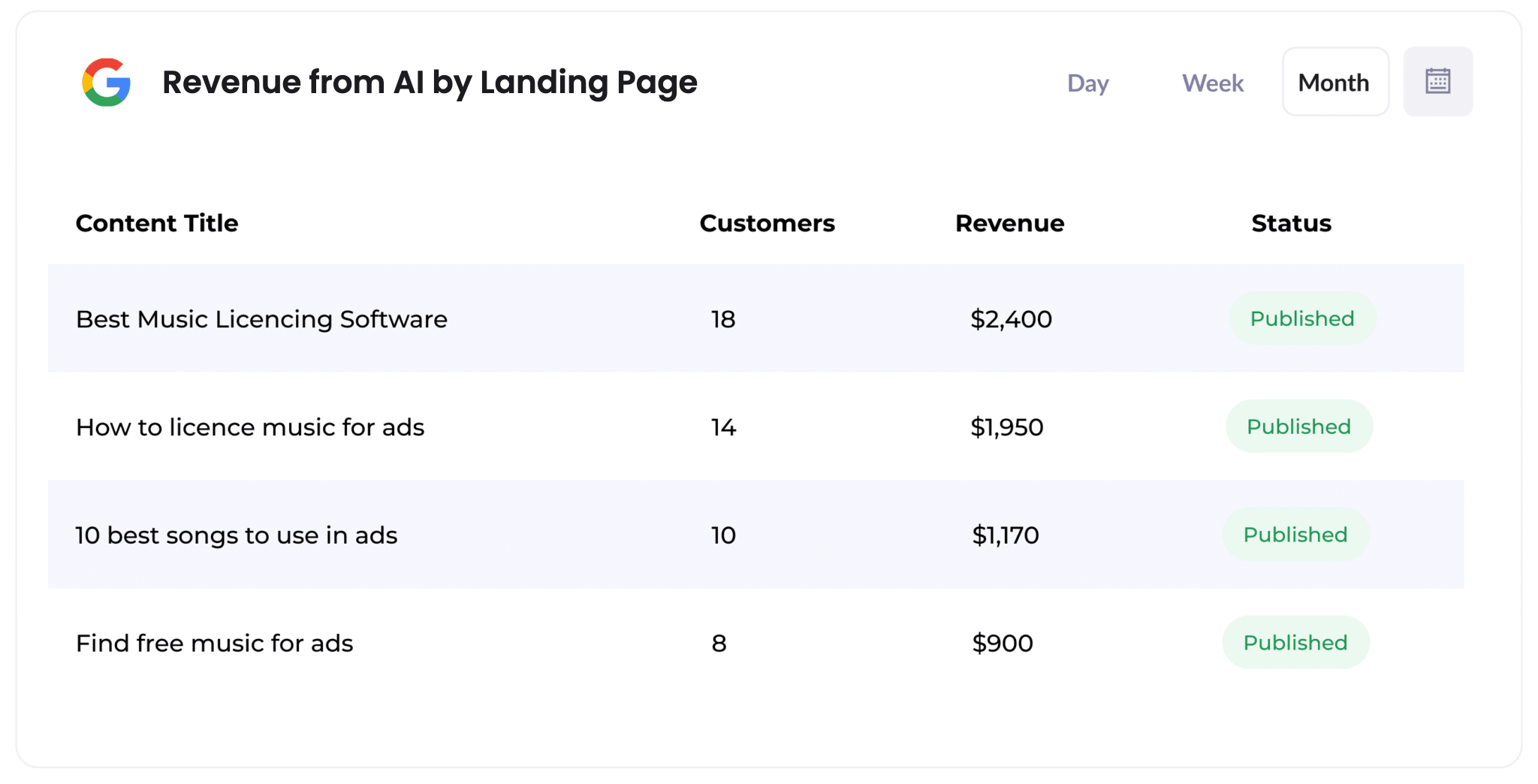
This report shows how many customers, and how much revenue, each piece of content on your site has produced from AI referrals.
It makes it easy to see which content (like individual blog posts or service pages) AI tools are citing and sending real buyers to.
This helps you understand what kind of content you should produce next. If a few pages account for most of your AI revenue, creating similar content is probably a pretty good bet.
Wrap Up
If you've been trying to work out how many leads and customers AI tools are actually sending you, using Attributer with Typeform is a great way to do it.
Best of all, it's free to get started with Attributer and setup usually takes less than 10 minutes. So start your 14-day free trial today!
Get Started For Free
Start your 14-day free trial of Attributer today!

About the Author
Aaron Beashel is the founder of Attributer and has over 15 years of experience in marketing & analytics. He is a recognized expert in the subject and has written articles for leading websites such as Hubspot, Zapier, Search Engine Journal, Buffer, Unbounce & more. Learn more about Aaron here.