
Track leads & customers from AI in Salesforce
Learn how to track how many leads & customers AI tools like ChatGPT are generating in Salesforce CRM
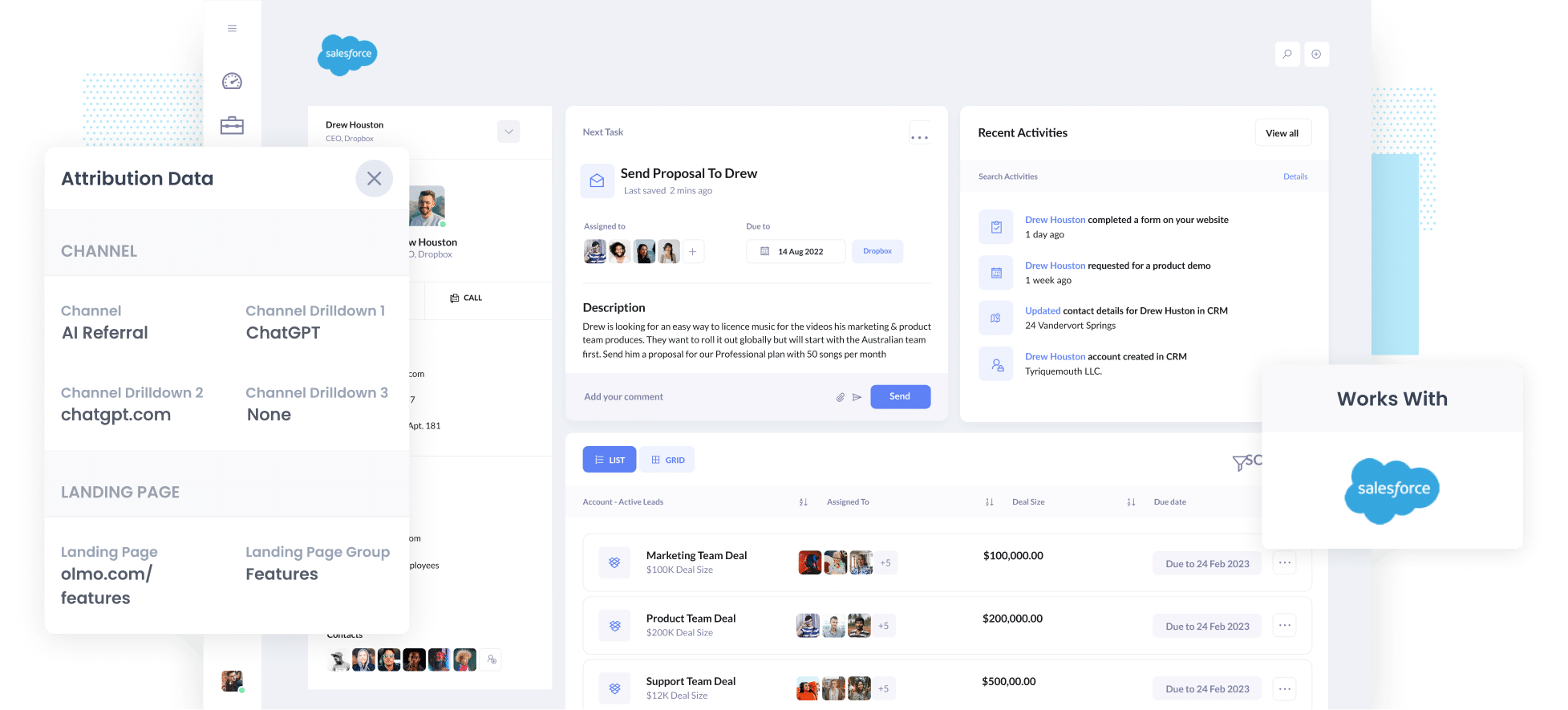
Use Attributer to capture AI referral data (like the fact a lead arrived from ChatGPT) with every form submission, pass it into Salesforce, and run reports showing how many leads and customers AI is actually generating.
Are you struggling to work out how many leads and customers you are actually getting from AI tools like ChatGPT?
It is a fast-growing problem. AI tracking tools will show you how many mentions and citations you get, and analytics tools will happily tell you that someone arrived from ChatGPT or Perplexity, but working out how many of those visitors turned into leads, how many went on to become paying customers, and how much revenue they brought in is much harder.
Fortunately, there is a solution.
In this article, we'll walk through how to use a tool called Attributer to capture AI referral data with each new lead in Salesforce. We'll also show you a set of reports you can run to see exactly what AI is delivering for your business.
4 steps to track leads & customers from AI in Salesforce
If you use Attributer with Salesforce, then it's easy to see how many leads are coming from AI tools. Here's how it works:
1. Install Attributer and add hidden fields
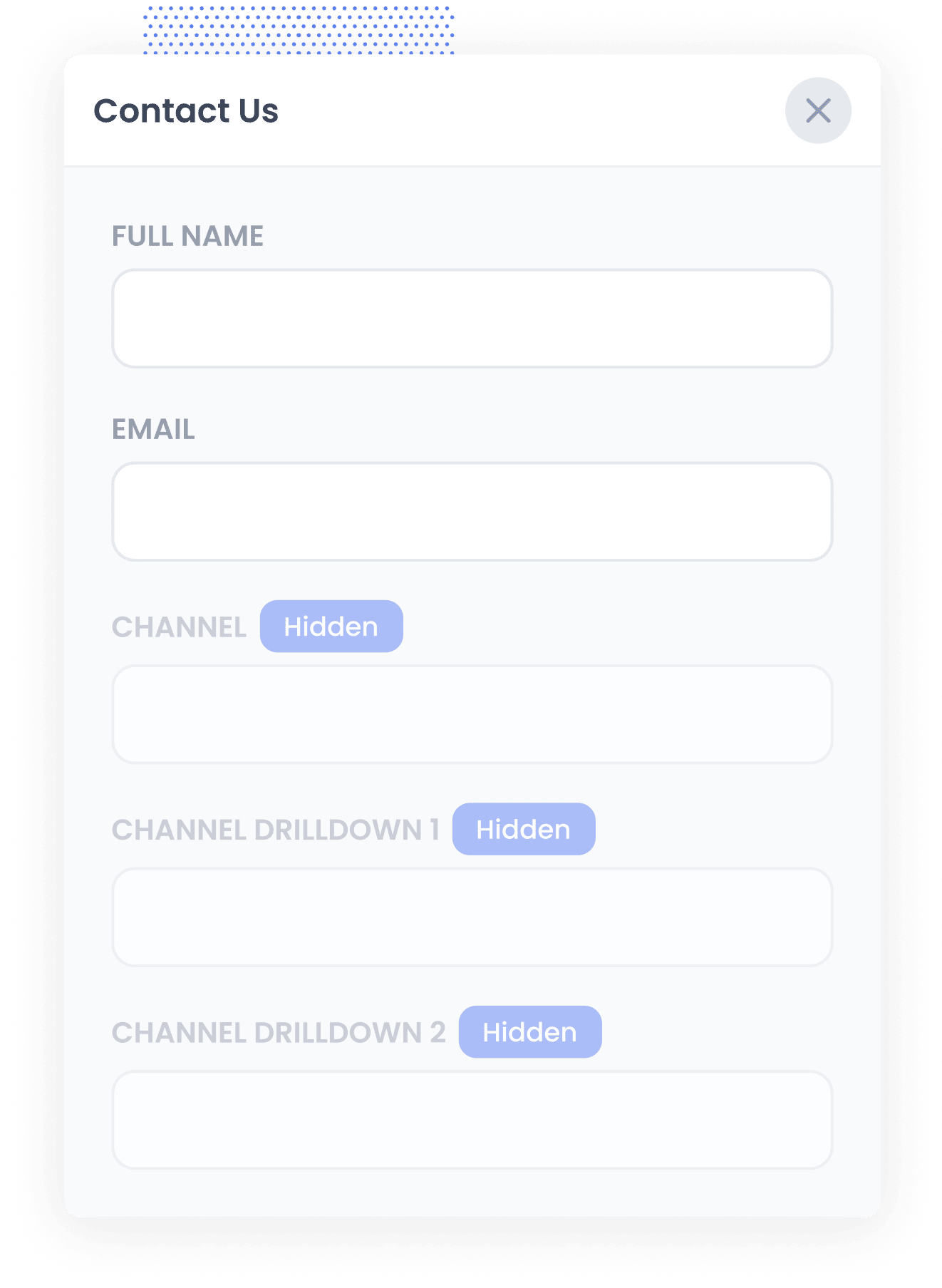
When you start your 14-day free trial of Attributer, you'll be given a small snippet of code to install on your website. Instructions for adding it can be found here.
With the code in place, the next thing to do is add a handful of hidden fields to the lead capture forms on your site. Those fields are:
- Channel
- Channel Drilldown 1
- Channel Drilldown 2
- Channel Drilldown 3
Most form builders make this simple. Depending on the tool, you can either drag a 'Hidden' field type into the form, or take an existing field and hide it through the settings. Instructions for doing it in tools like Gravity Forms, Wix Forms, Webflow Forms and others can be seen here.
2. Attributer writes AI data into the hidden fields
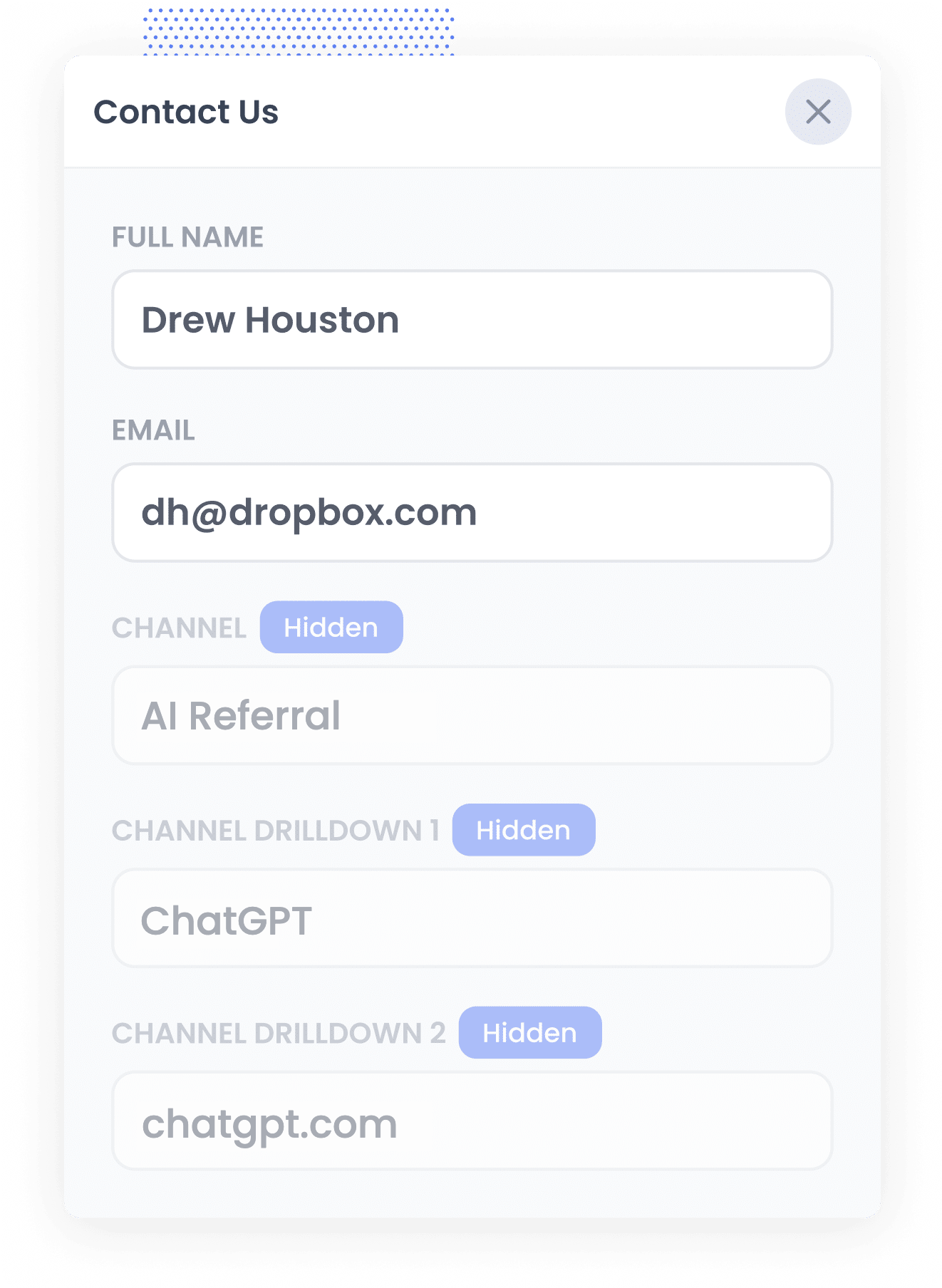
When somebody lands on your site, Attributer looks at a range of signals to work out where they came from (much the same signals a tool like Google Analytics uses).
It then sorts that visitor into a channel, such as AI Referral, Organic Search, Paid Search or Paid Social, and stores the result in their browser.
Then, when that visitor eventually fills in a form on your site (like your 'Contact Us' or 'Request a Quote' form), Attributer writes the details of where they came from into the hidden fields, including the fact that they arrived from an AI tool and which one it was.
3. AI data is captured with each lead
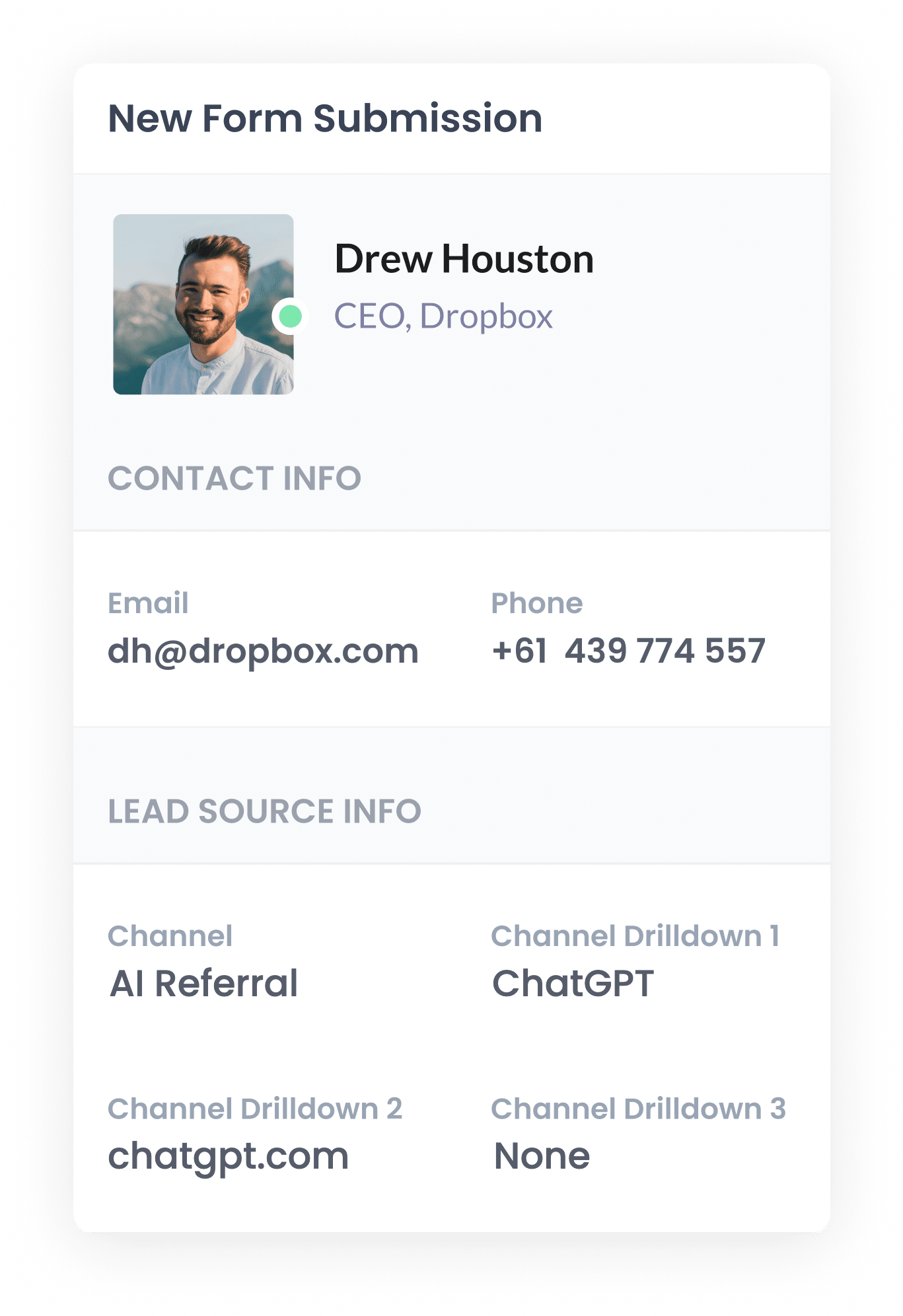
When the lead submits a form on your site, the AI referral data that Attributer placed in those hidden fields is captured by your form tool, right alongside the lead's name, email and everything else they entered.
Attributer works with more than 50 form builders, scheduling tools and chat products, including Gravity Forms, Calendly, Contact Form 7, Wix Forms, Webflow Forms, Typeform, Jotform and Zoho Forms, so it's highly like it will work for you.
4. AI data is sent to Salesforce
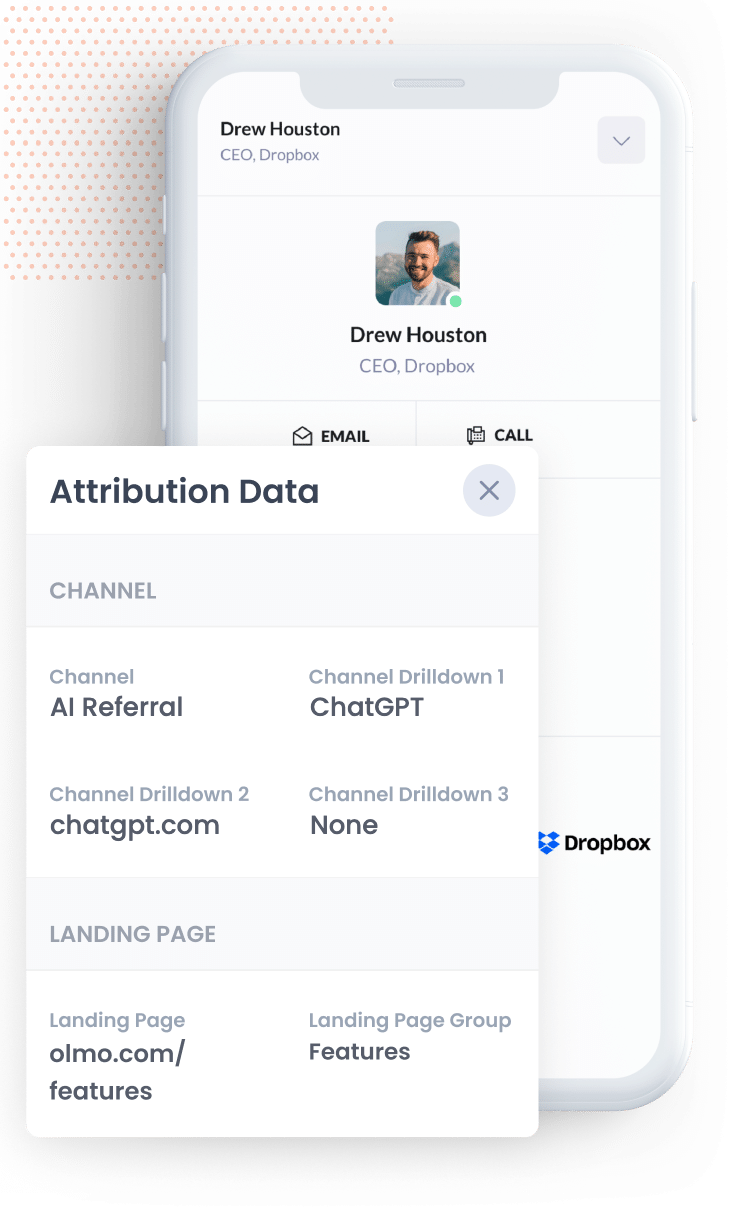
From there, you can use your form builder's native Salesforce integration, or a third-party tool like Zapier, to push the data through into Salesforce.
Once it lands in Salesforce you can start building reports showing how many leads and customers came from AI, which AI tools they came from, what content brought them in, and how much revenue followed.
You can build those in Salesforce's own reporting, or connect an analytics tool like Tableau, Looker Studio or Microsoft Power BI and run them there. Or if you are using AI yourself, you can connect tools like Claude or ChatGPT to your Salesforce account and simply ask it questions like ‘How many leads did I get from AI this month?’
What data gets captured
Attributer passes through two types of information about each lead. There's how they got to your site (the channel) and what content brought them there (the landing page).
So if you were on the marketing team at a law firm and somebody asked ChatGPT to recommend a contract lawyer, then clicked through to your site and became a lead, you would get the following.
- Channel = AI Referral
- Channel Drilldown 1 = ChatGPT (Or whichever AI tool sent them)
- Channel Drilldown 2 = chatgpt.com (the domain they arrived from)
- Channel Drilldown 3 = None (there is no deeper level of detail to capture for an AI referral, so this comes through as None)
You would also get information on the page they landed on. Continuing that example, it might look like this.
- Landing Page = abbottslaw.com/blog/contract-lawyers-sydney
- Landing Page Group = /blog
That landing page data is what tells you which of your content AI tools are actually reading and citing, and therefore what is worth creating more of.
4 example reports you can run when you capture AI data in Salesforce
Over my 15-year career in marketing, I have built more reports than I can count trying to work out which channels were working for us and which ones weren't. Here are 4 reports that become possible once you are capturing AI referral data.
1. Leads by Channel
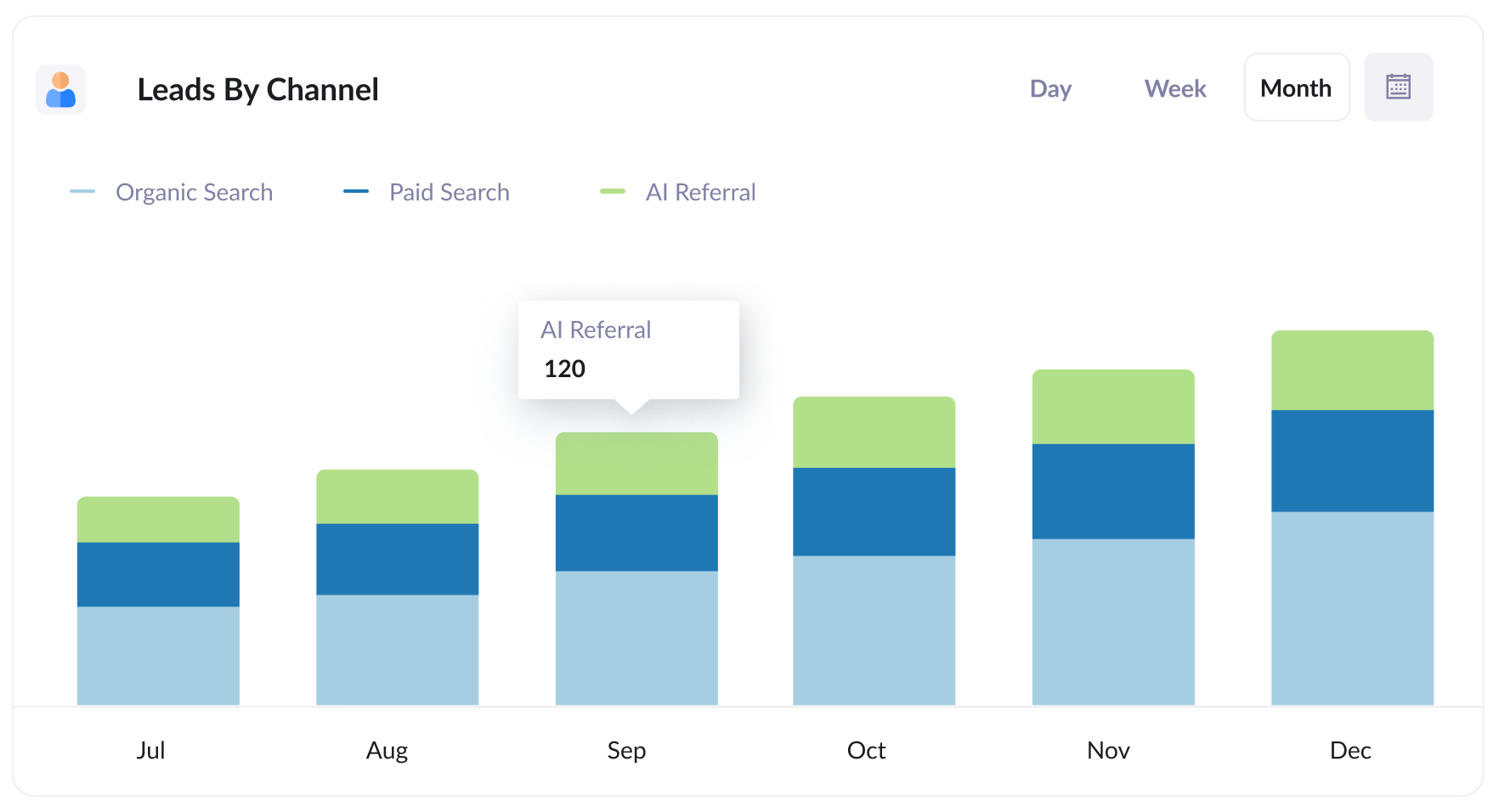
This report shows how many leads you get each month, broken down by the channel they came from (AI Referral, Organic Search, Paid Search, Paid Social and so on).
It gives you a good understanding of how much AI is actually contributing to your lead goals. If AI referrals are still a thin slice, that tells you there is room to grow. If they start rivalling organic search, then clearly you are doing something right!
The comparison is the valuable part. Finding out that AI is quietly delivering as many leads as a paid channel you spend heavily on tecan help you understand how to best allocate your marketing budget (and time).
2. Customers by AI tool
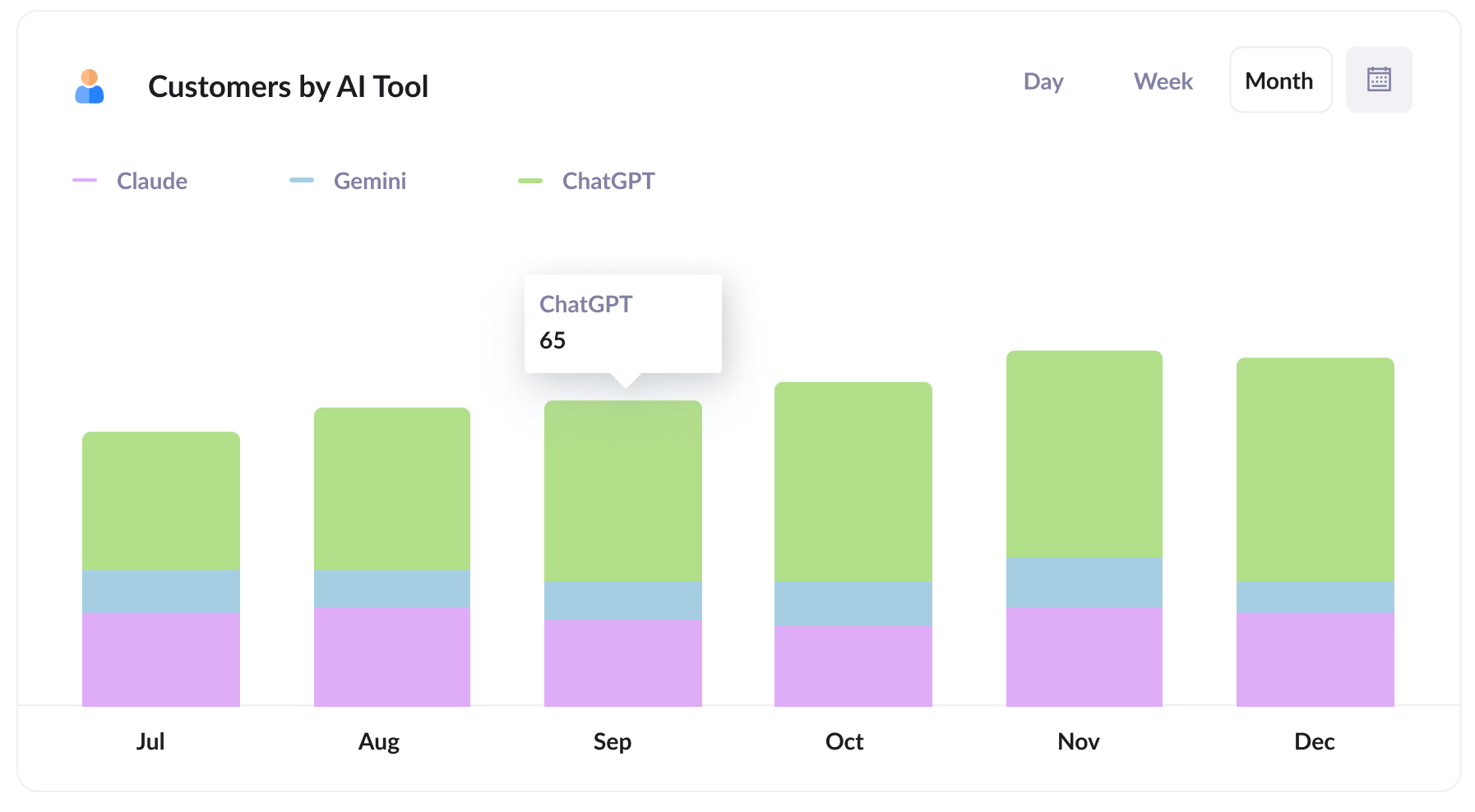
This report shows how many new customers you get each month, broken down by the AI tool that sent them. It allows you to see how ChatGPT compares with Claude and Gemini for instance.
That distinction matters, because the tools do not behave the same way. One might surface your content far more often than the others, or send visitors who convert at a noticeably better rate.
Knowing which tools actually produce paying customers, rather than just traffic, tells you where to concentrate. If the bulk of your customers arrive via ChatGPT, that is where it is worth putting the effort to stay visible and well cited.
3. Close rate by channel
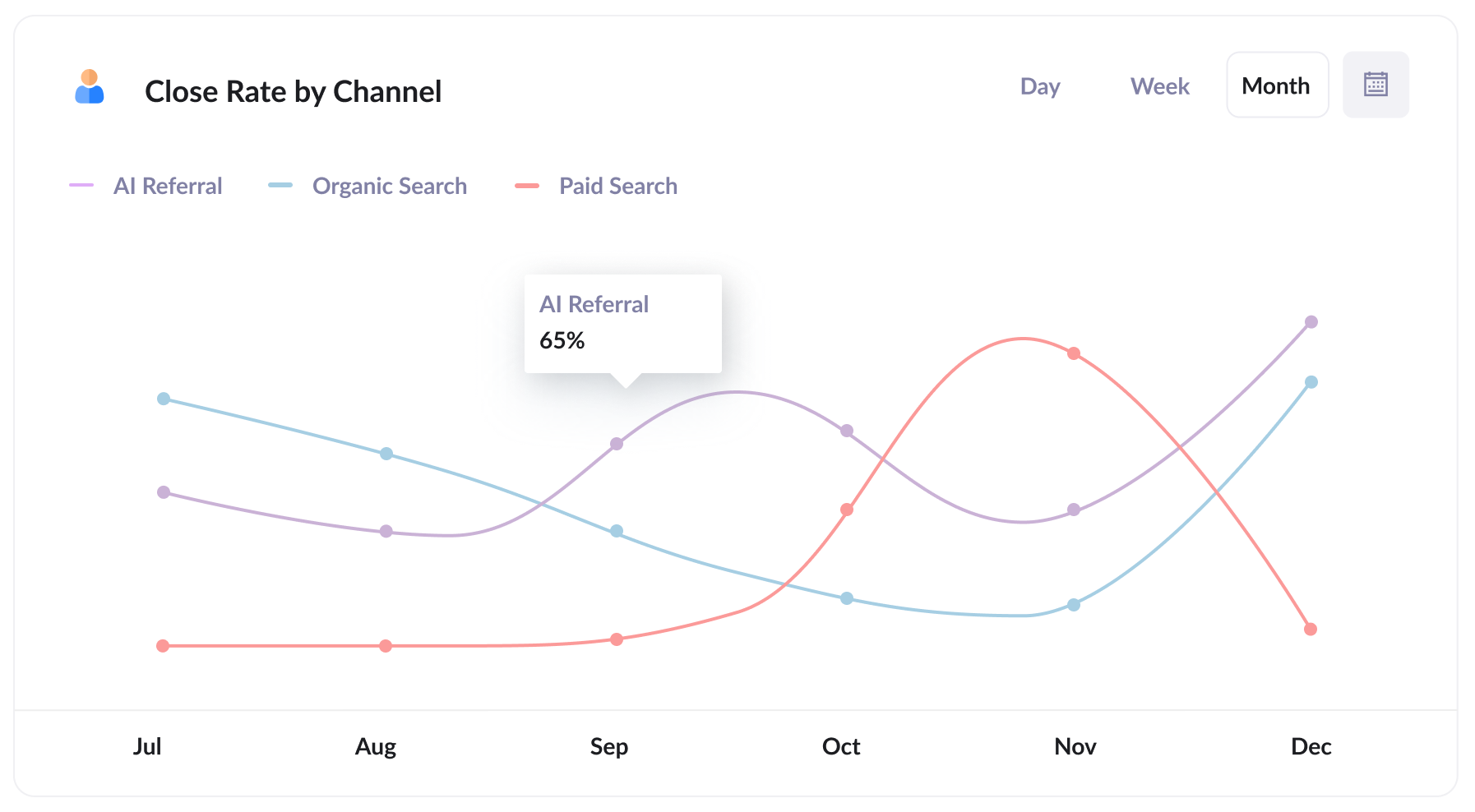
This report shows the rate at which leads turn into customers, broken down by the channel they came from.
It is often the most revealing report of the set, because lead volume on its own can mislead you. You might find that 35% of your leads from AI Referral go on to become customers, against 10% of those from Organic Search and 7% from Paid Search.
If that is the pattern in your data, a lead from an AI tool is worth several times one from paid search, which should change how you think about where the next dollar goes. It often works out this way because people arriving from an AI tool have already had their questions answered and come in better qualified.
4. Revenue from AI by landing page
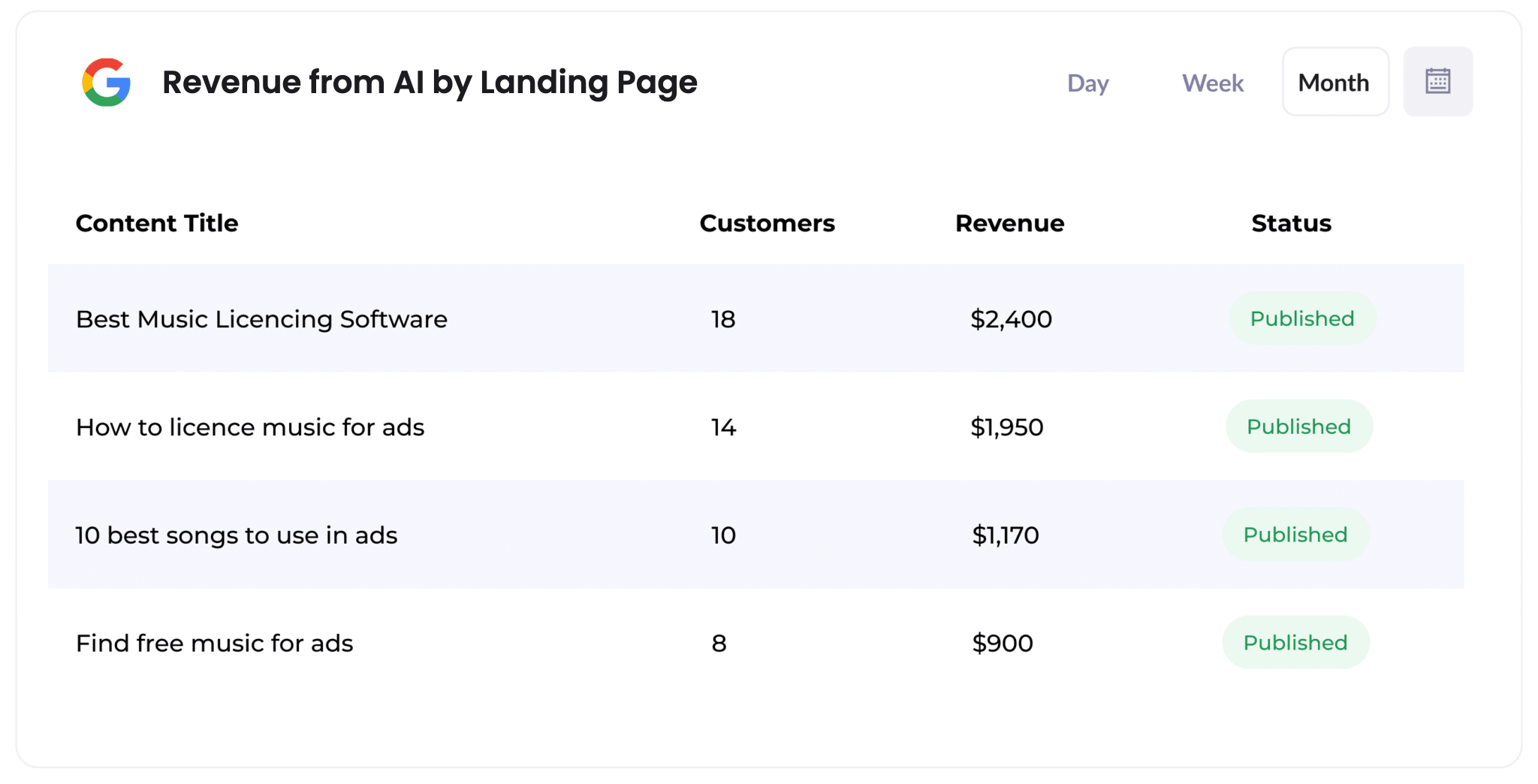
This report shows how many customers, and how much revenue, each piece of content on your site has generated from AI referrals.
It makes it easy to see which content pieces (like which blog posts) AI tools are citing and sending actual buyers to, rather than just curious visitors.
That is a practical guide for what to write next. If a handful of posts are responsible for most of your AI-driven revenue, then producing more of that kind of content is a sensible bet.
Wrap Up
If you have been trying to work out how many leads and customers AI tools are genuinely sending your way, using Attributer alongside Salesforce is a great way to do it.
Best of all, it is free to get started with Attributer and setup usually takes less than 10 minutes. So start your 14-day free trial today!
Get Started For Free
Start your 14-day free trial of Attributer today!

About the Author
Aaron Beashel is the founder of Attributer and has over 15 years of experience in marketing & analytics. He is a recognized expert in the subject and has written articles for leading websites such as Hubspot, Zapier, Search Engine Journal, Buffer, Unbounce & more. Learn more about Aaron here.