
Track leads & customers from AI in Jotform
Here's how to see how many leads you are really getting from AI tools like ChatGPT, Claude & Gemini.
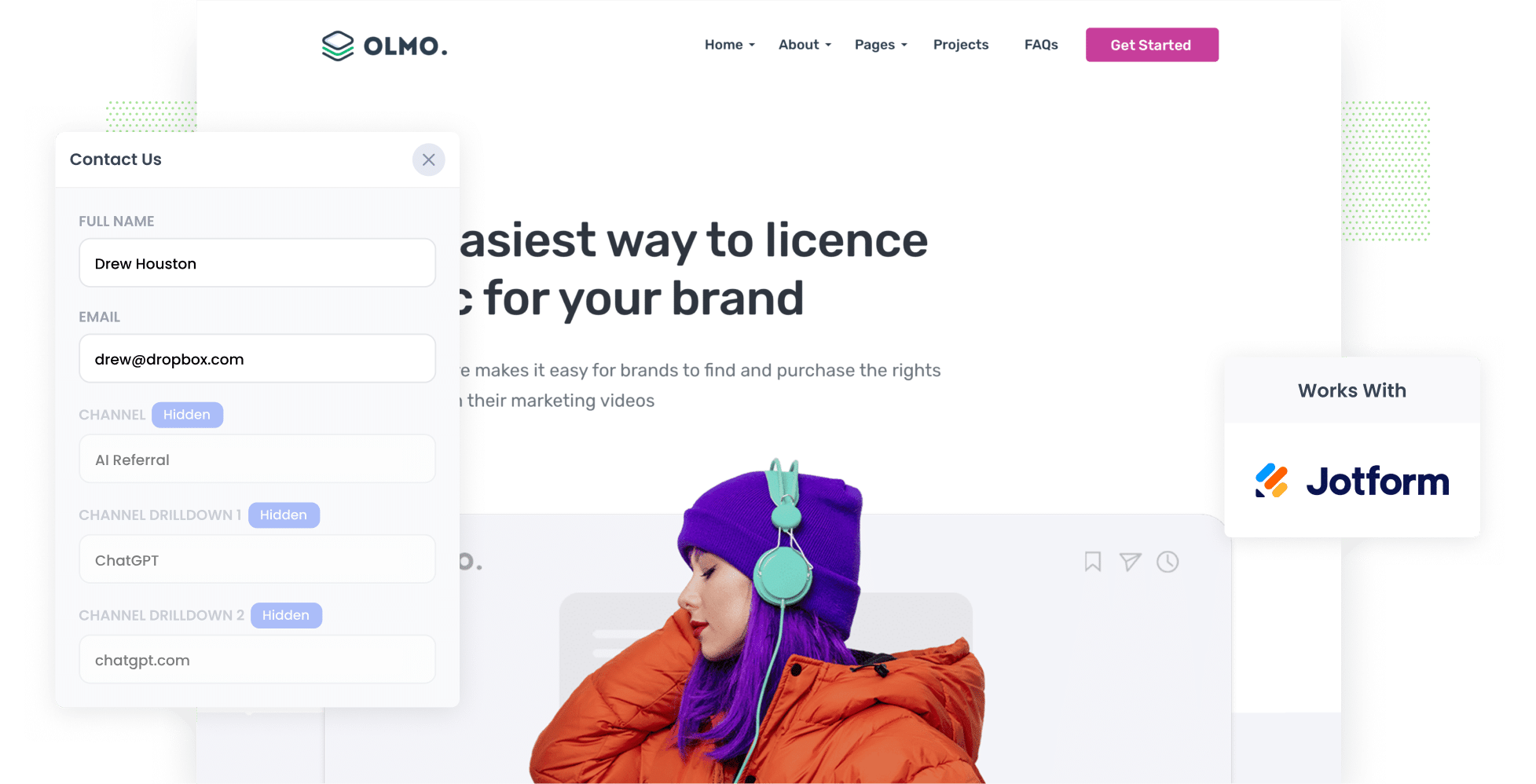
Attributer passes through AI referral data (like the fact a lead came from ChatGPT) with every Jotform submission. From there you can pass it on to your CRM and other tools, then run reports showing how many leads and customers AI is actually sending you.
Want to know how many of your leads are coming from AI tools like ChatGPT, Claude and Gemini?
There's plenty of talk right now about getting 'mentions' and 'citations' in AI answers, but what actually matters is how many leads AI sends you, how many of them become customers, and how much revenue they bring in. That's the information you need to make real decisions about your AEO/GEO efforts.
So how do you get it?
In this article, we'll walk you through how to use a tool called Attributer to capture AI referral data with every Jotform submission. We'll also share a handful of reports you can run to see exactly how many leads and customers AI is sending your way.
4 steps to track leads & customers from AI in Jotform
Using Attributer with Jotform makes it easy to see how many leads AI tools are sending you. Here's how it works:
1. Install Attributer and add hidden fields to your forms
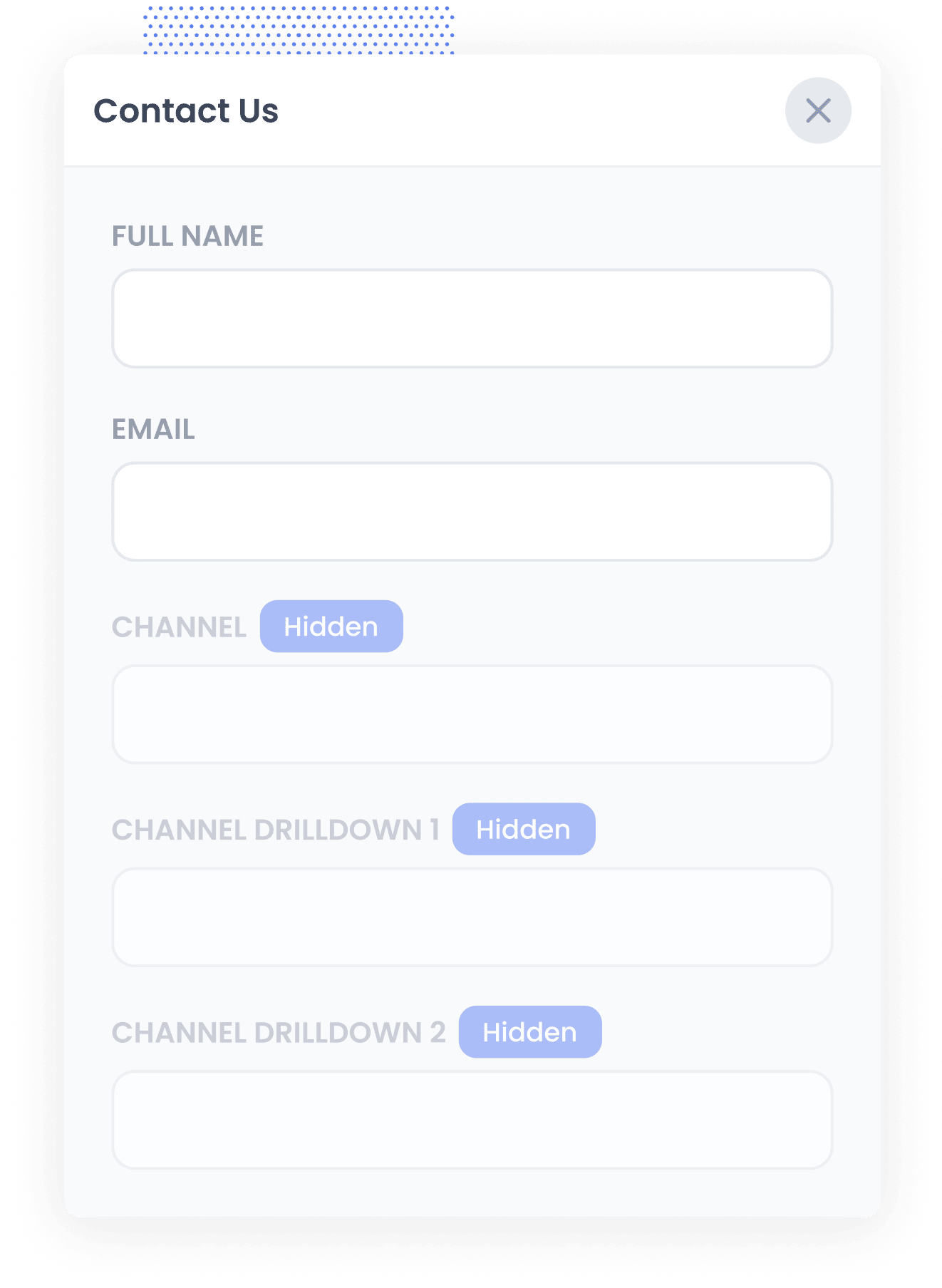
When you start your 14-day free trial of Attributer, you'll get a small snippet of code to add to your website. You'll find instructions for installing it here.
Once that's done, you then need to add a set of hidden fields to your Jotform forms. These are:
- Channel
- Channel Drilldown 1
- Channel Drilldown 2
- Channel Drilldown 3
- Landing Page
- Landing Page Group
To do this, open the Jotform builder and add 6x 'Hidden' fields to your form. Then open the Properties panel to give each one a specific name and default value (which are outlined in the setup docs that are available here).
2. Attributer works out where each visitor came from
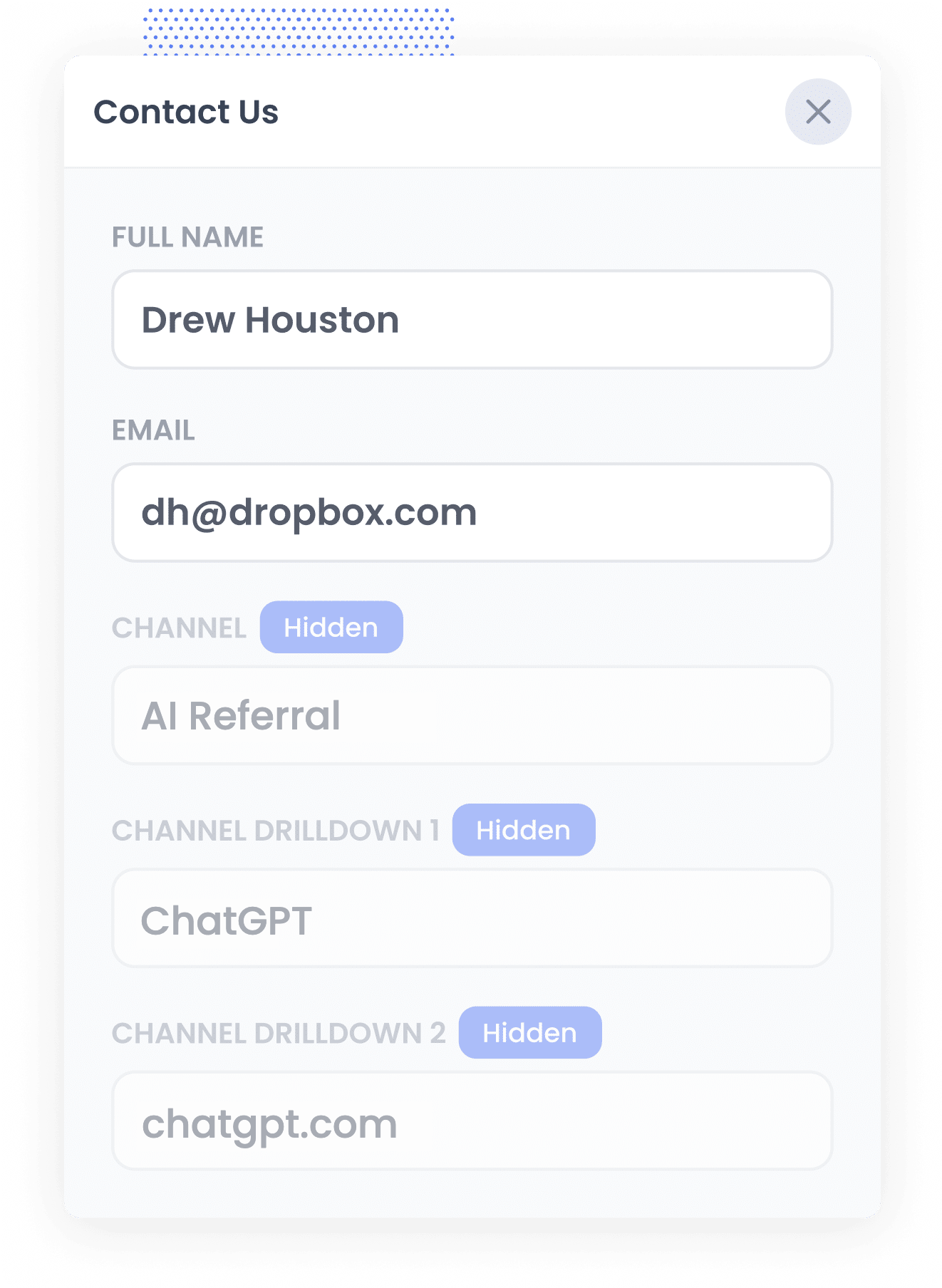
Whenever someone arrives on your website, Attributer checks a range of signals to figure out how they got to your site (very similar to the signals a tool like Google Analytics uses).
Based on that, it puts the visitor into a channel like AI Referral, Organic Search, Paid Search or Paid Social, and saves that information in their browser.
Later, when that visitor fills in one of your Jotform forms (say your 'Request a Quote' or 'Get in Touch' form), Attributer writes the data on where they came from into the hidden fields.
3. AI data is captured with the submission
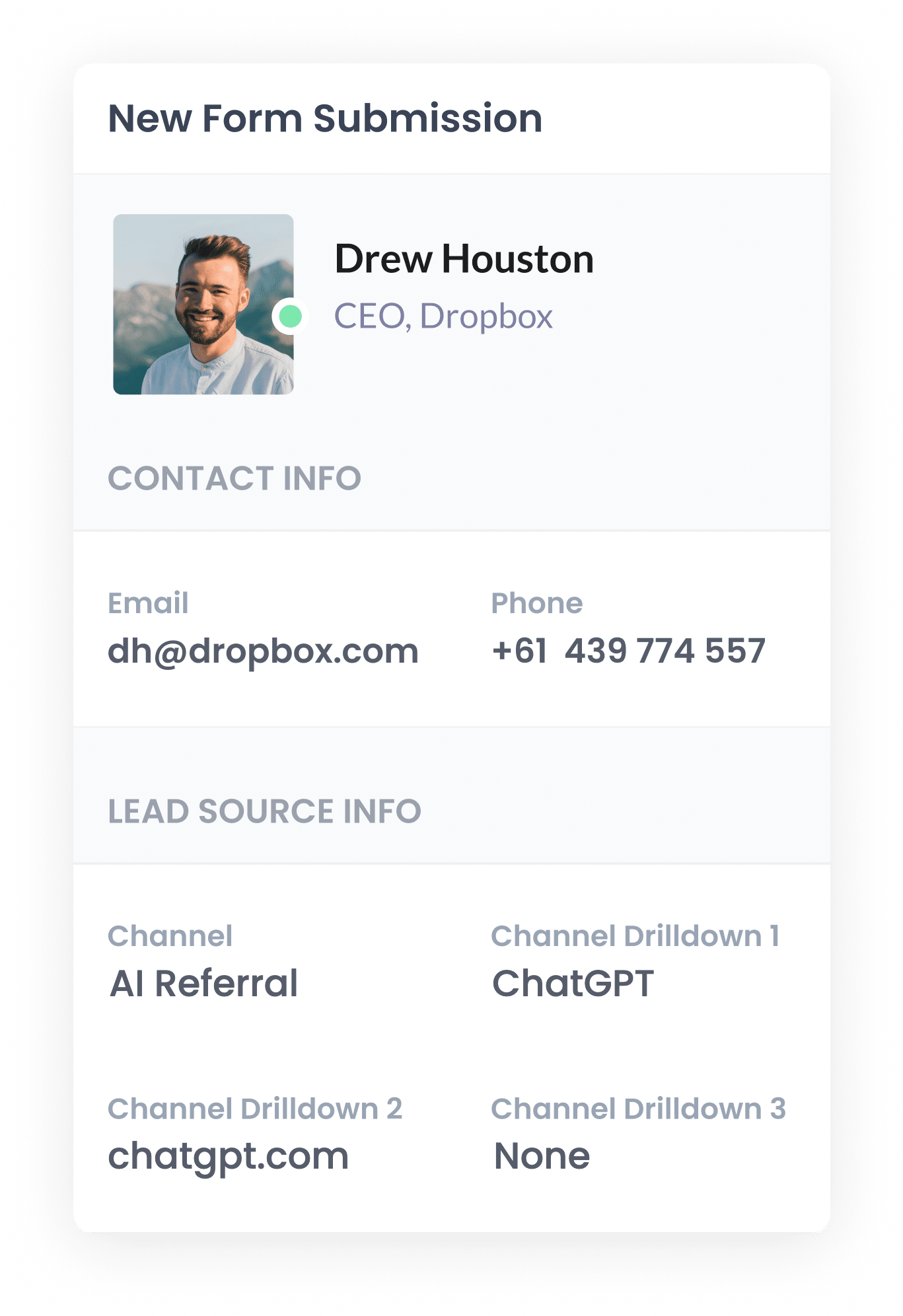
Once the form is submitted, Jotform stores the AI referral data from the hidden fields right alongside the lead's name, email and everything else they typed in.
You'll see it next to each submission in your Jotform Inbox, and you can include it in the notification emails Jotform sends when a new lead comes in. You can also pass it on to your CRM and other tools (like a spreadsheet or an analytics tool) using one of Jotform's integrations.
4. Report on AI leads
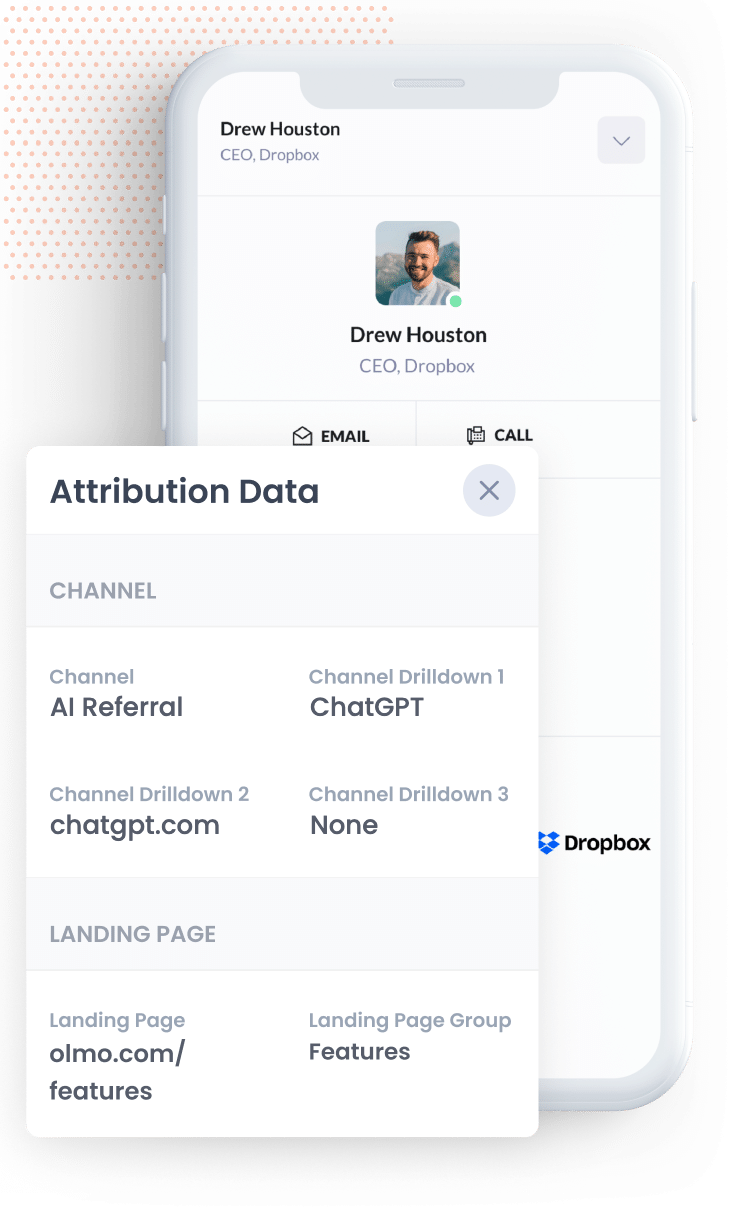
Once the data is sitting in your CRM (or wherever you keep it), you can build reports that show how many leads and customers came from AI, which AI tools sent them, what content attracted them, and how much revenue they generated.
Most CRMs have enough built-in reporting features to handle building these reports, but you can always connect a dedicated reporting tool like Tableau, Google Data Studio or Microsoft Power BI and build them there.
And if you'd rather ask a question than build a report, connect Claude or ChatGPT to your CRM and simply ask "How many leads came from AI referral this month?"
What data gets captured
For every lead, Attributer passes through two types of information. One is how they got to your site (the channel), and the other is which content brought them in (the landing page).
Say you handle marketing for a law firm, and a business owner asks ChatGPT to recommend an employment lawyer who can help with a workplace dispute. They click the link through to your site and fill in your Jotform form to book a consultation. Here's what would come through with the submission:
- Channel = AI Referral
- Channel Drilldown 1 = ChatGPT (or whichever AI tool referred them)
- Channel Drilldown 2 = chatgpt.com (the domain they arrived from)
- Channel Drilldown 3 = None (an AI referral has no further level of detail, so this shows as None)
You'd also know the first page they landed on. Sticking with the same example, that might look like this:
- Landing Page = whitfieldlegal.com/practice-areas/employment-law
- Landing Page Group = /practice-areas
The landing page data tells you which pieces of your content AI tools are actually reading and recommending, so you know what's worth creating more of.
4 example reports you can run when you capture AI data in Jotform
Over my 15 years in marketing, I've built more reports than I can count trying to figure out which channels were working and which weren't. These are the 4 I've found most valuable (and all of them are easy to run once you're using Attributer with Jotform):
1. Leads by Channel
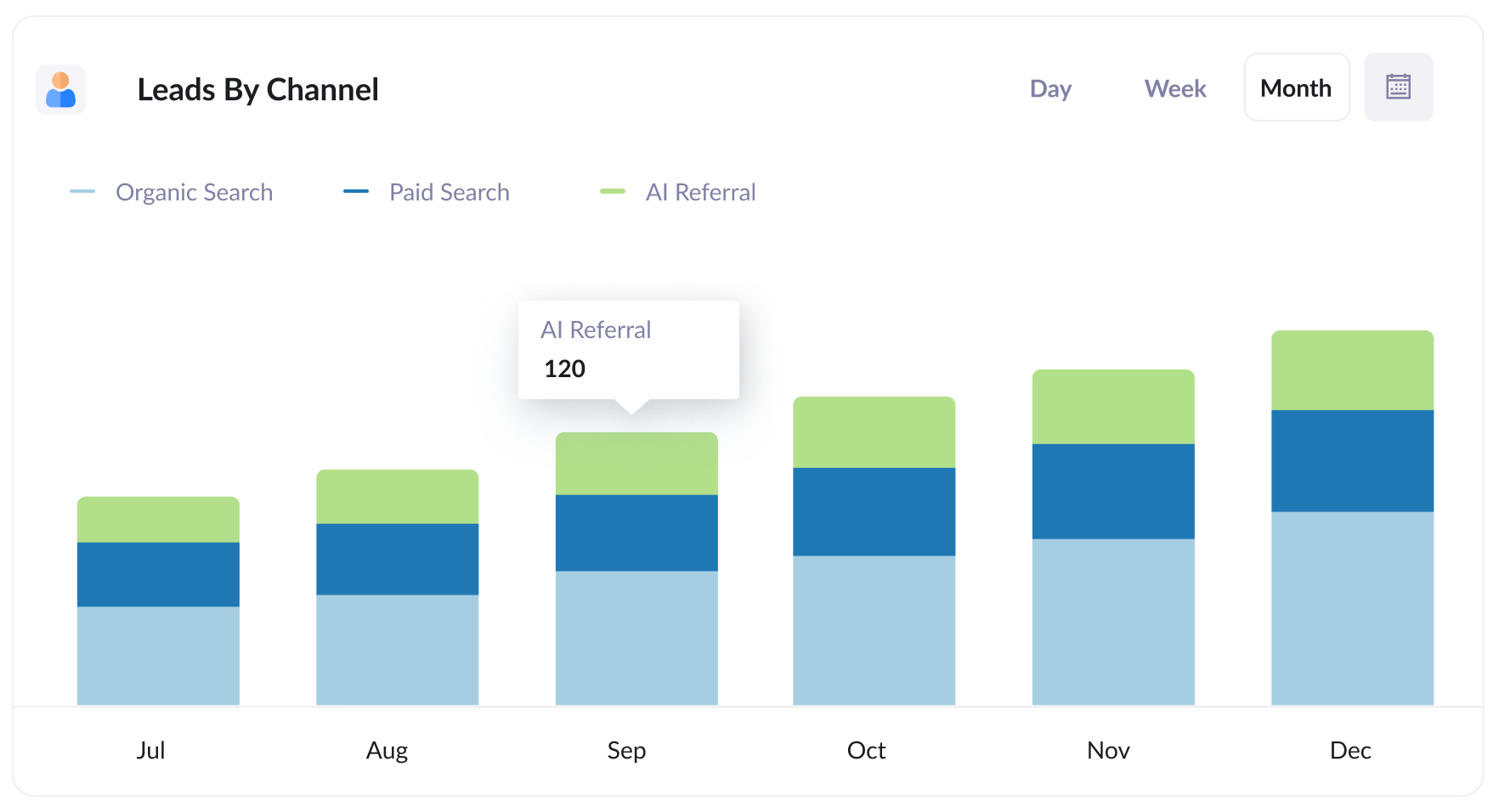
This report shows the number of leads you generate each month, split out by the channel they came from (AI Referral, Organic Search, Paid Search, Paid Social, and so on).
It shows you exactly how many leads you are getting from AI, and allows you to compare it to your other channels so you can see how important (or unimportant) it is for you.
2. Customers by AI tool
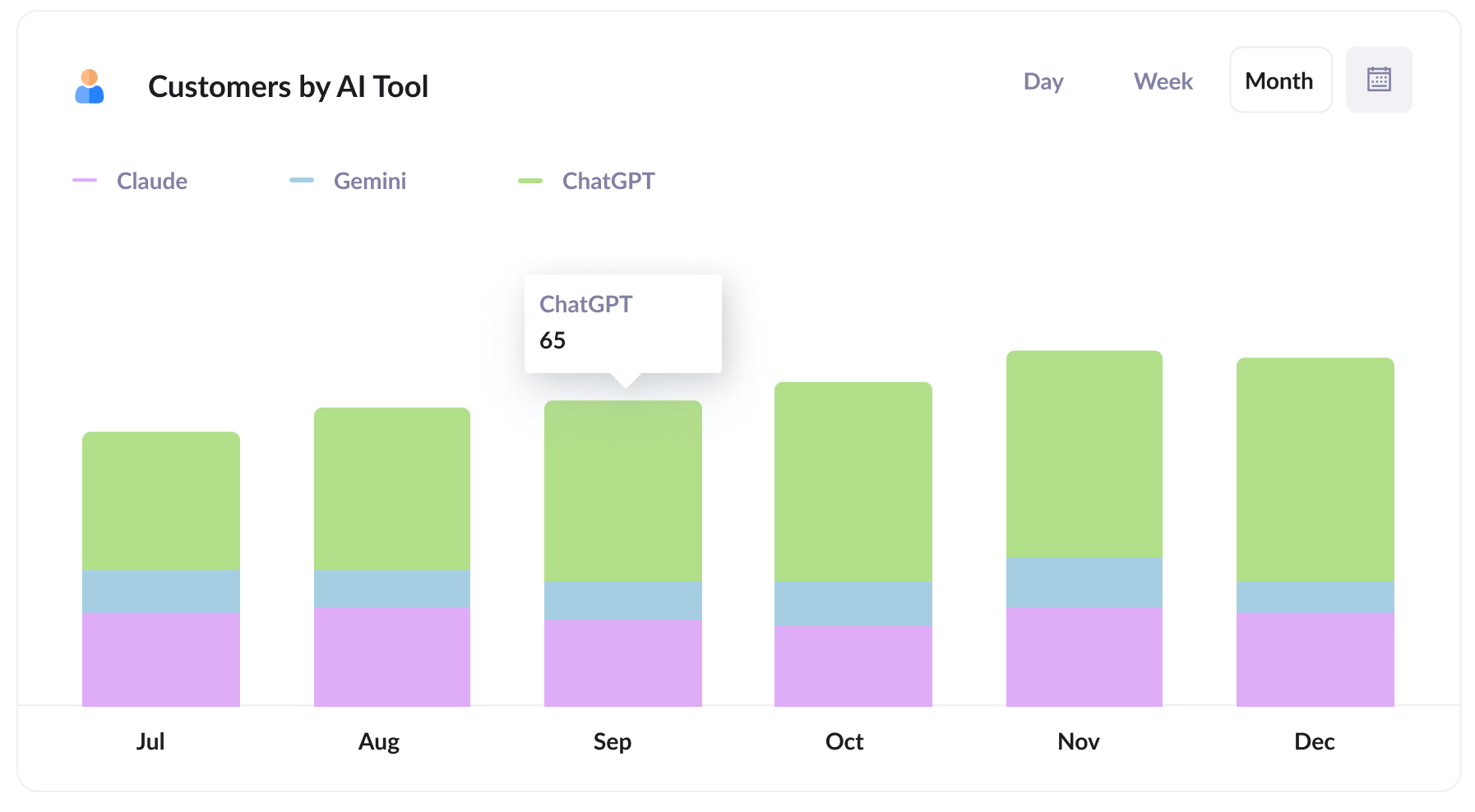
This report shows how many new customers you get each month, split out by the AI tool that sent them.
It lets you compare ChatGPT against tools like Claude and Gemini, so you can see which ones deserve your attention. For example, if most of your leads are coming from ChatGPT, that's likely the tool your target market uses, and it's probably where your efforts will pay off most.
3. Close rate by channel
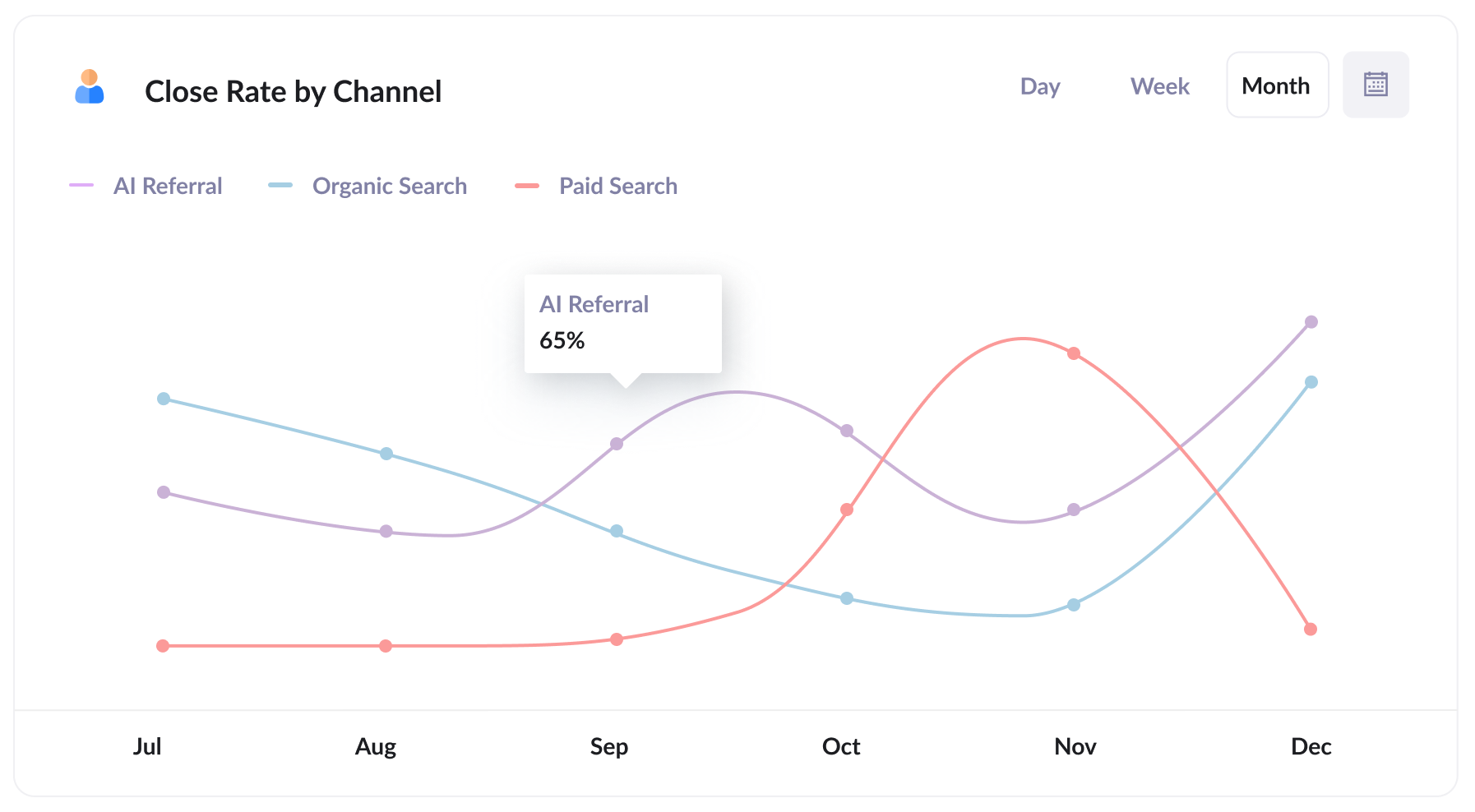
This report shows how often leads turn into customers, split out by the channel they came from.
This can be a really interesting report to run, because you might find that something like 35% of your AI Referral leads become customers, compared with 10% of Organic Search leads and 7% of Paid Search leads. Leads that come from AI tools are often much more qualified and educated on your product/service, so they often convert better.
If your numbers look anything like that, a lead from an AI tool is worth several times one from paid search, and that should shape where you spend your time and money.
4. Revenue from AI by landing page
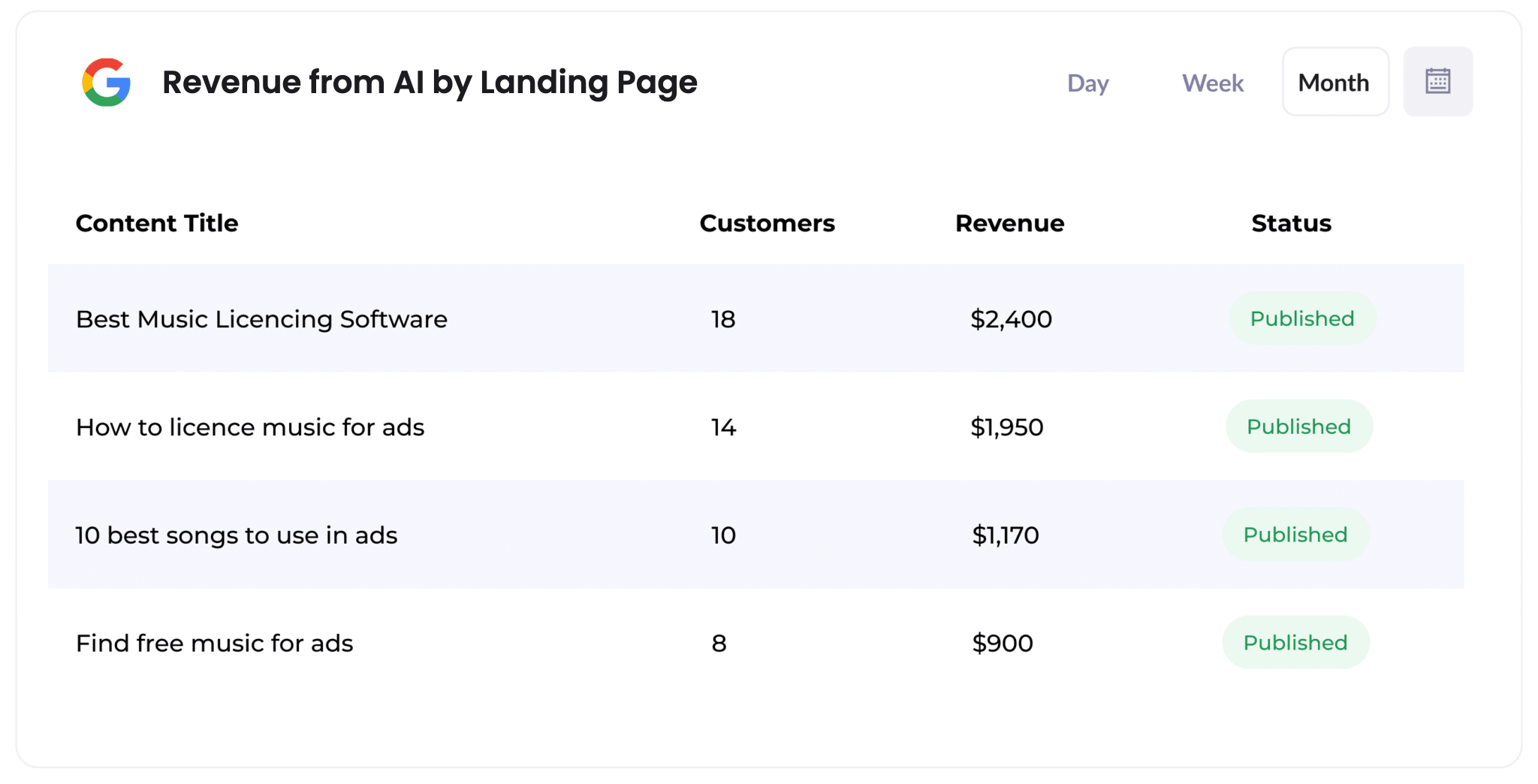
This report shows how many customers, and how much revenue, each piece of content on your website has generated from AI referrals.
It quickly shows you which pages (like particular blog posts or service pages) AI tools are citing and sending leads to.
Think of it as a roadmap for what to write next. If a few pages are driving most of your AI revenue, creating similar content is likely a smart move.
Wrap Up
If you want to know how many leads and customers AI tools are actually sending you, using Attributer with Jotform is a great way to find out.
Best of all, Attributer is free to get started with and setup usually takes less than 10 minutes. So start your 14-day free trial today!
Get Started For Free
Start your 14-day free trial of Attributer today!

About the Author
Aaron Beashel is the founder of Attributer and has over 15 years of experience in marketing & analytics. He is a recognized expert in the subject and has written articles for leading websites such as Hubspot, Zapier, Search Engine Journal, Buffer, Unbounce & more. Learn more about Aaron here.