
Track leads & customers from AI in Freshsales
Learn how to track how many leads & customers AI tools like ChatGPT are generating in Freshsales CRM
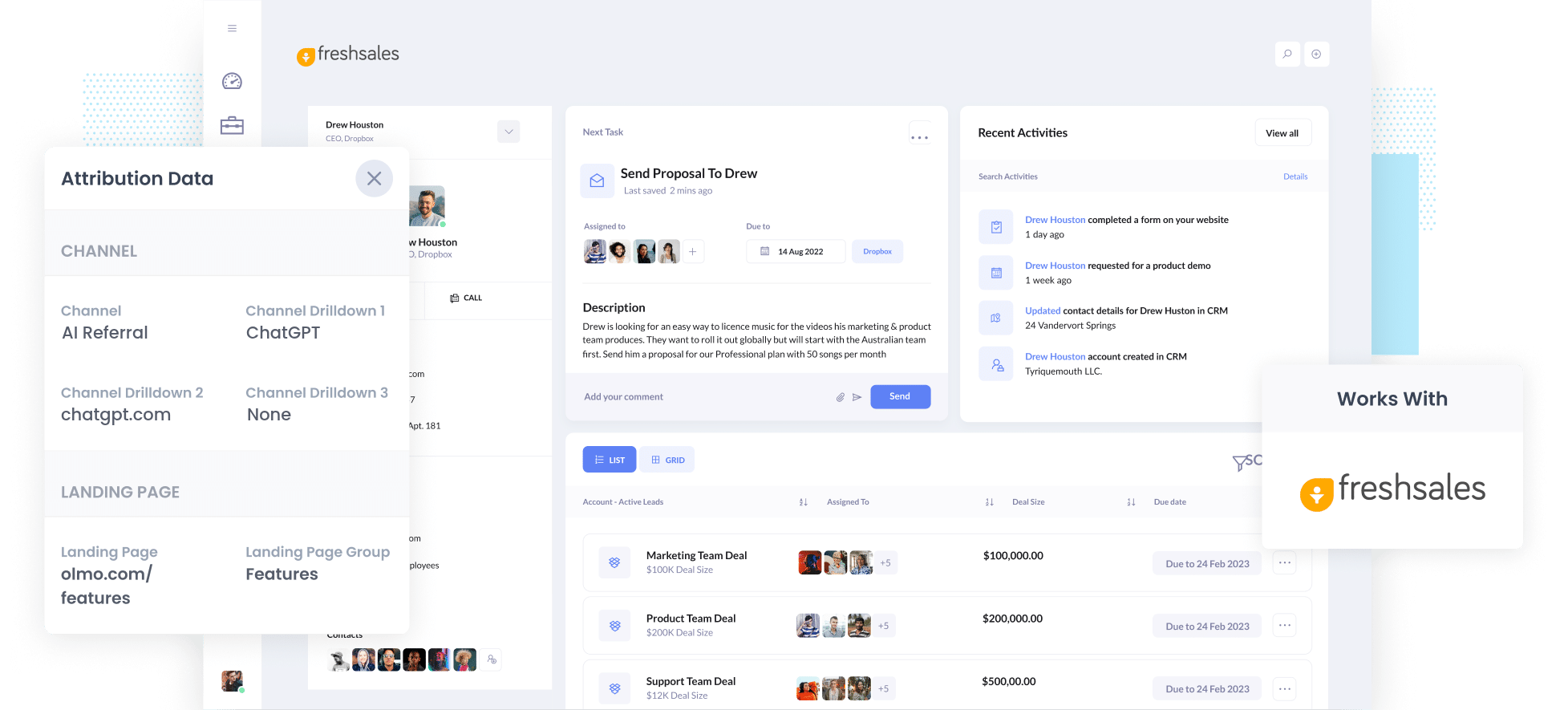
Use Attributer to capture AI referral data (like the fact a lead arrived from ChatGPT) with every form submission, pass it into Freshsales CRM, and run reports showing how many leads and customers AI is actually generating.
Every time a new lead shows up in Freshsales, can you tell where it actually came from? Did it come through a Google Ads campaign, a Meta ad, or did ChatGPT send them your way?
Buyers are increasingly asking AI tools for recommendations before they ever visit your site, and that trend isn't slowing down anytime soon. The trouble is that most AI visibility tools and website analytics platforms only tell part of the story. AI tracking tools will tell you how often you got mentioned in AI chats, and something like Google Analytics will tell you how many people clicked through, but neither one tells you how many of those visitors turned into leads, customers, or actual revenue.
Thankfully, there's a straightforward fix.
This guide walks through setting up Attributer to capture AI referral data on every new lead that lands in Freshsales. It also gives you a handful of reports you can build to see exactly what ChatGPT, Claude and Gemini are contributing to your pipeline.
4 steps to track leads & customers from AI in Freshsales
Using Attributer with Freshsales gives you a clear picture of which leads originated from AI tools. Here's how to get it running:
1. Install Attributer and add hidden fields
Once you start your 14-day free trial of Attributer, you'll get a short snippet of code to add to your website. Full setup instructions are available here.
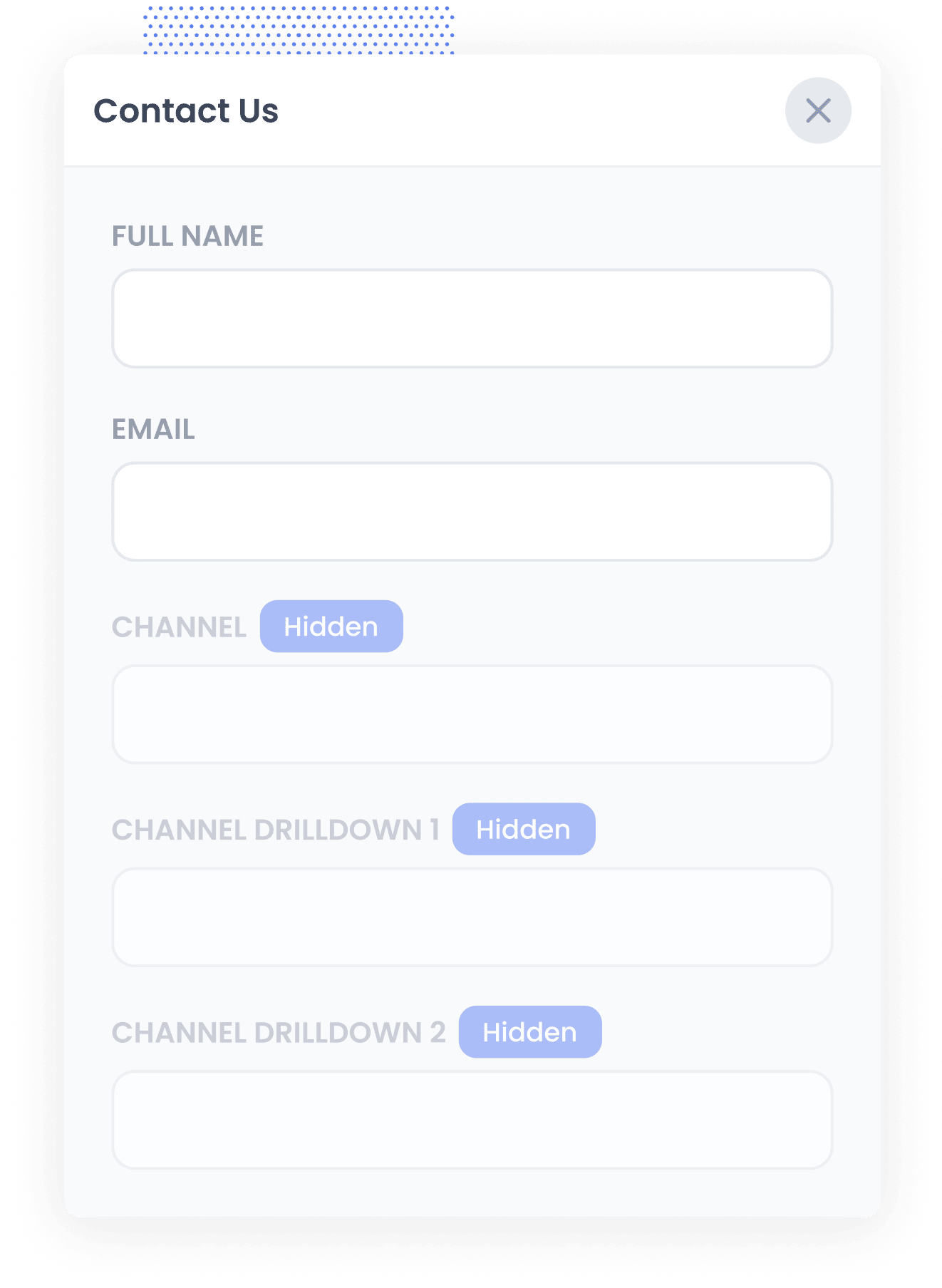
After the code is live, add four hidden fields to the lead capture forms across your site:
- Channel
- Channel Drilldown 1
- Channel Drilldown 2
- Channel Drilldown 3
Most form builders make this quick and easy. Some ship with a dedicated 'Hidden' field type you can drop straight in, while others need a regular text field hidden through the settings panel. Step-by-step walkthroughs for Gravity Forms, Wix Forms, Webflow Forms and many more are available here.
2. Attributer writes AI data into the hidden fields
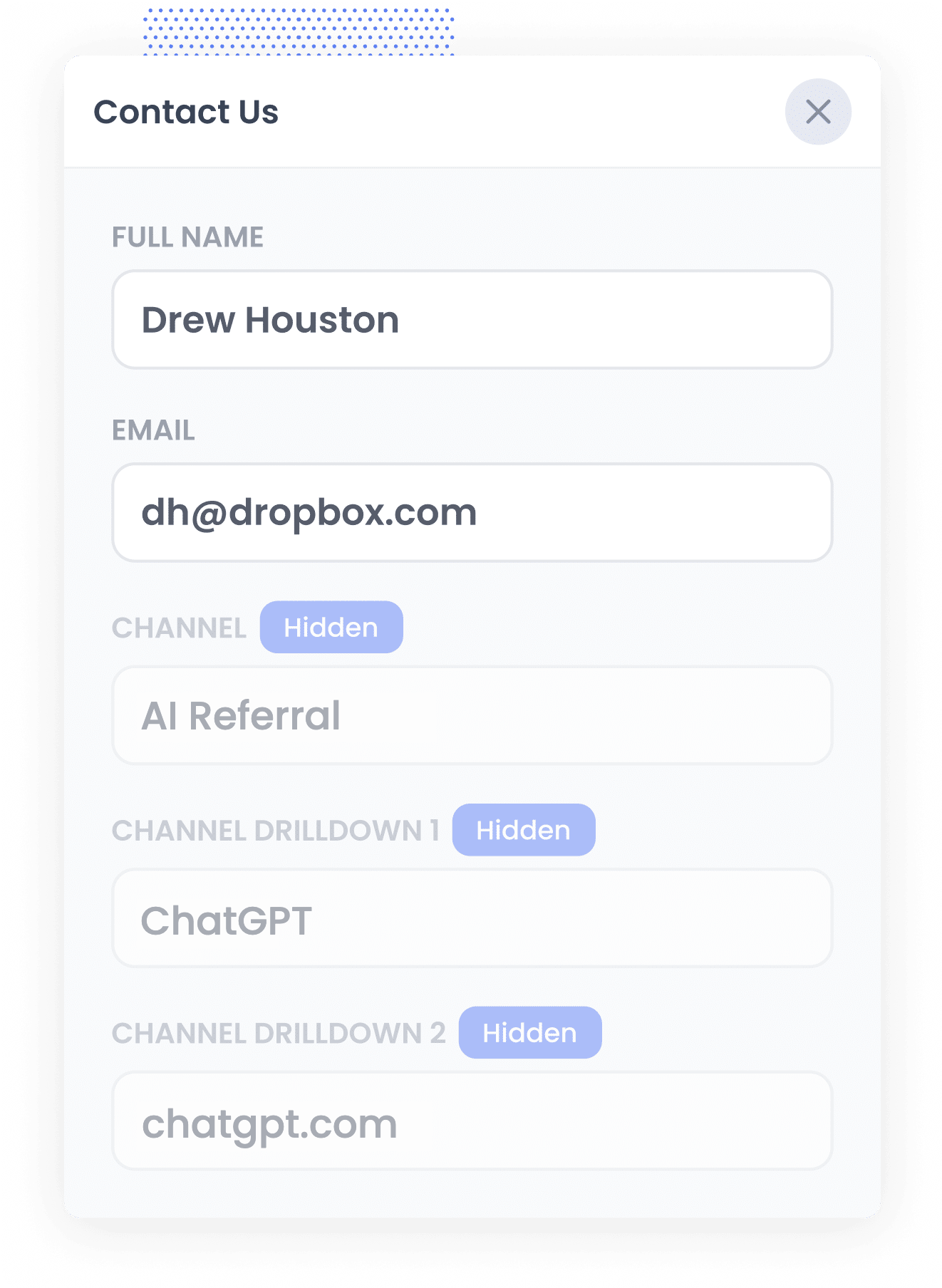
As soon as someone lands on your site, Attributer checks a bunch of technical signals (the same technical signals an analytics tool like Google Analytics looks at) to work out where that visitor came from.
From there, it classifies the visitor into a channel (AI Referral, Organic Search, Paid Search, Paid Social, and so on) and stores that result in their browser.
When that visitor later fills in one of your forms, like a 'Get a Quote' or 'Book a Demo' form, Attributer writes the details into the hidden fields, including which specific AI tool referred them.
3. AI data is captured with each lead
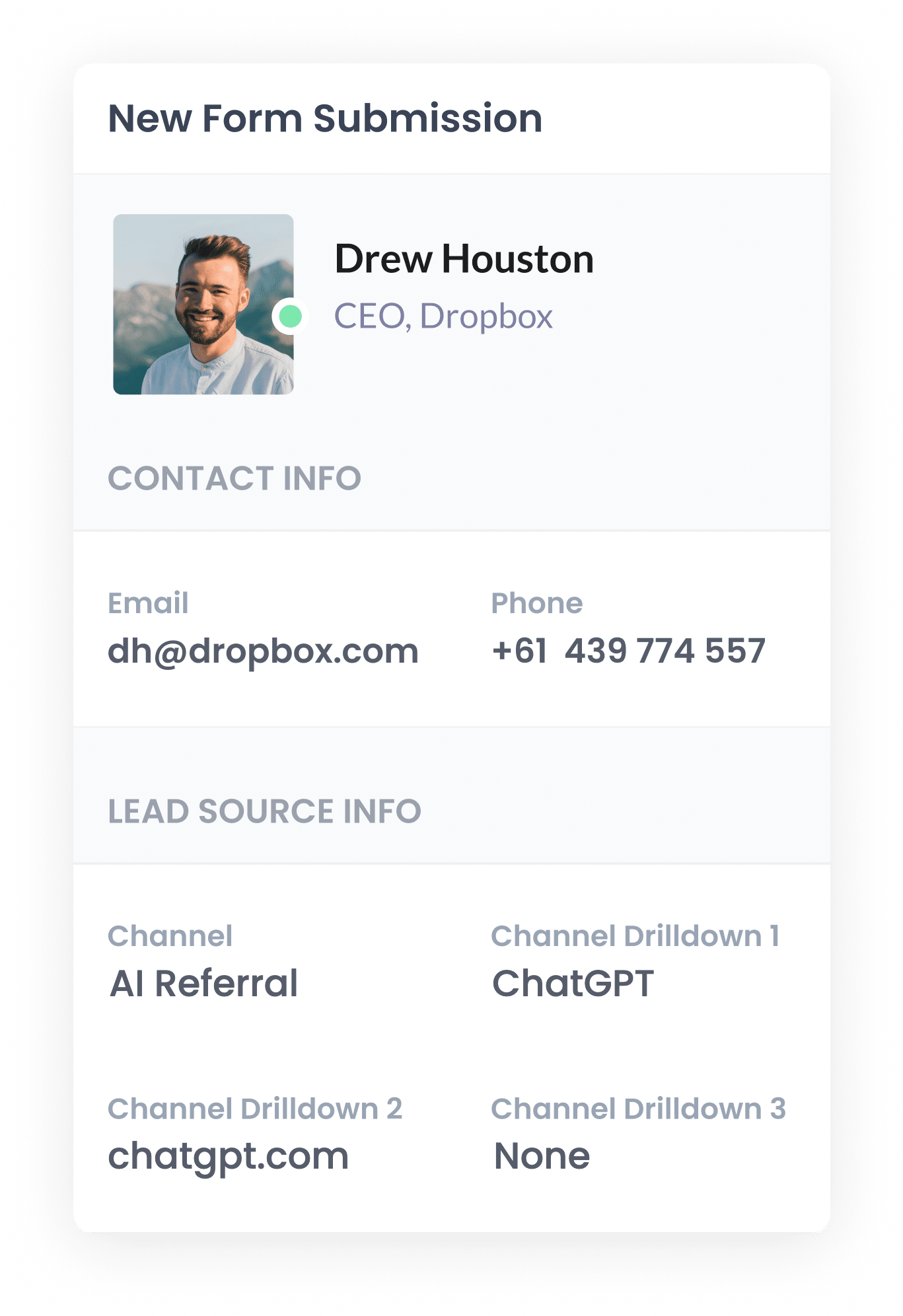
When the form is submitted, your form tool captures whatever data Attributer wrote into those hidden fields, right alongside the name, email, and every other field the visitor filled in.
Attributer works with more than 50 form builders, scheduling tools and chat products, including Gravity Forms, Contact Form 7, Wix Forms, Webflow Forms, Typeform, Jotform and Calendly.
4. AI data is sent to Freshsales
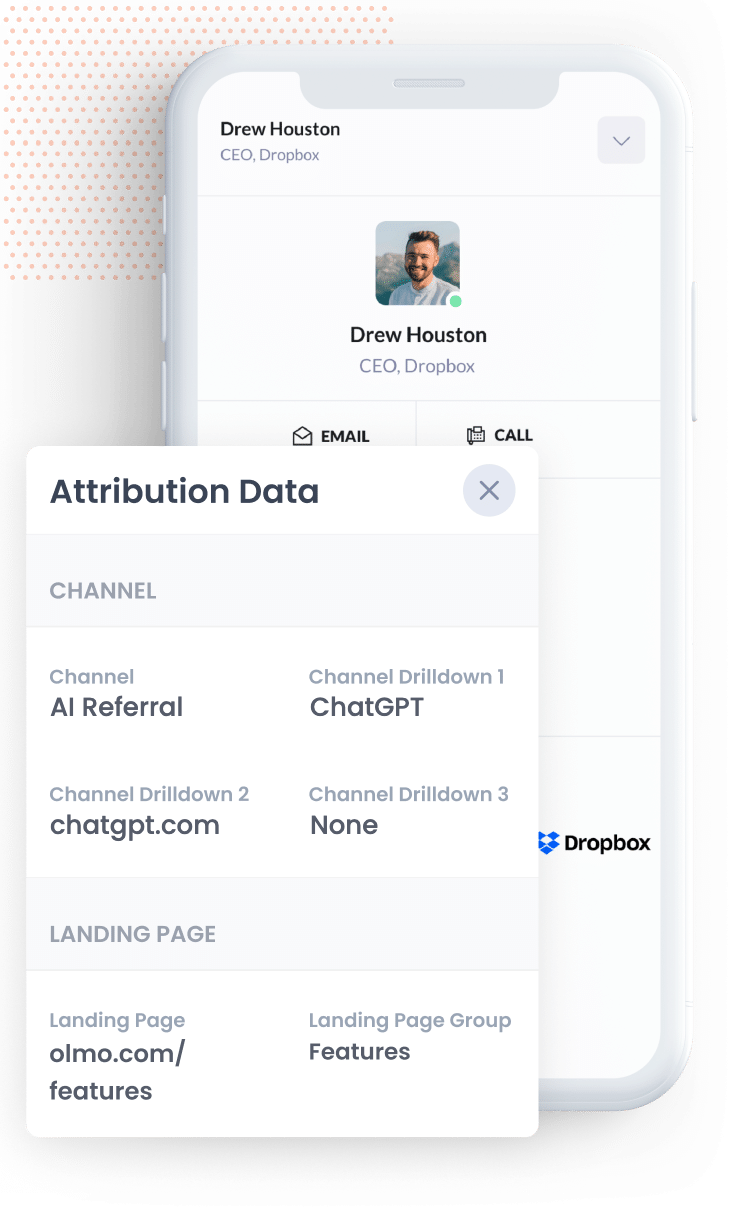
Once your form tool has captured the submission, it needs to be sent to Freshsales (with the data that Attributer wrote into the hidden fields). Several form builders come with a native Freshsales integration built in, so you can use that to send the data over. And for the ones that don't, you can use tools like Zapier to create a new contact in Freshsales with each form submission (complete with all the data that Attributer provided).
From there, the AI referral data Attributer wrote into the hidden fields sits on the contact record next to their name, email, phone number and everything else, ready to report on. You could use Freshsales' own Reports module to get started, and if you want to dig deeper you can connect an analytics tool like Looker Studio, Databox, or Microsoft Power BI to build more advanced reports.
What data gets captured
Attributer passes through two kinds of information for every lead. There's how they arrived at your site (the channel) and what content brought them there (the landing page).
Say you run marketing for an IT services provider. If someone asked ChatGPT which managed IT provider to call for a network security audit, then clicked through and submitted an enquiry, here's what Attributer would capture:
- Channel = AI Referral
- Channel Drilldown 1 = ChatGPT (whichever AI tool sent them)
- Channel Drilldown 2 = chatgpt.com (the domain they arrived from)
- Channel Drilldown 3 = None (there's no further level of detail to capture for an AI referral, so this comes through as None)
You'd also get the page they first landed on. Continuing the same example, that might be:
- Landing Page = northgateit.com/services/network-security
- Landing Page Group = /services
The landing page tells you which pages AI tools are actually surfacing, which is useful for deciding what to write more of.
4 example reports you can run when you capture AI data in Freshsales
I've spent over 15 years in marketing, and across that time I've built a lot of reports trying to figure out which channels are actually generating leads and which ones are just bringing impressions and clicks that never convert. Here are 4 that have consistently been worth the effort:
1. Leads by Channel
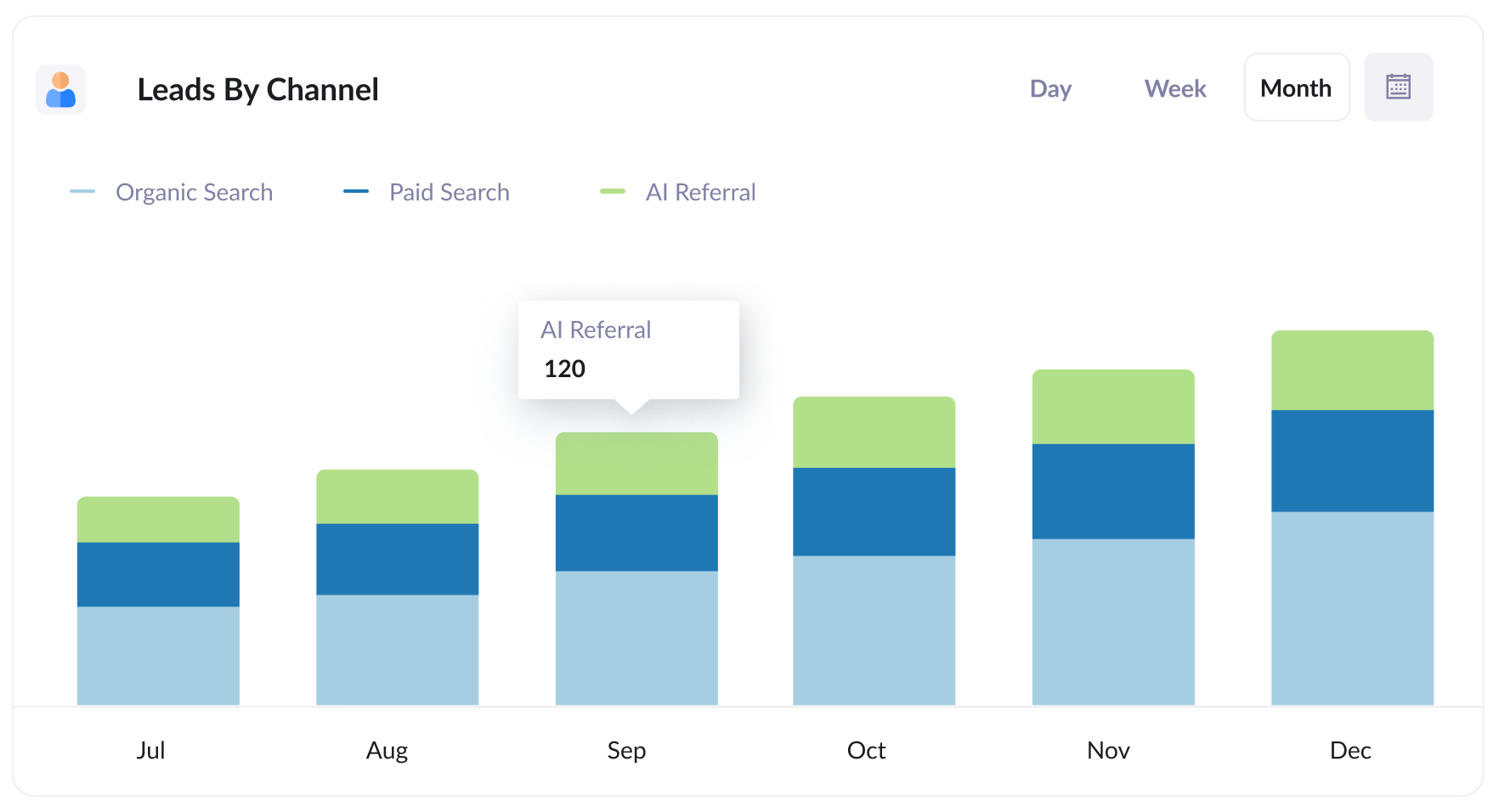
This report breaks down how many leads you're generating each month by channel (AI Referral, Organic Search, Paid Search, Paid Social, and the rest).
It's the quickest way to see how AI stacks up against every other source sending you leads.
2. Customers by AI tool
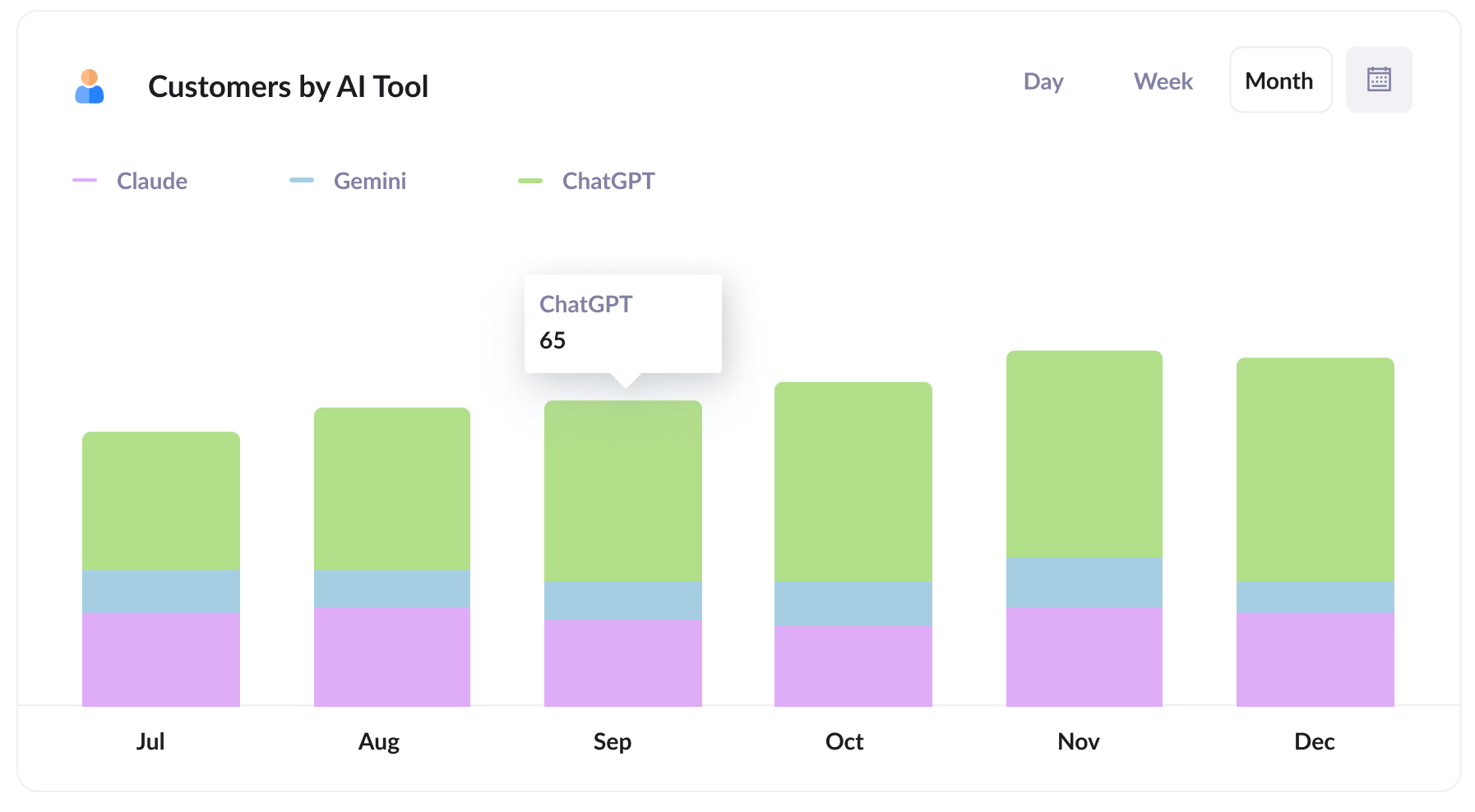
This report shows how many new customers came through AI tools, split out by which one sent them. That makes it easy to see how ChatGPT stacks up against Claude and Gemini when it comes to producing paying customers, not just traffic.
Knowing which tool actually converts, rather than just getting mentions, is what tells you where to put your attention. If almost everyone is arriving via ChatGPT, that's the one worth tracking and optimising for.
3. Close rate by channel
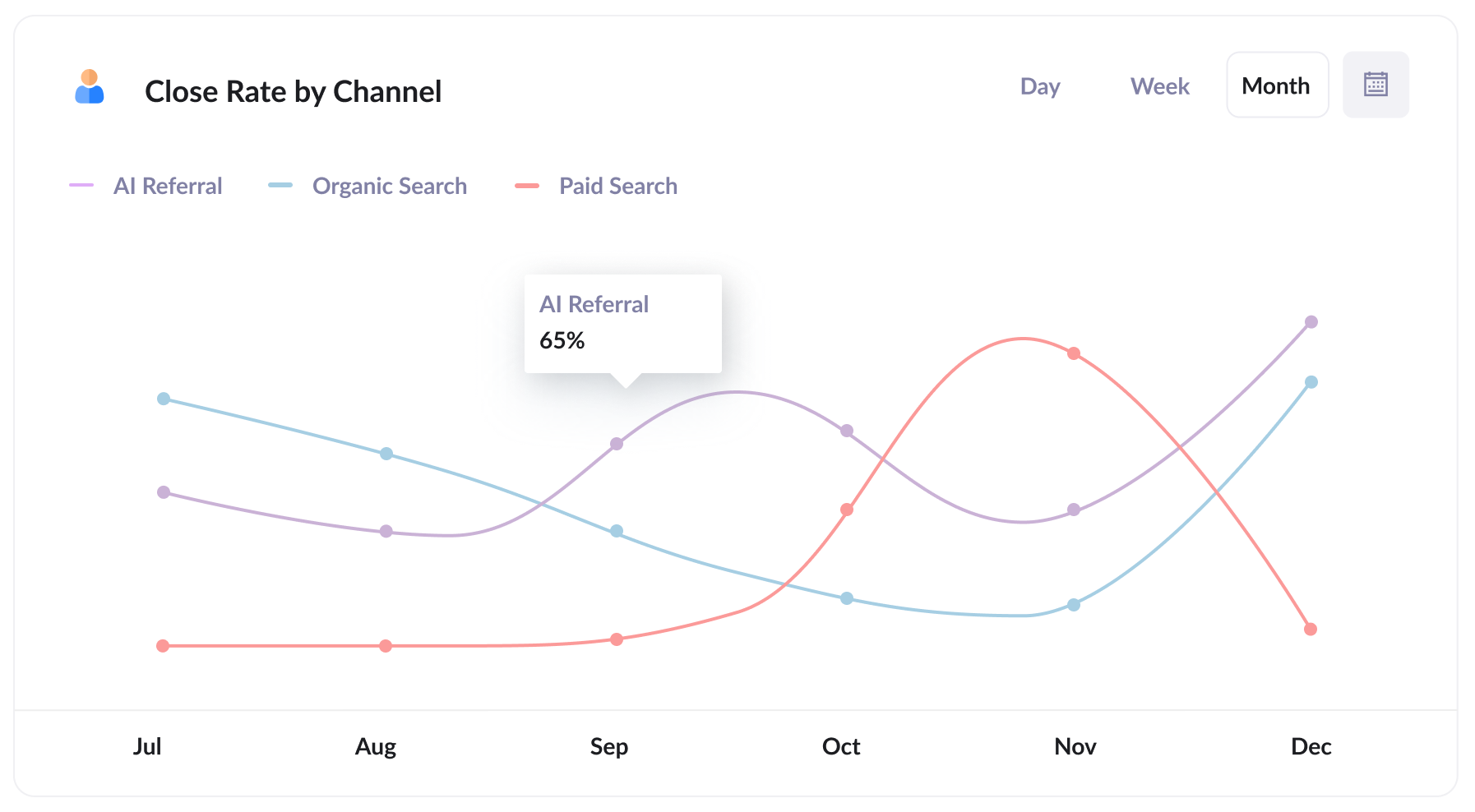
This report shows the lead-to-customer conversion rate for each channel.
It's usually the most revealing of the four, since lead volume on its own can be deceiving. You might find, for example, that 35% of your AI Referral leads become customers, compared with 10% from Organic Search and 7% from Paid Search.
If your numbers come out anywhere close to that, a single AI lead is worth several from paid search, and that ought to shift where your next dollar of budget goes (it happens often because someone arriving via an AI tool has usually already had their basic questions answered before they land on your site).
4. Revenue from AI by landing page
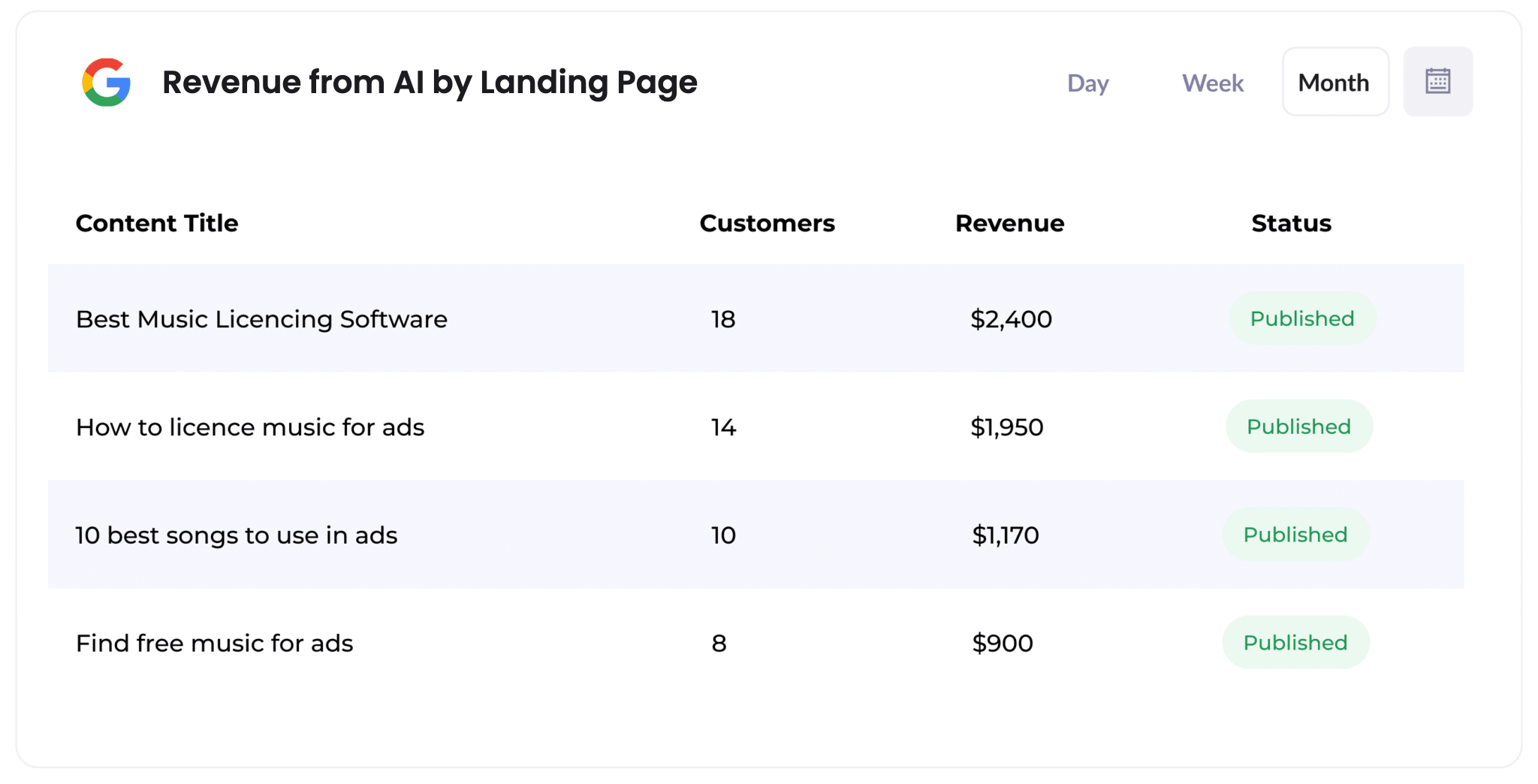
This report shows how many customers, and how much revenue, each page on your site has generated from AI referrals.
It's the clearest way to see which pages AI tools are citing and actually sending buyers to. When most of the revenue traces back to a handful of pages, you've got a pretty clear brief for what to write next.
Wrap Up
If you've been curious how much of your pipeline is actually coming from AI tools, pairing Attributer with Freshsales CRM is a simple way to find out.
Best of all, Attributer is free to get started with and setup usually takes less than 10 minutes. Start your 14-day free trial today!
Get Started For Free
Start your 14-day free trial of Attributer today!

About the Author
Aaron Beashel is the founder of Attributer and has over 15 years of experience in marketing & analytics. He is a recognized expert in the subject and has written articles for leading websites such as Hubspot, Zapier, Search Engine Journal, Buffer, Unbounce & more. Learn more about Aaron here.