
How to track the source of leads & meetings in HubSpot Meetings
Use Attributer to see exactly where your bookings in HubSpot Meetings are coming from, so you can tell which marketing channels and campaigns are driving real results.
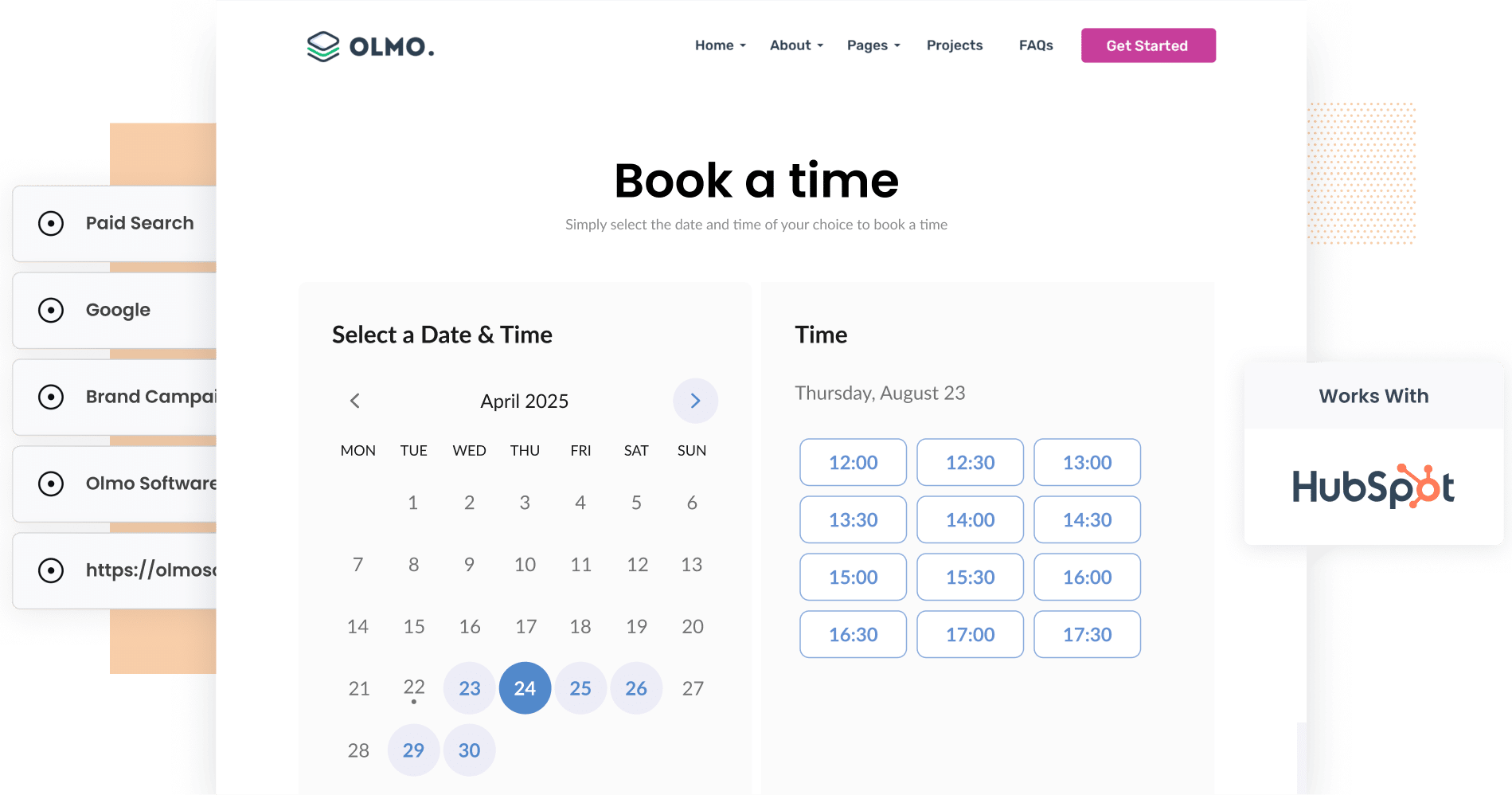
Do you know which of your marketing channels are actually responsible for bringing in new meeting bookings and customers?
If not, you are in good company. Most marketers rely on tools like Google Analytics to see how many visitors their campaigns are sending to the website, but those tools typically can not tell you which of those visitors went on to become actual leads or paying customers.
Luckily, there is a better way to get this visibility.
In this post, we will walk you through how to use a tool called Attributer to track the source of every meeting booked through HubSpot Meetings.
We will also cover how this data flows into HubSpot CRM and show you how to build reports that reveal which campaigns, ads, and keywords are generating real leads and customers for your business.
3 simple steps to track the source of leads in HubSpot Meetings
Attributer makes it straightforward to see where your bookings in HubSpot Meetings are coming from. Here is a quick overview of the process:
1. Install Attributer and set up your HubSpot Meetings scheduling pages
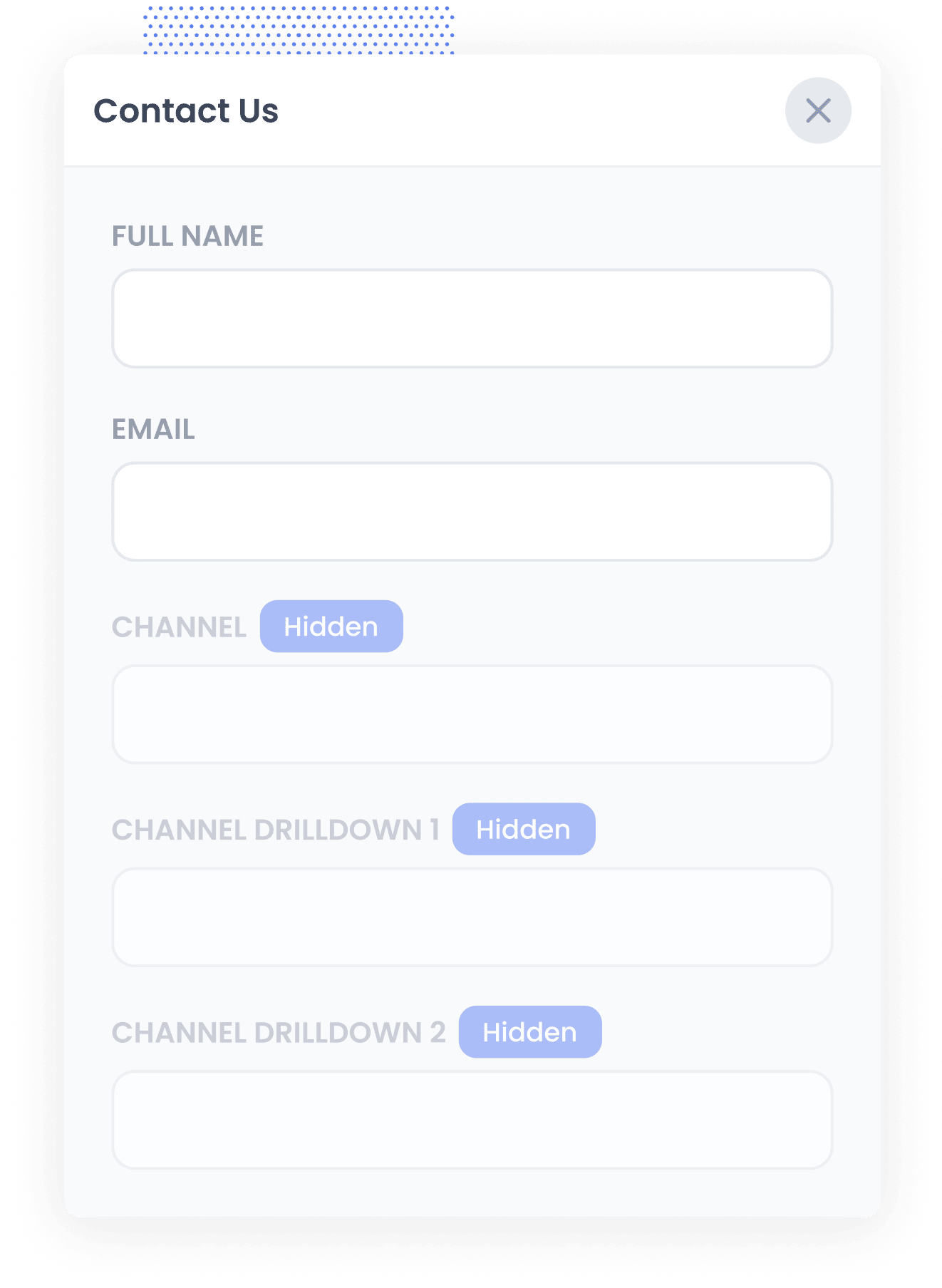
To get started, sign up for a free 14-day trial of Attributer. You will receive a small snippet of code to add to your website (we have step-by-step guides for all major website builders, including WordPress, Squarespace, Webflow, Wix, and more.)
Once that is done, you will need to set up HubSpot Meetings to work with Attributer.
This involves adding a few custom fields to the Contact record in your HubSpot account (such as Channel, Channel Drilldown 1, Channel Drilldown 2, and so on) so there is somewhere to store the data when it gets passed through.
2. Attributer writes the lead source data into the custom fields
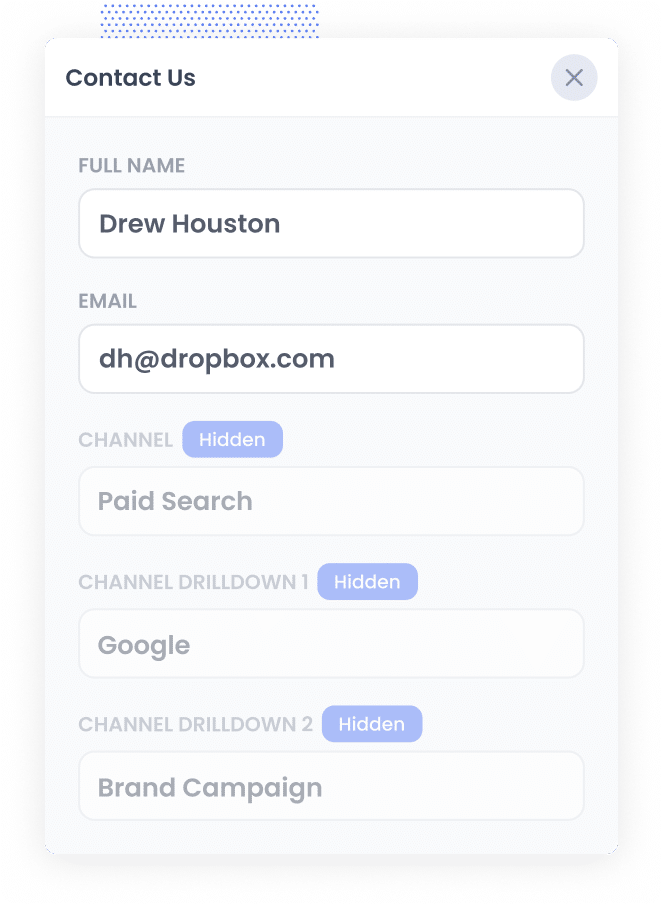
With everything configured, Attributer gets to work behind the scenes.
Each time a new visitor arrives on your website, Attributer analyses technical details like UTM parameters, referrers, and other signals to work out where that person came from. This is similar to how tools like Google Analytics identify traffic sources.
It then assigns each visitor to a marketing channel (such as Paid Search, Paid Social, Organic Search, Referral, etc.) and saves this data in their browser.
When that visitor goes on to book a meeting through HubSpot Meetings, Attributer passes the lead source data through with the booking and it gets captured in HubSpot.
3. Lead source data is captured in HubSpot
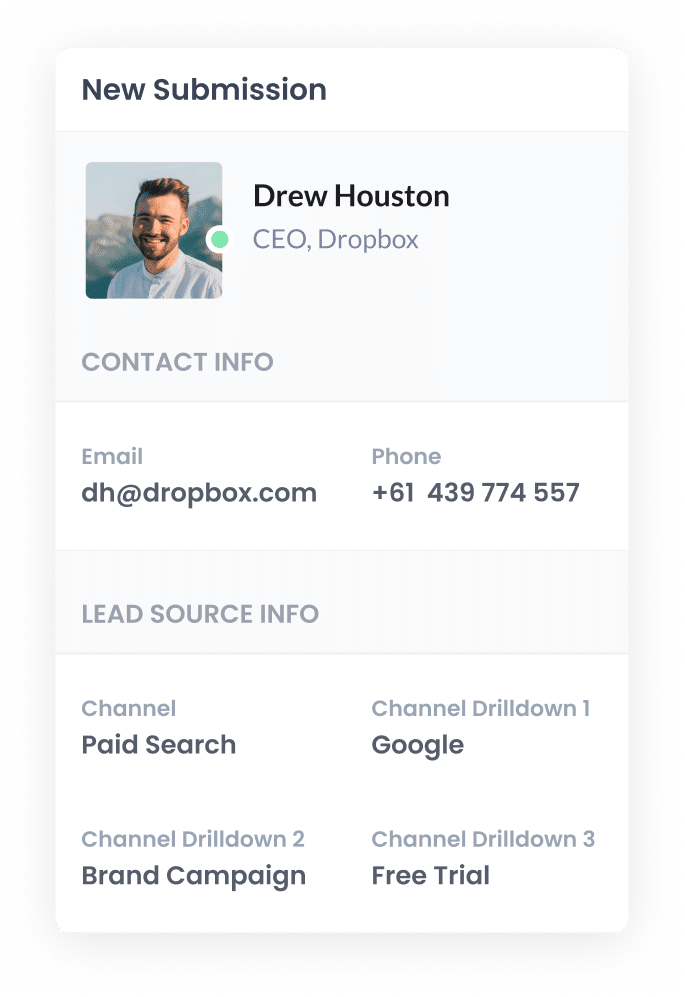
Once the data is inside HubSpot, you have a number of ways to put it to work.
- View it on contact records in HubSpot CRM - Because HubSpot Meetings is part of the broader HubSpot ecosystem, the lead source data automatically appears on each contact's record, making it easy to see exactly where every lead came from.
- Build reports and dashboards - Use HubSpot's built-in reporting tools to create reports and dashboards that show which channels and campaigns are generating your leads and customers.
- Export it to a spreadsheet - If you prefer working in spreadsheets, you can export the data to Google Sheets or Microsoft Excel. From there, you can analyse it or connect it to visualization tools like Looker Studio to build charts and dashboards.
What data gets captured in HubSpot Meetings?
Attributer captures detailed information about how each lead originally discovered your website and passes it through with every meeting booking.
To give you a practical example, let us say you are on the marketing team at Hartwell Legal, a boutique law firm. You are running Google Ads to promote your employment law services, and a potential client clicks one of your ads before scheduling a consultation through the HubSpot Meetings widget on your site.
Based on the UTM parameters from your ads, Attributer would collect and pass the following details with the booking:
- Channel: Paid Search
- Channel Drilldown 1: Google
- Channel Drilldown 2: Employment Law Campaign (or the campaign name)
- Channel Drilldown 3: unfair dismissal lawyer (or the keyword searched)
Now picture a different scenario. Another visitor discovers your site through an organic Google search and lands on your blog post about workplace rights. They read the article, like what they see, and then schedule a meeting through your HubSpot Meetings scheduling page.
In that case, Attributer would capture something like:
- Channel: Organic Search
- Channel Drilldown 1: Google
- Channel Drilldown 2: www.google.com (or their search domain)
- Channel Drilldown 3: workplace rights advice (or the search term)
All of this information is then stored on the contact record in HubSpot CRM, giving you a clear picture of exactly where your leads are coming from.
3 example reports you can run when you track the source of your leads in HubSpot Meetings
Once you start using Attributer to capture lead source data with your HubSpot Meetings bookings, you can build reports in HubSpot CRM that show which of your marketing efforts are producing results and which might need some attention.
Over 15 years in marketing, I have overseen millions of dollars in ad spend and put together countless reports to understand return on investment.
Here are 3 of the reports I have found most useful over the years.
1. Leads by channel
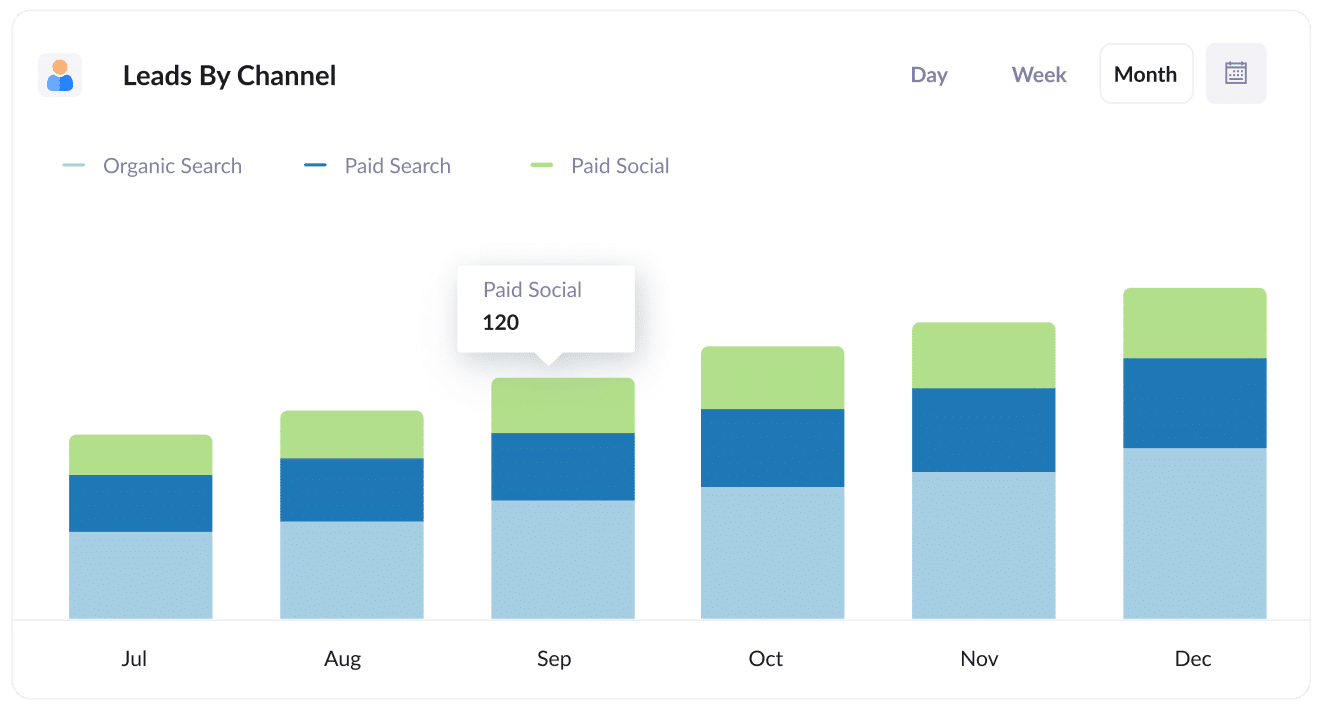
This report gives you a monthly breakdown of how many leads or meeting bookings are coming in from each channel, whether that is Paid Search, Organic Search, Paid Social, or any other source.
It is one of the most useful reports you can build because it shows at a glance which channels are delivering the most leads for your business. With this data, you can confidently shift your budget and energy toward whatever is producing the best outcomes.
As an example, if you see that Organic Search is generating a large share of your leads while most of your budget is going toward Paid Social, that might be a good signal to double down on SEO instead.
2. Leads by Google Ads campaign
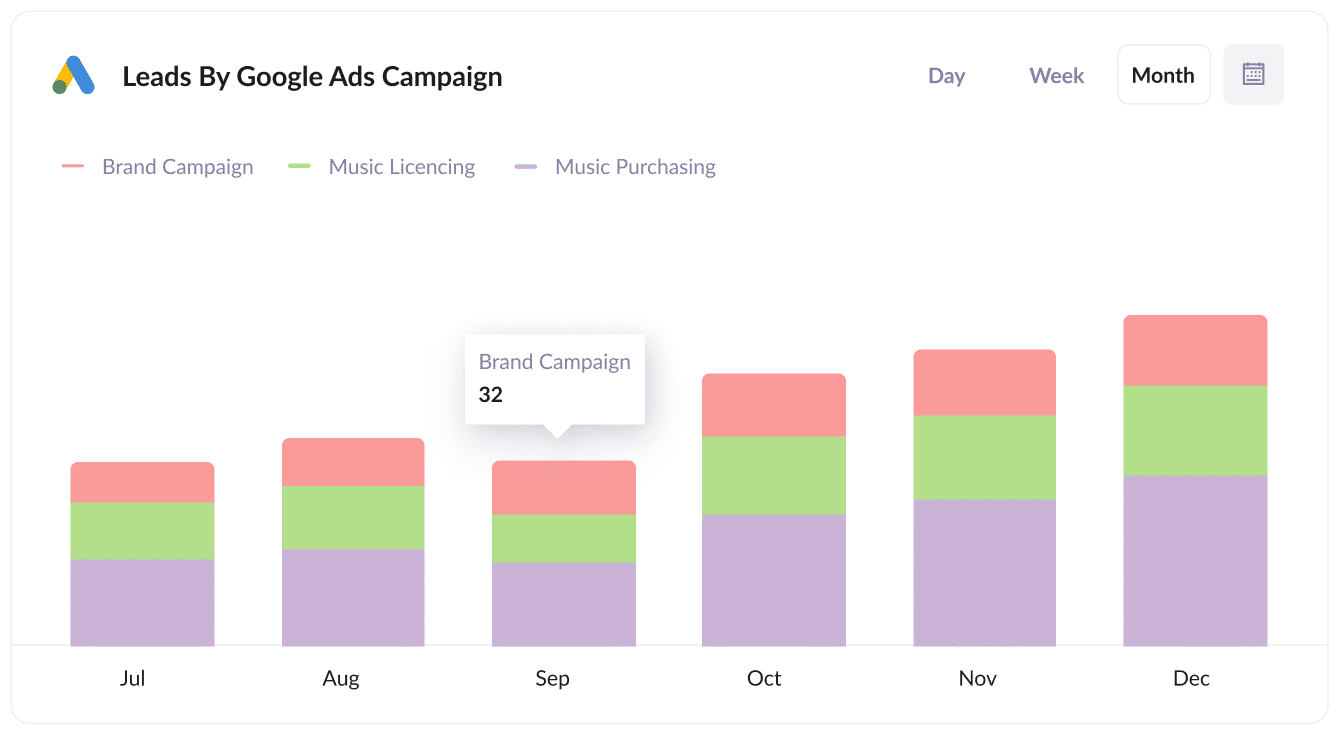
This report breaks down how many leads or meetings each of your Google Ads campaigns is generating on a monthly basis.
Instead of relying on vanity metrics like clicks or impressions, this shows you which campaigns are bringing in actual leads that your sales team can work with.
Once you have this visibility, you can confidently invest more in the campaigns that are performing well and scale back the ones that are not delivering.
3. Leads by social network
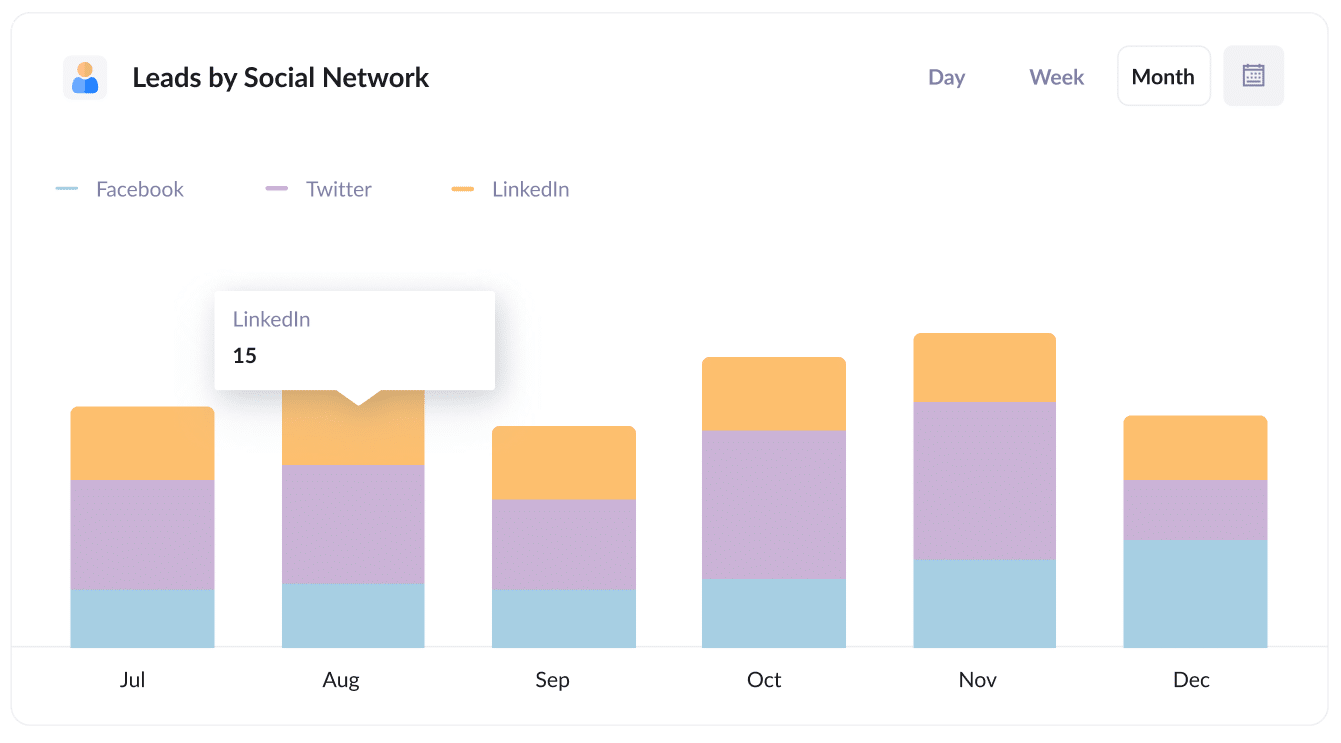
If your team is active across multiple social platforms like LinkedIn, Facebook, and Twitter, you will want to know which ones are actually sending you leads.
This report gives you a straightforward comparison of how each social network is performing when it comes to generating real leads for your business.
With this information, you can focus your social media efforts on the platforms that are actually contributing leads and spend less time on the ones that are not moving the needle.
Wrap up
If you want to understand where your leads and customers are actually coming from, Attributer is a great tool to pair with HubSpot Meetings.
It identifies where your website visitors originated (whether that is Paid Search, Paid Social, Organic Search, or another channel) and passes that data through with every meeting that gets booked on your site.
Because HubSpot Meetings feeds directly into HubSpot CRM, you can use this information to build reports and dashboards that show which marketing efforts are generating real results for your business.
Attributer is free to try and takes about 10 minutes to set up. So start your 14-day trial today and get a clearer view of what is driving your leads and meetings.
Get Started For Free
Start your 14-day free trial of Attributer today!

About the Author
Aaron Beashel is the founder of Attributer and has over 15 years of experience in marketing & analytics. He is a recognized expert in the subject and has written articles for leading websites such as Hubspot, Zapier, Search Engine Journal, Buffer, Unbounce & more. Learn more about Aaron here.