
How to capture Facebook Ads data in HubSpot Meetings
Use Attributer to capture Facebook Ads data in HubSpot Meetings, so you can see which campaigns, ad sets, and ads are driving your meeting bookings.

You're spending money on Facebook Ads and people are booking meetings through your HubSpot Meetings widget. That's great.
But do you actually know which campaign you're running is responsible for each booking? Without that kind of visibility, you could be throwing budget at campaigns that aren't generating any real results while underinvesting in the ones that are.
The good news? There's a fix for that.
In this article, we'll walk you through how to use a tool called Attributer to capture Facebook Ads data with each booking made through HubSpot Meetings. We'll also show you some example reports you can build to get a clear picture of how your Facebook Ads are actually performing.
4 simple steps to capture Facebook Ads data in HubSpot Meetings
Getting Facebook Ads data into HubSpot Meetings is straightforward with Attributer. Here's how to set it up in 4 easy steps:
1. Add UTM parameters to your Facebook Ads
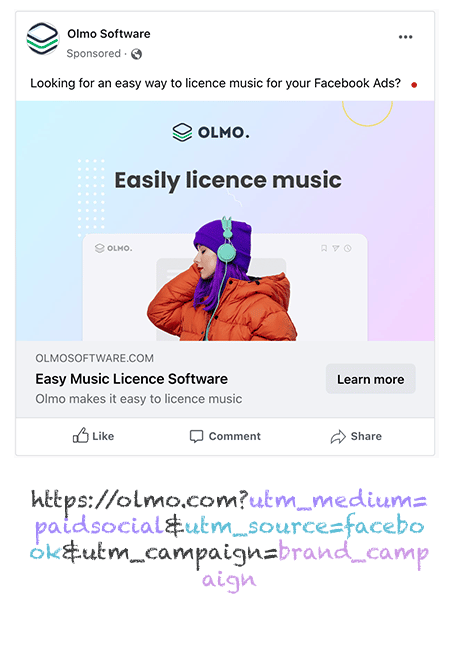
To kick things off, you'll want to add UTM parameters to your Facebook Ads. UTM parameters are simply small pieces of text appended to the URLs in your ads that tell tools like Attributer where a visitor originally came from.
For instance, if you were sending people to attributer.io/integrations/hubspot-meetings, the URL with UTM parameters would look something like this:
attributer.io/integrations/hubspot-meetings?utm_medium=paidsocial&utm_source=facebook&utm_campaign=brand-campaign
The recommended structure for Facebook Ads UTM parameters is as follows:
- UTM Medium = paidsocial
- UTM Source = facebook
- UTM Campaign = The name of your campaign
- UTM Term = The name of the ad set the ad belongs to
- UTM Content = The specific ad
2. Install Attributer on your site
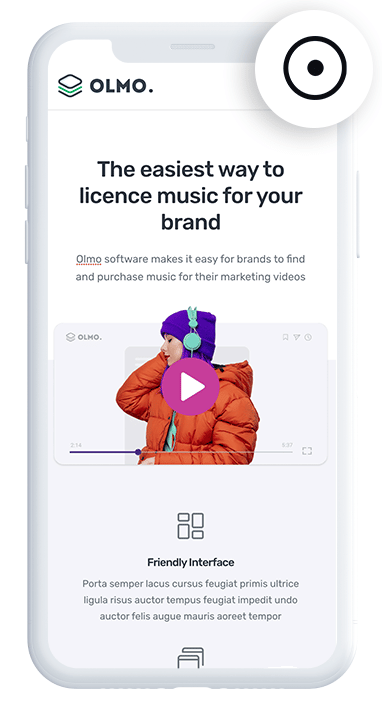
Next up, you'll need to get Attributer installed on your website.
When you sign up for a free 14-day trial, you'll receive a small code snippet to add to your site. The exact steps depend on your website platform (WordPress, Webflow, Squarespace, Framer, etc.), but in most cases you can add it through the settings area or via Google Tag Manager.
Step-by-step instructions for all popular website builders can be found here.
3. Attributer passes Facebook Ads data through with each booking
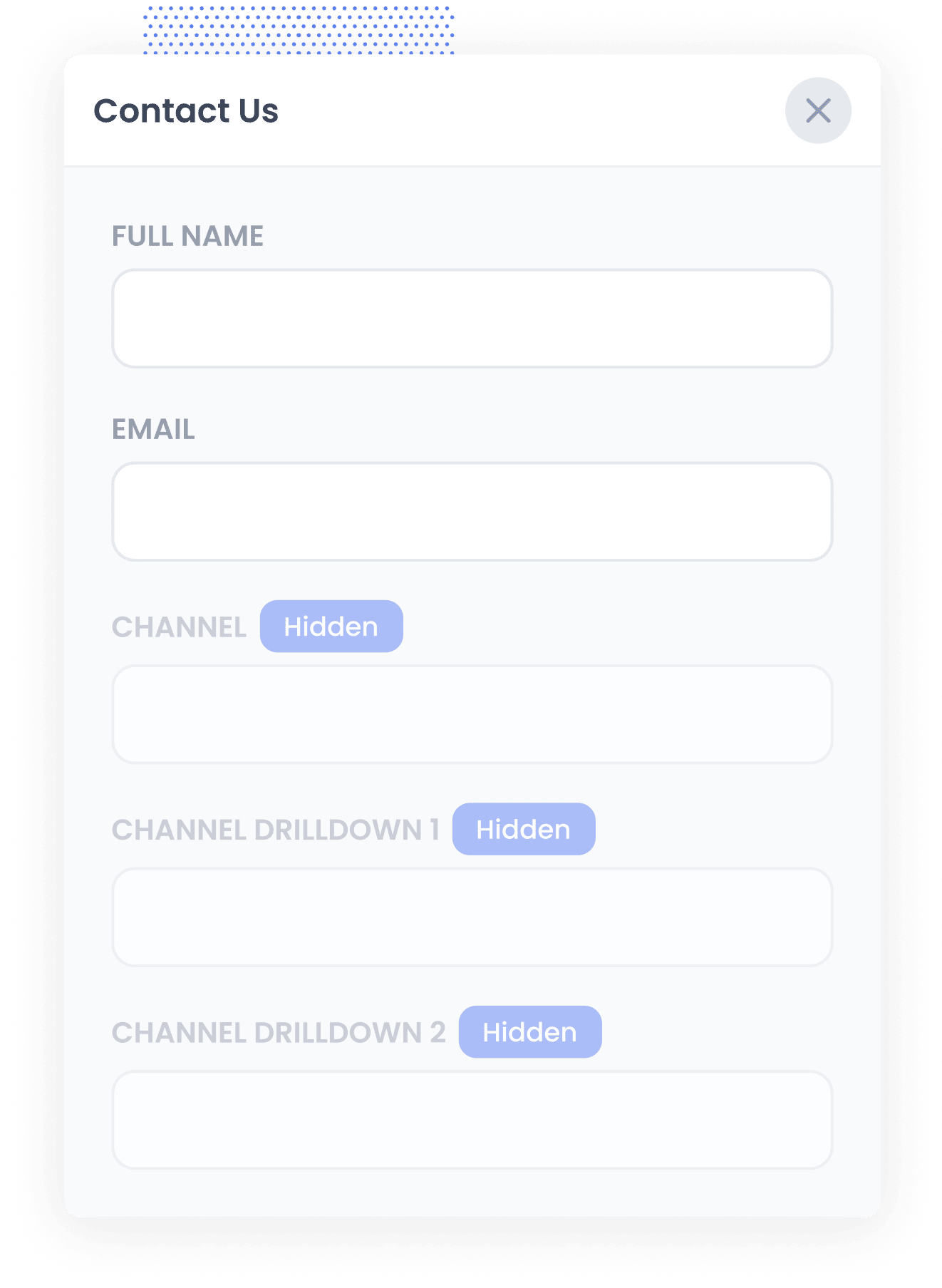
Once Attributer is installed, it immediately begins tracking where your website visitors are coming from. Then, when someone schedules a meeting through your HubSpot Meetings widget, Attributer automatically sends the Facebook Ads data through with the booking.
Here's a practical example to show how it works:
Let's say you run a law firm that specializes in family law. You've set up a Facebook Ads campaign to promote free initial consultations for people going through a divorce.
When someone clicks your ad and books a meeting through the HubSpot Meetings widget on your site, Attributer captures data like this (depending on the UTM parameters you've set up):
- Channel = Paid Social
- Channel Drilldown 1 = Facebook
- Channel Drilldown 2 = Divorce Consultation Campaign
- Channel Drilldown 3 = Free Consultation Ad
This gives you a clear view of exactly which campaigns and ads are generating bookings, so you can invest more in the ones that are delivering results.
4. Facebook Ads data is captured in HubSpot
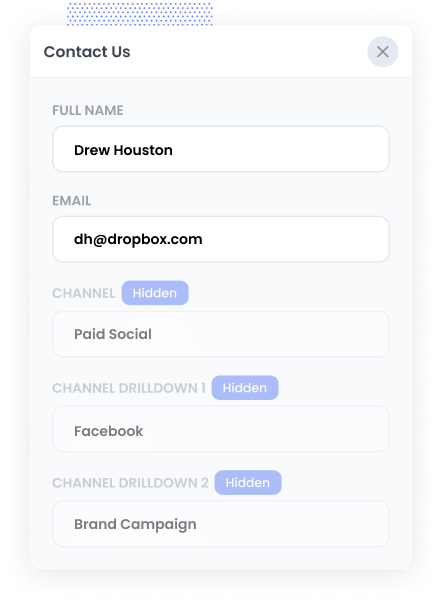
Once the data is flowing into HubSpot alongside each new meeting booking, you can put it to work in a number of ways:
- View it on the contact record in HubSpot CRM — Because HubSpot Meetings is part of the broader HubSpot ecosystem, the attribution data automatically shows up on the contact record in your CRM right alongside the meeting details.
- Build reports in HubSpot — Use HubSpot's built-in reporting tools to create dashboards that show how many meetings, leads, and customers your Facebook Ads campaigns are generating each month.
- Export it to a spreadsheet — Pull the data into Google Sheets or Excel, apply some filters, and connect it to tools like Google Looker Studio or Microsoft Power BI for more advanced reporting.
Why using Attributer is the best way to capture Facebook Ads data in HubSpot Meetings
Here's why Attributer is the best approach for capturing Facebook Ads data in HubSpot Meetings:
1. Captures all traffic
Attributer doesn't just track bookings that come from your Facebook Ads. It captures attribution information for every single meeting booked through HubSpot Meetings, no matter how that person found your site.
Whether someone discovers you through a Google search, a LinkedIn post, a referral from another website, or a direct visit, Attributer records where they came from and passes it through with the booking. This means you get a complete picture of where all your meetings are coming from, not just those driven by Facebook Ads.
2. Remembers the data as visitors browse your site
Most other ways of capturing UTM parameters only work if someone books a meeting on the exact same page they originally landed on.
Here's why that's an issue: imagine someone clicks one of your Facebook Ads and arrives on your homepage. They browse around your site for a bit, then click a "Book a Call" button that takes them to a different page where your HubSpot Meetings widget is embedded. Because the booking happened on a separate page, the UTM parameters would normally be lost.
Attributer solves this by storing the UTM parameters in the visitor's browser. This means they can navigate around your site, read a few pages, or even leave and come back later, and the data about how they originally found you will still be passed through when they book a meeting.
3. Captures Click ID's
Attributer can also pass through click IDs like the Facebook Click ID (FBCLID) with each meeting booking.
From there, you can send these click IDs to HubSpot CRM, and then, at a key point in your sales process (like when a lead becomes a customer), you can send them back to the ad platform as an offline conversion.
This means that instead of tracking thank-you-page visits as conversions in your ad platforms, you can track actual paying customers.
4. Captures landing page data as well
Beyond tracking Facebook Ads data through UTM parameters, Attributer also records the very first page someone visits on your site, along with the broader section of your site that page belongs to.
For instance, if someone's first visit is to lawfirm.com/services/family-law, Attributer would capture:
- Landing Page = lawfirm.com/services/family-law
- Landing Page Group = /services
This is really helpful for understanding which parts of your website are generating the most bookings. You can see whether your blog, your services pages, or your case study pages are doing the heavy lifting when it comes to converting visitors into meetings.
3 example reports you can run when you capture Facebook Ads data in HubSpot Meetings
Once Facebook Ads data is flowing into HubSpot CRM with every new meeting booking, you can start building reports that show you exactly how your ads are performing.
I've been in marketing for over 15 years and have put together these kinds of reports for all sorts of businesses. Here are 3 of the ones I find most valuable to start with:
1. Leads by Channel
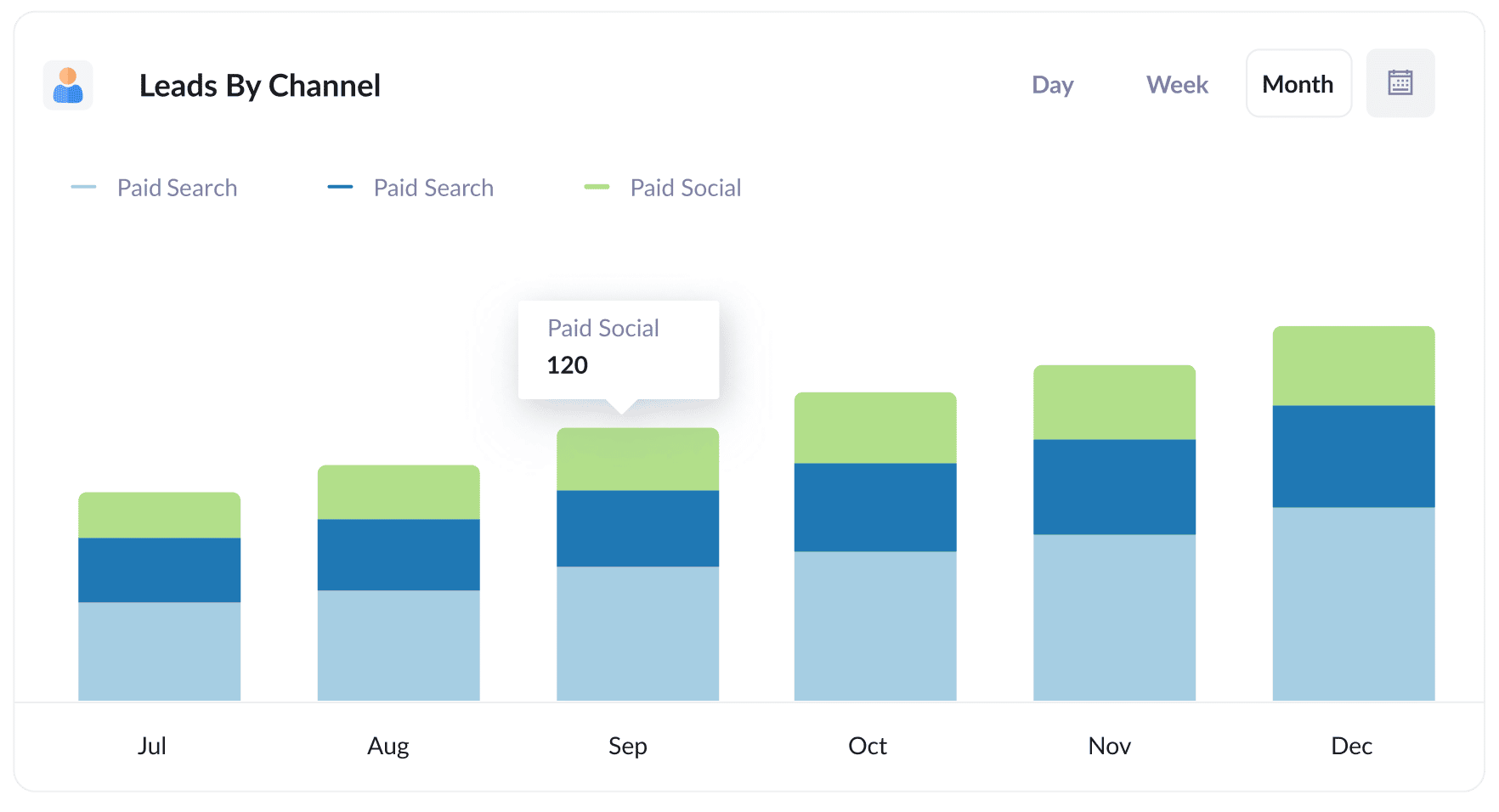
This report gives you a month by month breakdown of how many leads or bookings you're getting, organized by the channel they came from (Paid Social, Paid Search, Organic Search, etc.).
It's a straightforward way to see how your Facebook Ads stack up against your other marketing efforts. If you notice that Organic Search is quietly outperforming your paid campaigns, for instance, you might decide to invest more heavily in SEO.
2. Leads by Network
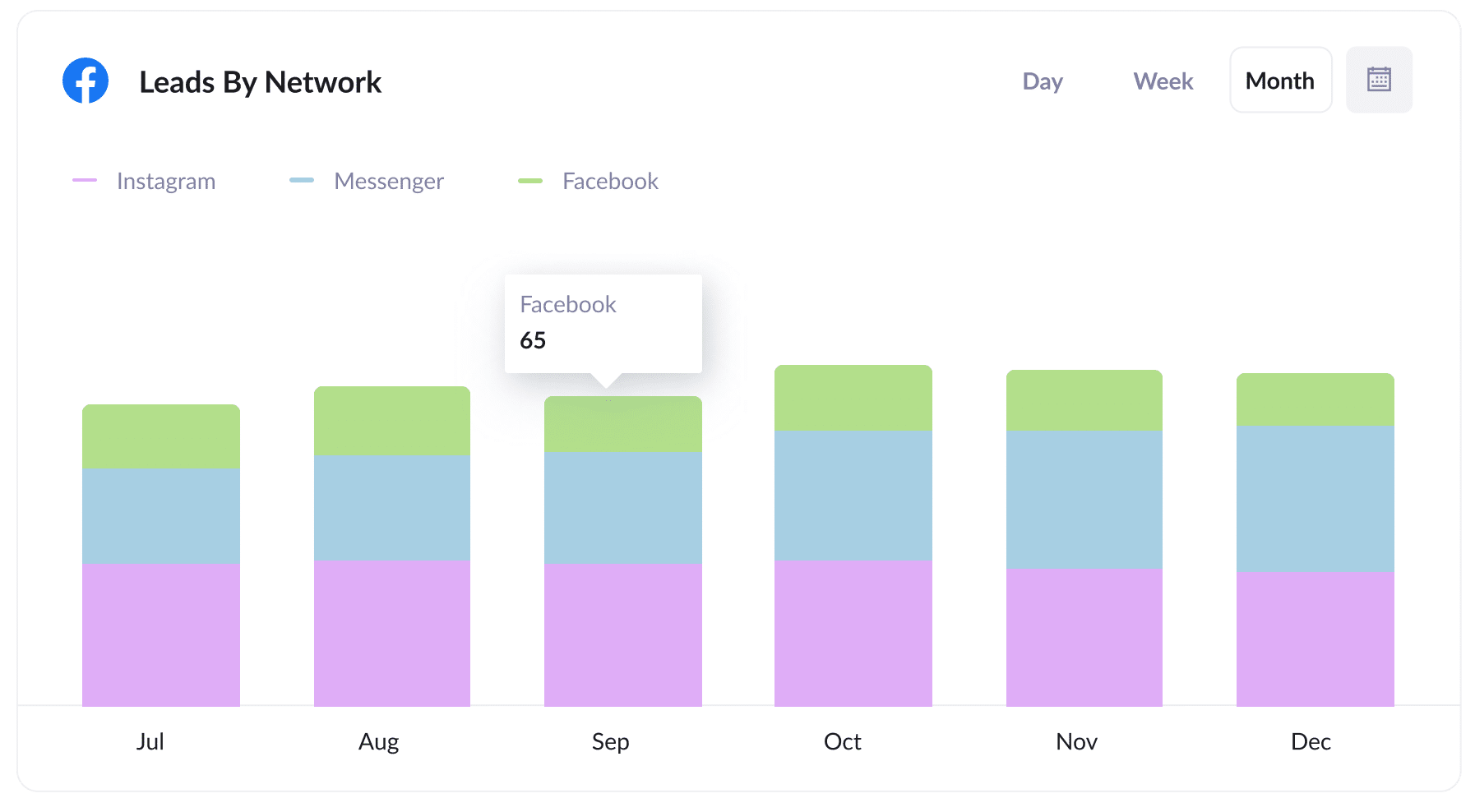
When you run Facebook Ads, your campaigns often show across Meta's other platforms as well, including Instagram, Messenger, and the Audience Network.
This report helps you see which of those networks are actually generating bookings. Once you know where your best leads are coming from, you can refine your targeting to focus on those networks and get more meetings at a lower cost per lead.
3. Customers by campaign
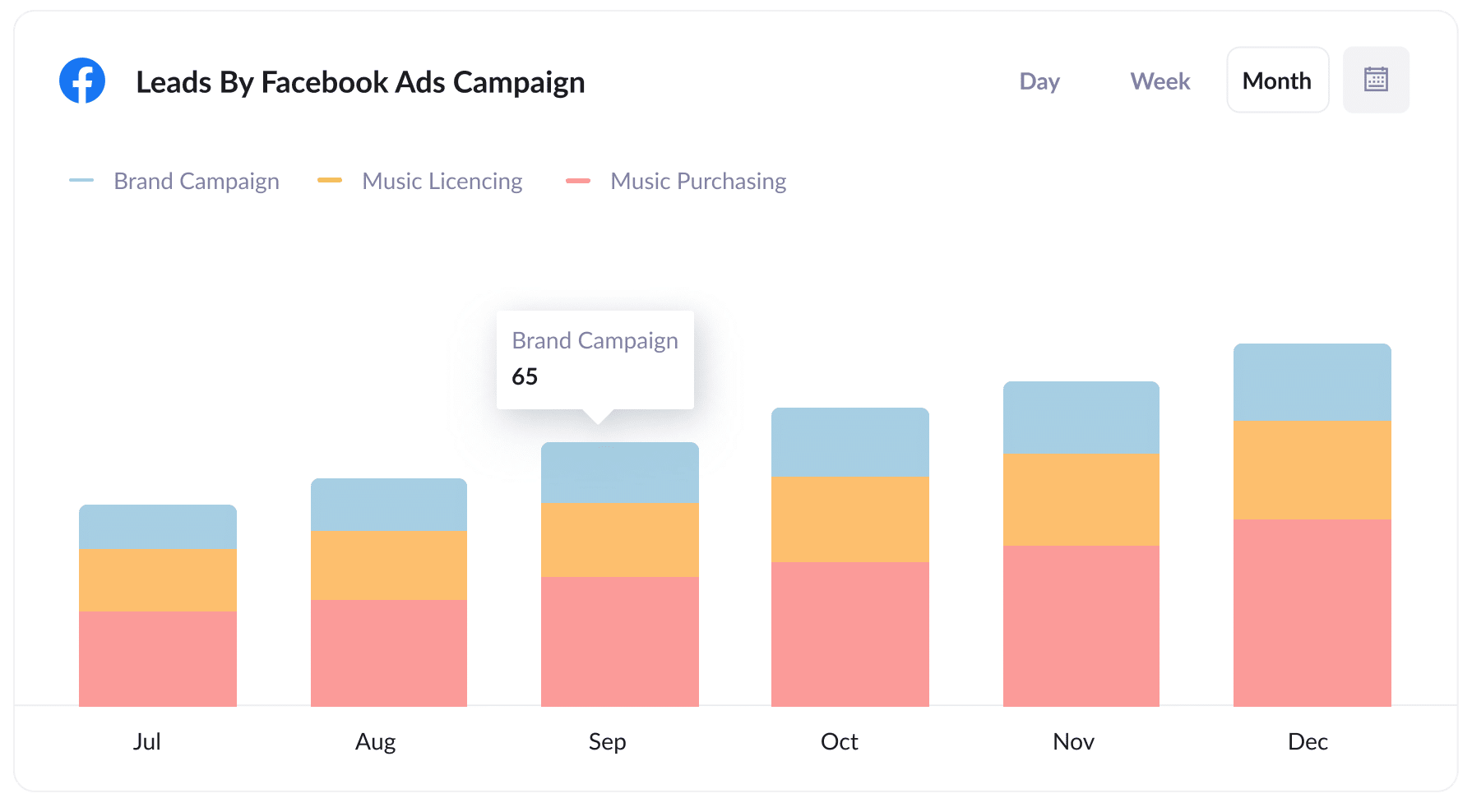
This report shows how many new customers you've won each month, broken down by the Facebook Ads campaign they originally came from.
It goes beyond just looking at clicks or meetings booked and tells you which campaigns are actually producing paying customers. With this data, you can confidently double down on the campaigns that are delivering real returns and pull back on the ones that aren't converting.
Wrap up
If you've been trying to figure out how many meetings, leads, and customers your Facebook Ads are actually generating, Attributer with HubSpot Meetings is a great solution.
It captures the UTM parameters from your Facebook Ads and passes them through each time someone books a meeting via your HubSpot Meetings widget. And because HubSpot Meetings feeds directly into HubSpot CRM, the data shows up right on the contact record, ready for you to build reports and track results.
Best of all, Attributer is free to try and typically takes less than 10 minutes to set up. Start your 14-day free trial today and see which of your Facebook Ads are really driving results.
Get Started For Free
Start your 14-day free trial of Attributer today!

About the Author
Aaron Beashel is the founder of Attributer and has over 15 years of experience in marketing & analytics. He is a recognized expert in the subject and has written articles for leading websites such as Hubspot, Zapier, Search Engine Journal, Buffer, Unbounce & more. Learn more about Aaron here.