
The best way to track Chili Piper bookings as conversions in Google Ads
Learn how to set up proper conversion tracking in Google Ads when someone books a meeting through Chili Piper
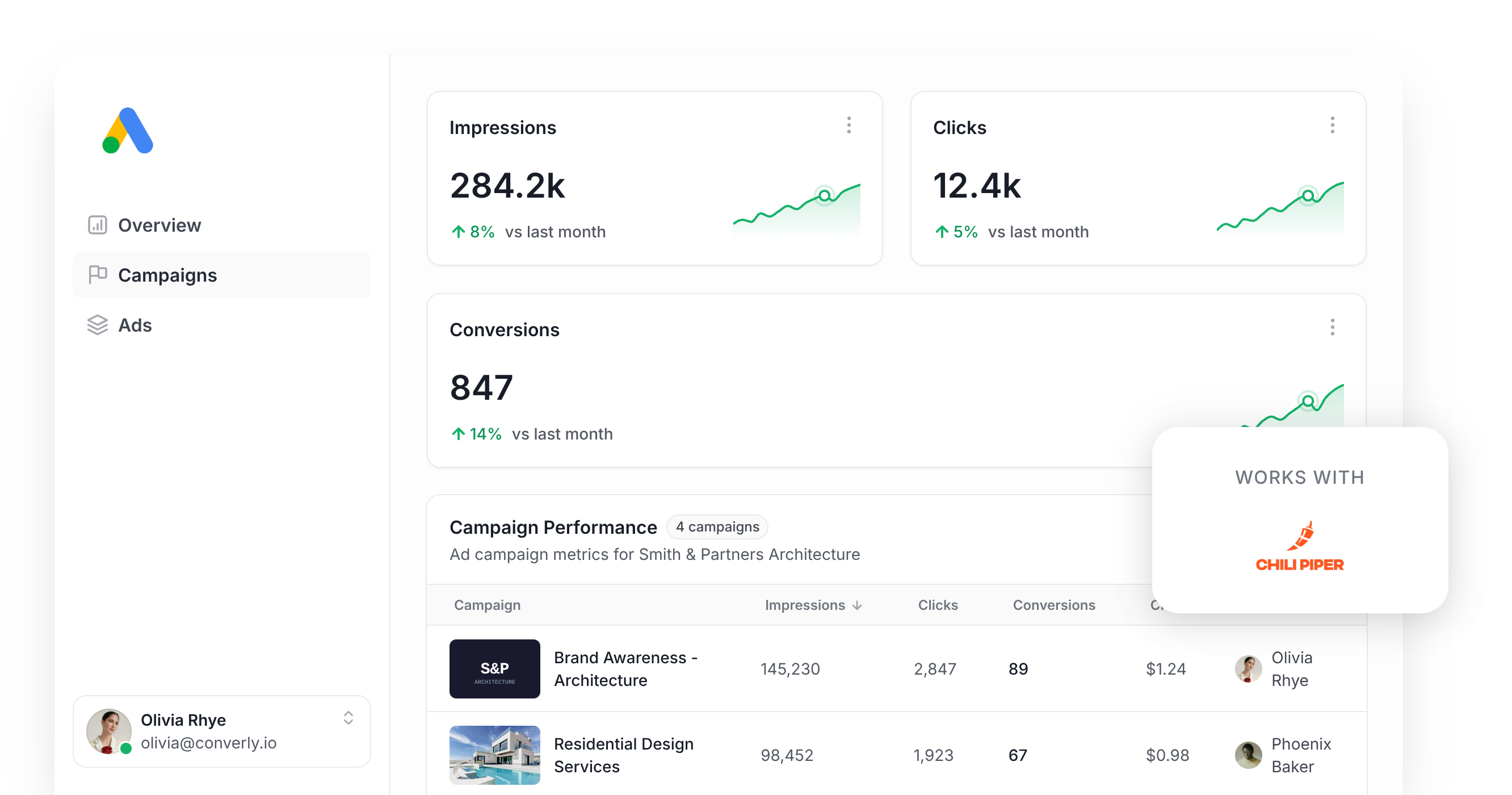
Use Attributer to capture the GCLID when someone books a meeting through Chili Piper, then send it back to Google Ads as a conversion (either right away, or once that lead becomes a customer).
Google Ads is a great way to get potential customers to your website, and Chili Piper is a great way to convert them into leads. But how do you get the two talking to each other?
Wiring it up through Google Tag Manager means writing custom code to catch every new meeting, then stitching together the triggers, tags and variables to make it all fire correctly.
The usual workarounds fall short too. Chili Piper doesn't send guests to a dedicated thank you page after a meeting is booked, and its scheduler sits inside a widget on your page, so a simple button click listener won't reliably tell you a meeting actually got booked.
So what actually works?
This article covers how to properly track conversions in Google Ads when someone books a meeting through Chili Piper, using server-side tracking.
Why you need to be doing server-side tracking in Google Ads
Standard conversion tracking methods, like relying on Google Tag Manager events, run into a few recurring problems:
- Ad Blockers. Ad blockers keep the Google Tag from ever loading in your visitor's browser, so anything they do on your site can't be tracked.
- Privacy features in browsers. Browsers like Safari wipe tracking cookies after roughly a day, so if a prospect clicks your ad today and books a meeting three days later, there's no way to connect the conversion back to the original ad click.
- People switching devices. Someone might click your ad on their phone during lunch, then come back on their laptop that evening to actually book the meeting, and browser-based tracking has no way to tie those sessions together since they happen on different devices.
Server-side tracking gets around all three. Instead of relying on something happening in the visitor's browser and hoping the Google Tag catches it, you send the lead's details directly to Google's servers, so ad blockers and browser privacy settings never get in the way.
The results back this up. Google's own data shows server-side tracking drives a 23% average increase in total recorded conversions and a 10% cut in cost per conversion, mostly because Google's algorithms finally have enough data to learn what your best customers look like, and then serve your ads more prominently to people like them.
How to track Chili Piper bookings in Google Ads using server-side conversion tracking
There are two main ways to do this, and the right one depends on when you want the conversion reported back to Google Ads.
Option 1: When a lead books a meeting
A tool like Converly makes it easy to fire a server-side conversion to Google Ads when someone books a meeting through Chili Piper.
Instead of writing custom code in Google Tag Manager to detect the booking, pull the guest's details, hash them with SHA-256, and push them to Google yourself, Converly gives you a visual builder for putting the whole flow together.
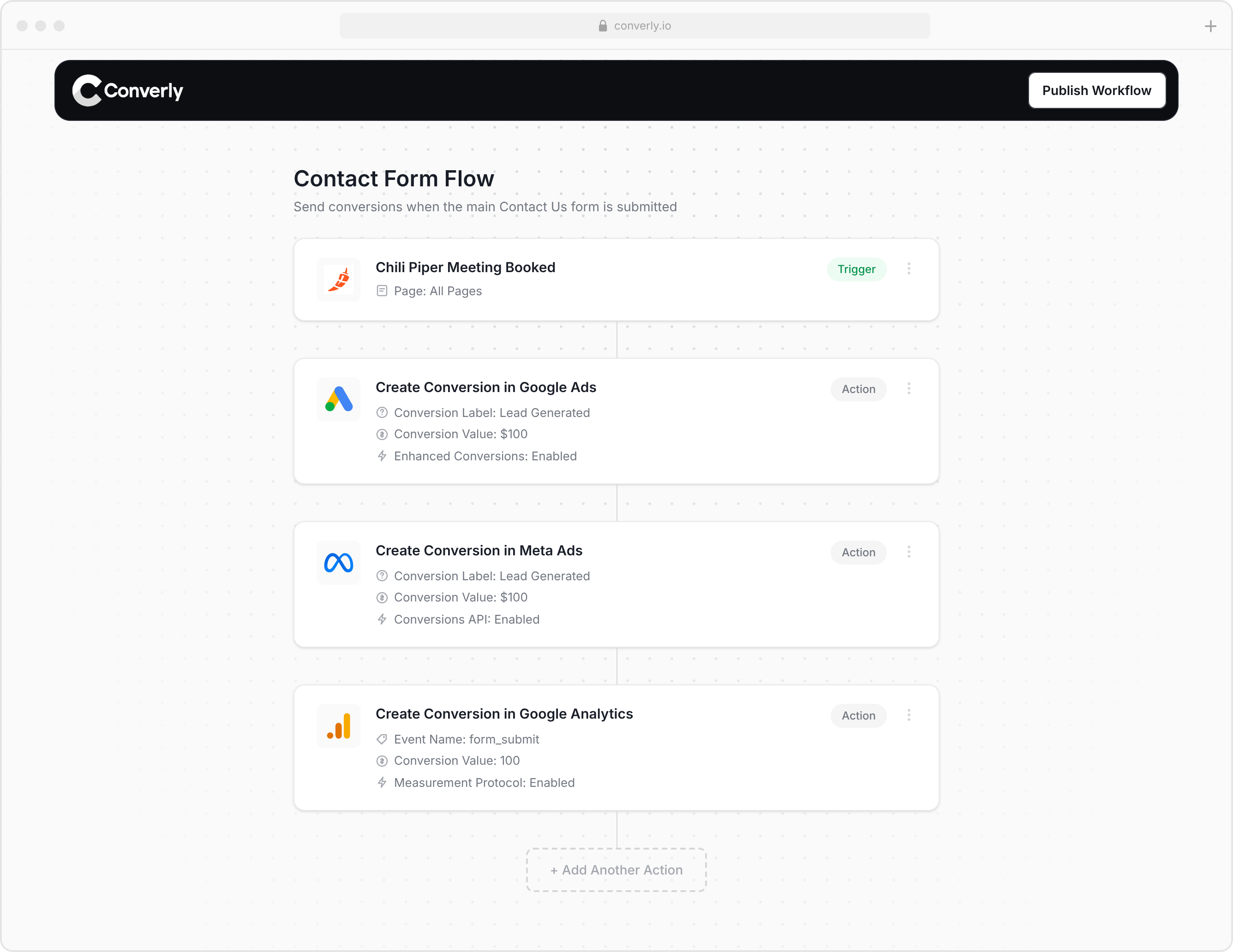
You simply choose a trigger (like a new meeting being booked through Chili Piper) and pick the actions you want to happen (like sending a conversion to Google Ads).
Converly then takes care of the rest. It watches for new bookings, captures the GCLID, IP address, user agent and so on, pulls the guest's name, email and phone number from Chili Piper, hashes them with SHA-256, and passes everything to Google Ads (sending Google this level of detail helps it match the booking back to the exact campaign, ad and keyword the lead originally came from).
With tools like Converly, you get the full benefit of server-side tracking (the 23% average lift in recorded conversions and 10% drop in cost per conversion wementioned earlier) without writing custom code, or needing to know what SHA-256 is, or figuring out how to talk to Google's API yourself.
Option 2: When a lead becomes a customer
If your Chili Piper bookings flow into a CRM, you can also wait and send the conversion to Google Ads later (once the lead actually converts into a paying customer for instance).
Doing this means capturing a bit of extra data at booking time and saving it to the contact record. Here's the process:
1. Install Attributer and add a hidden field to your Chili Piper form
Start with a 14-day free trial of Attributer and add the little bit of Javascript it gives you to your site.
Then add a field to your Chili Piper form for the GCLID (the unique ID Google attaches to every ad click, which you'll need later to send the conversion back). Toggle that field to hidden so guests never see it, and set it up so the value gets passed in automatically instead of typed by hand. Full setup steps are on the Attributer Help site.
2. Attributer writes the GCLID into the hidden field
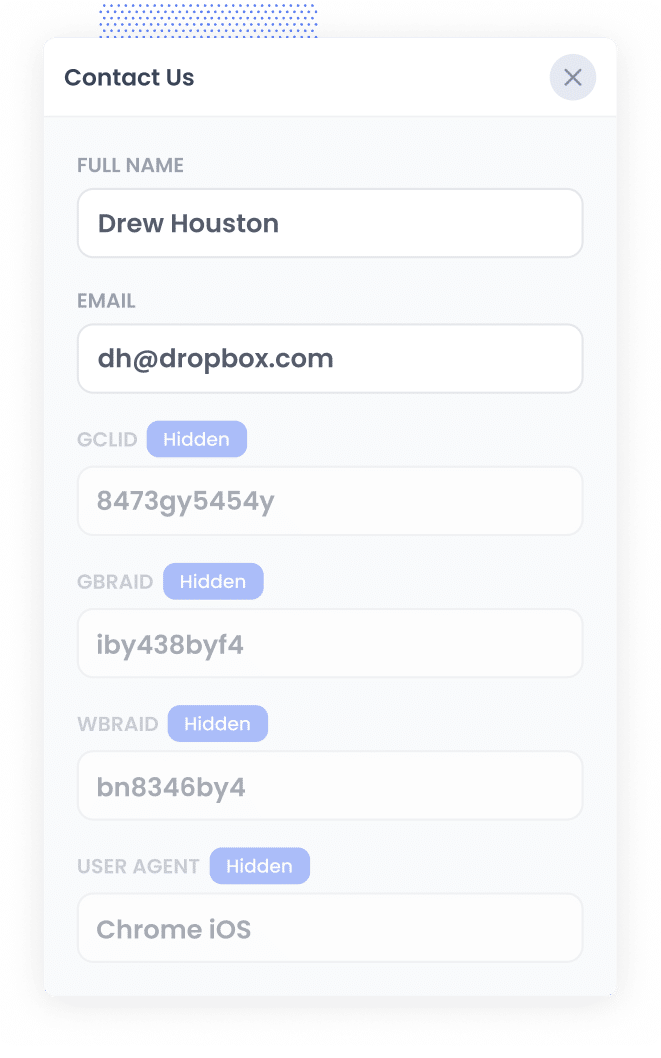
When a visitor clicks one of your Google Ads and lands on your site, Attributer grabs the GCLID and stores it, so it doesn't get lost if they browse your site before booking a meeting (or if they leave and come back later).
Then, when they book a meeting through the Chili Piper widget on your site, Attributer writes the GCLID into the hidden field on the guest form, and ti gets captured without the lead ever knowing.
3. Data is sent to your CRM
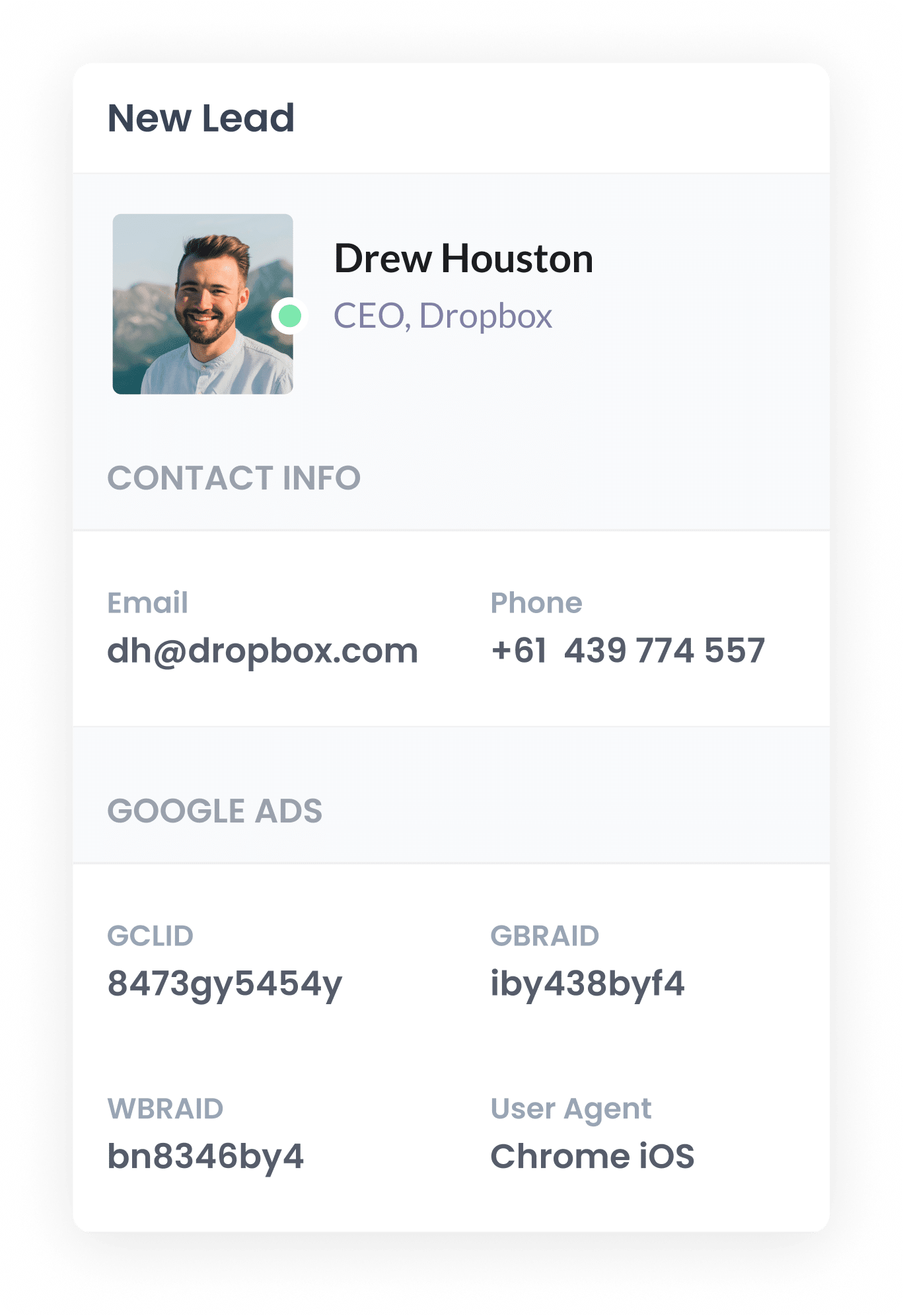
With the GCLID captured on the booking, Chili Piper's native CRM integrations can send the GCLID to your CRM along with the guest's name, email, phone number and anything else you ask on the form.
From there, it sits on the contact record, waiting until you need it in the next step.
4. Send the data to Google Ads
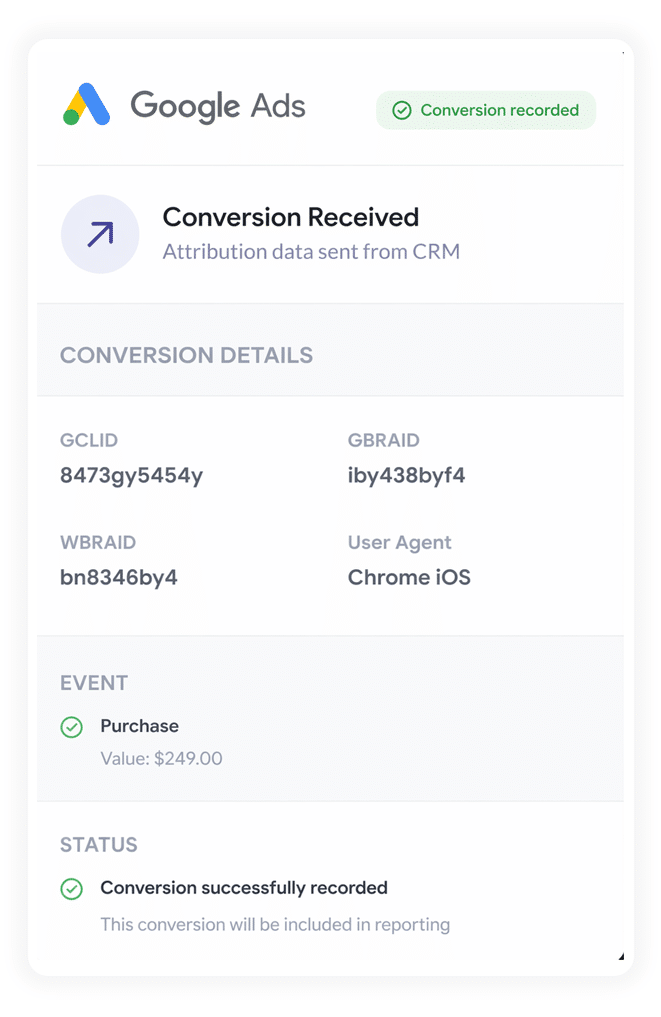
Once a real milestone happens, like a deal being created or the lead becoming a paying customer, you can push the conversion back to Google Ads.
Zapier and Make are the best options for this. They connect to practically any CRM and can send the conversion over to Google Ads at whatever stage fits your business.
A note on volume
Most ad platforms, Google Ads included, need a decent number of conversions flowing in before their algorithms can learn what your ideal customer looks like (and therefore serve your ads to other people in your target market).
Google Ads' own documentation says smart bidding strategies like Maximise Conversions or Target CPA need roughly 50 conversions per month per campaign before they start working properly. Meta's Advantage+ targeting needs 50 conversions per week per ad set.
So while it might seem like the best thing to do send conversions once someone becomes a customer, unless you're closing a high volume of new customers every week or month, you probably won't have enough data flowing in to make it worthwhile.
That's why it's usually better to send the conversion when the meeting gets booked and the lead is created, since that extra volume gives the algorithms more to work with (most businesses generate far more leads per month than they do customers, since only a portion of leads ever convert).
Why sending server-side conversions to Google Ads is the best approach
Here are the four big reasons it's the most dependable way to track conversions:
1. Overcomes Ad Blockers
Older tracking approaches, like counting thank you page visits or firing events through Google Tag Manager, rely on scripts successfully loading in the visitor's browser, and ad blockers and privacy-focused browsers often stop those scripts from ever running.
Recent research puts the share of internet users running some form of ad blocker at north of 30%, so it's a significant number.
Server-side tracking fixes this by sending the conversion straight to Google's servers, so ad blockers and browser privacy settings can't get in the way.
2. Bypasses Safari & iOS Privacy Limitations
Apple's Intelligent Tracking Prevention (ITP) tends to wipe tracking cookies within a day or two, so it's very difficult to match a conversion back to the original ad click if they don't happen on the same day.
With server-side tracking, you send the lead's name, email, phone, and so on to Google with each conversion, which helps Google tie the conversion back to the original ad click no matter how much time has passed.
3. Works across devices
Plenty of leads discover your site on one device (like their phone) but don't convert until they are back at a computer.
Standard browser tracking can't connect those two visits because they happen on different devices. But by sending lead data like name, email, and phone to Google's servers, you give Google the data it needs to stitch the two sessions together and credit your ads properly for starting things off.
4. Eliminates duplicate and messy data
Browser-based tracking is also prone to other errors, especially if you're doing things like tracking thank you page visits or button clicks. A guest could click 'Book Meeting' but abandon the form before finishing, so the button click counts as a conversion even though no meeting was booked. Similarly, thank you pages can be visited without submitting a form (they can be indexed in Google, browser autocomplete features can send people there, they can be visited by bots, etc) which means your conversion counts are massively overinflated.
Server-side tracking avoids all of that. It only logs a conversion once a meeting genuinely gets booked, not when a page loads or a button gets clicked, so your Google Ads conversion counts stay much closer to the number of meetings you're actually getting.
3 reports you can run when you properly send conversions to Google Ads from Chili Piper
Across 15 years leading marketing teams, I've spent millions of dollars on Google Ads and built more reports than I can count trying to see what was actually working.
Here are the 3 I kept coming back to:
1. Conversions by Keyword
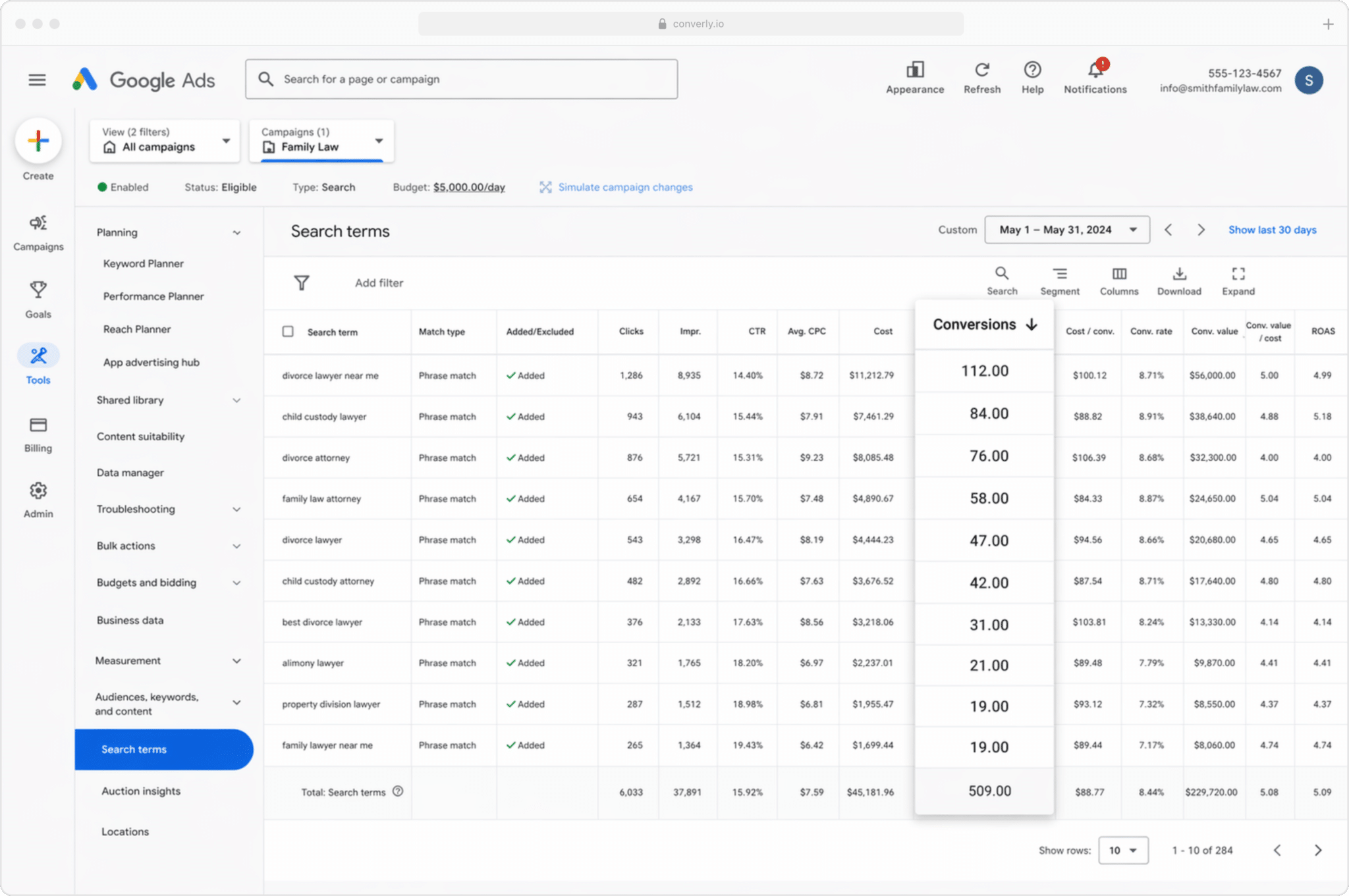
Most businesses bid on a wide spread of keywords across multiple campaigns, often for different products, features, or services (an accounting software company might bid on ‘Accounting software’ as well as ‘Invoicing software’ as well as ‘QuickBooks alternative’).
This report shows which of those keywords are actually driving conversions, rather than just generating impressions and clicks that never turn into real sales meetings.
It makes it easy to see which keywords are you should be putting more budget behind, and which ones you can probably pause.
2. Conversion Value by Campaign
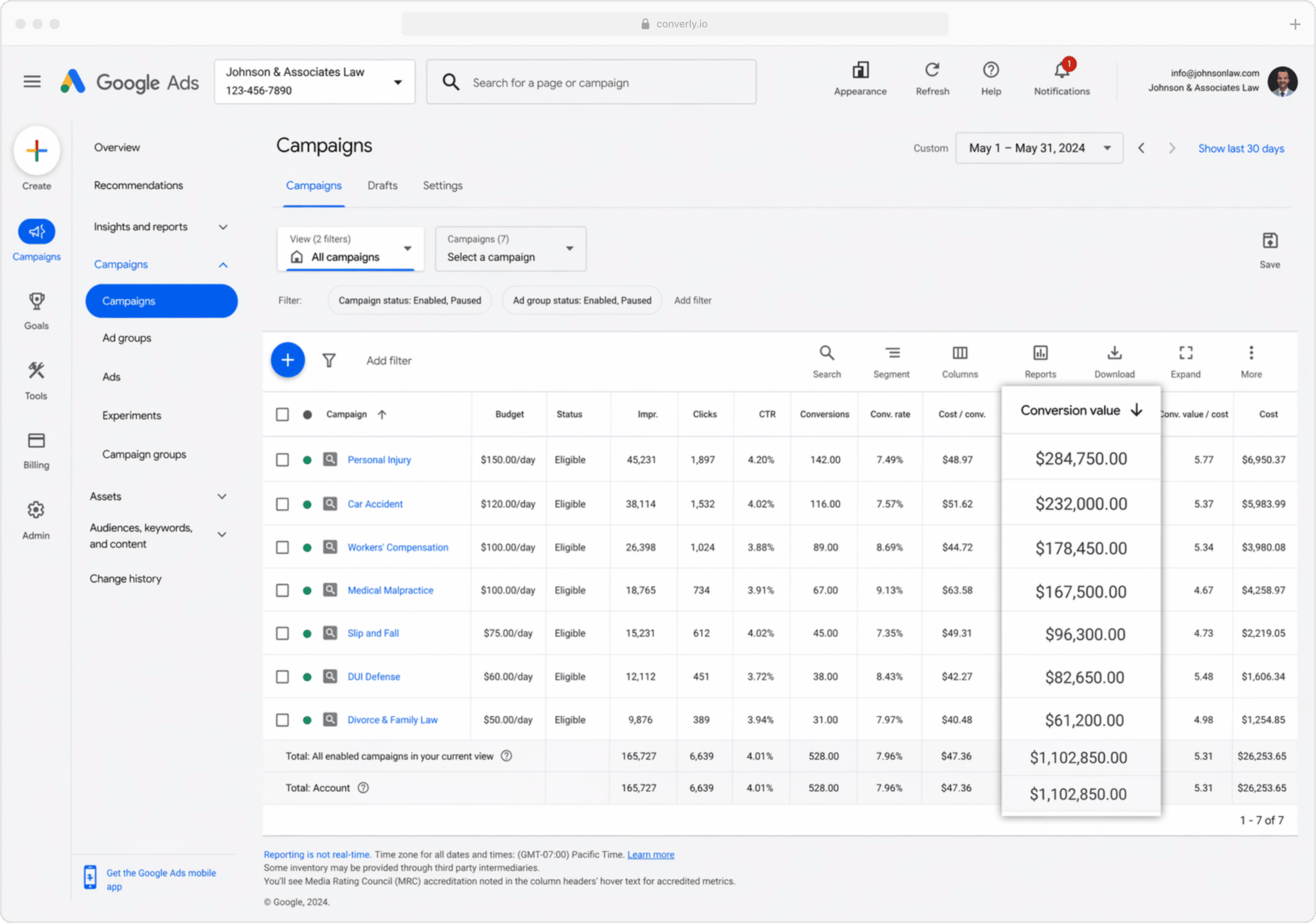
When you're sending conversions to Google Ads from your CRM, you can attach a value to each one (usually pulled from the deal value in your CRM) so you can see in Google Ads how much revenue each campaign has generated.
By doing so, you'll be able to see that one campaign generated $1,000 in pipeline while another generated $10,000, and it will help you make better decisions about where to allocate your budget to grow pipeline.
3. Conversions by Geography
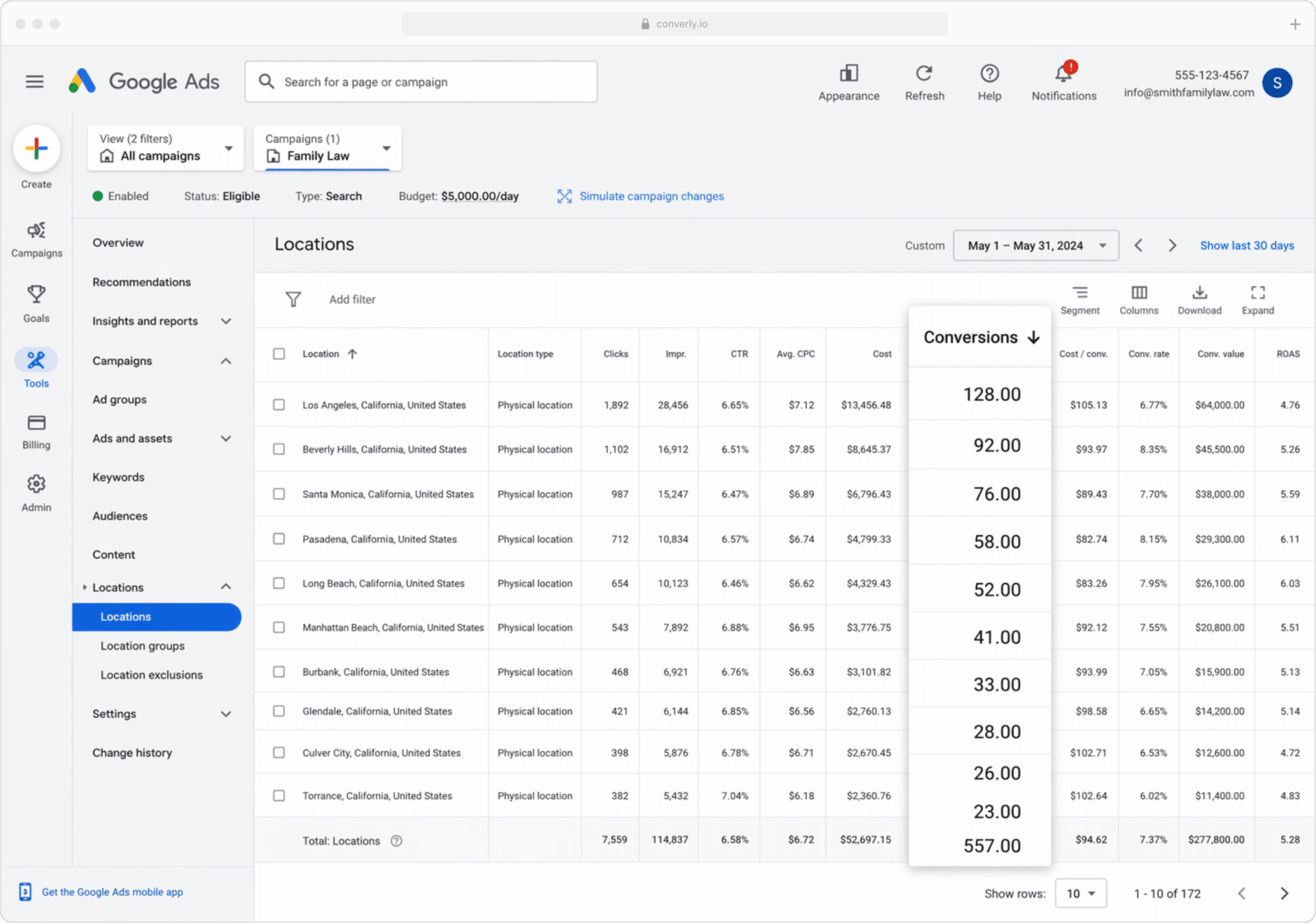
This report is especially useful for businesses that win most of their clients locally (financial advisors, accounting firms, law practices, and similar). It breaks conversions down by geographic region.
You can keep it broad (country, state or city) or drill down to a specific postcode. Either way, you can see whether your meetings are actually coming from the areas you want to serve, or whether you're paying to reach people in areas that aren't realistic to service.
Once you know that, Location Bid Adjustments let you act on it. You can tell Google to bid harder in the postcodes where your best customers live and pull back (or stop entirely) elsewhere.
Wrap Up
Getting conversion tracking right in Google Ads can genuinely help you generate more pipeline at a lower cost.
It gives you the data to make manual adjustments (bidding up on certain keywords or locations, for example), but more importantly, it gives Google's algorithms the data they need to learn who your ideal customers are and serve your ads more prominently to people like them.
But it all depends on the underlying conversion data being accurate. Track thank-you page visits or fire events from the browser through Google Tag Manager, and you're not sending reliable data, which means your Google Ads results will suffer for it.
So whichever setup you land on, and whenever you decide to fire the conversion (when the lead books a meeting, once the lead becomes a customer, or somewhere in between), make sure it's happening server-side, because that's what delivers the best results.
Get Started For Free
Start your 14-day free trial of Attributer today!

About the Author
Aaron Beashel is the founder of Attributer and has over 15 years of experience in marketing & analytics. He is a recognized expert in the subject and has written articles for leading websites such as Hubspot, Zapier, Search Engine Journal, Buffer, Unbounce & more. Learn more about Aaron here.